Mineuniverse
Resource Packs
Master Crystal PvP!

Master Crystal PvP!

RESOURCE PACK
Best Texture pack To Become Master In Crystal PvP!
by SakshamBhaii
Download Claim this project
681 downloads
0 likes
Updated Oct 14, 2026
0 hypes
16x Miscellaneous
Advertisement Remove ads with Premium →


✨Master Crystal PvP✨


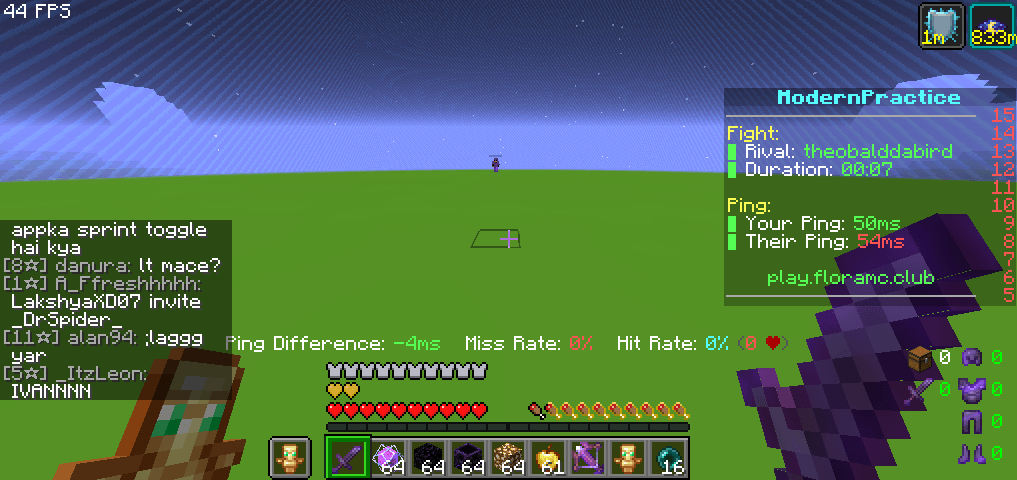
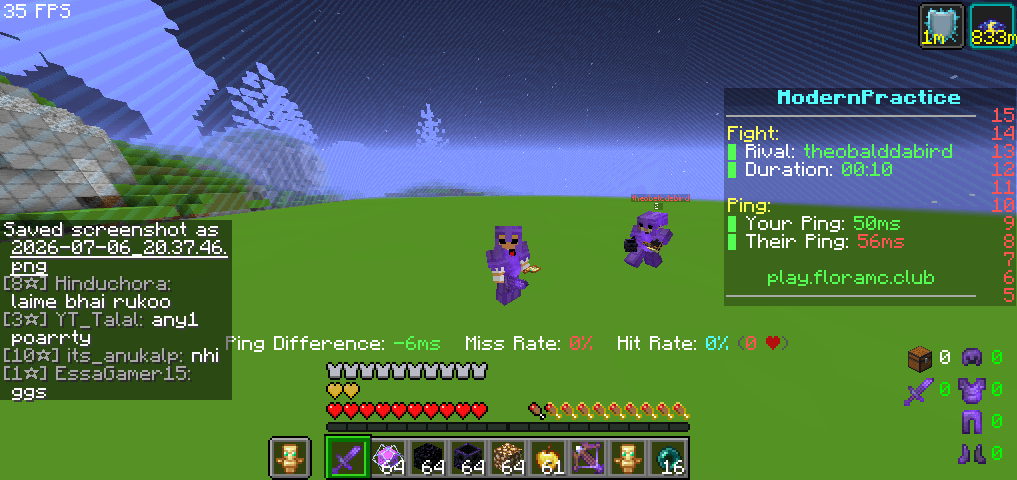
Master Crystal PvP is a Minecraft PvP texture pack built for players who want a clean and competitive experience. Designed with Crystal PvP in mind, this pack enhances your gameplay.

📢 NOTICE: All assets, textures, and configurations in this project are fully original, legally compliant, and customized for optimal PvP performance. Any ongoing targeted harassment, spamming, or false reporting by toxic users in the comment section is being actively documented and escalated directly to CurseForge Support. Let's keep the community clean and professional.


👀Find any Bug? Report on Comment!

Features

 Optimized for Crystal PvP.

 Smooth and clear visuals during combat.

 Lightweight and performance-friendly.


Upgrade your PvP experience with Master Crystal PvP and dominate every battle!

Master Crystal PvP 1.16+.zip
MC 1.16, 1.16.5, 1.19
Release 2026-09-07 Get
Master Crystal PvP 1.20+.zip
MC 1.21, 1.20
Release 2026-09-07 Get
Master Crystal PvP 1.21+.zip
MC 1.21, 1.21.11, 26.1, 26.1.2, 26.2
Release 2026-09-07 Get
Master Crystal PvP 1.16+.zip
MC 1.16, 1.16.5
Release 2026-08-04 Get
Master Crystal PvP 1.20+.zip
MC 1.21, 1.20, 1.20.6
Release 2026-08-04 Get
Master Crystal PvP 1.21+.zip
MC 1.21, 26.2
Release 2026-08-04 Get
Master Crystal PvP 1.16+.zip
MC 1.16.3, 1.16.1, 1.16, 1.16.5, 1.20, 1.16.2, 1.16.4
Release 2026-07-06 Get
Master Crystal PvP 1.20+.zip
MC 1.21, 1.20
Release 2026-07-06 Get
Master Crystal PvP 1.21+.zip
MC 1.21, 26.2
Release 2026-07-06 Get

Requirements & install

How to use this resource pack in Minecraft
Resolution
16x
Minecraft
1.19 – 26.2
Install folder
.minecraft/resourcepacks

How to install resource packs

  1. Download the resource pack .zip file (do not extract it).
  2. In Minecraft open Options → Resource Packs → Open Pack Folder.
  3. Drop the .zip into the resourcepacks folder (.minecraft/resourcepacks).
  4. Move the pack to the Selected column and click Done.
Browse more: 16x resource packs 32x resource packs 64x resource packs 128x resource packs 256x resource packs 512x+ resource packs Resource Packs for 26.2 All resource packs

More from SakshamBhaii

Advertisement Remove ads with Premium →

You Might Also Like