Mineuniverse
Resource Packs
Mandala's Perspective

Mandala's Perspective

RESOURCE PACK
Improve the way to see the items to a cooler way.
by cesarzorak
Download Claim this project
Add a badge to your pageLink to Mandala's Perspective from a README, website or forum post.
Preview: Badge

Badges update automatically and link to the resource pack page on MineUniverse.

4,037 downloads
0 likes
0 followers
Updated Oct 14, 2026
0 hypes
Follow0
16x Miscellaneous Mod Support Modern Traditional
Advertisement Remove ads with Premium →

ABOUT:

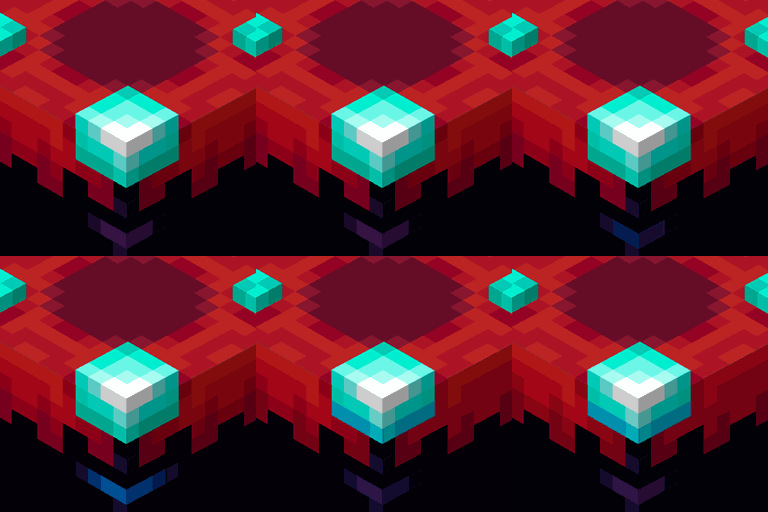
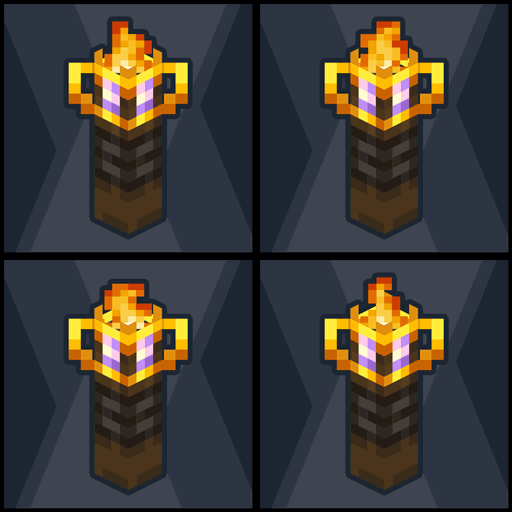
Perspective is a visual enhancement to the way you view items in minecraft, without changing items or blocks.

By not adding textures it is compatible with 1.12.x to current versions [I have not tested in older versions, but it should be compatible].

If you want to use this texturepack in server or modpack, you can use it, and give credits to the creator [me, CesarZorak].
If you want to modify or add content to/from this texturepack for server or modpack first send me a message on discord, pls.


FEATURES:

  • Vanilla friendly.
  • It does not add or modify textures.
  • Change the visual perspective of the items in the inventory, first and third person, and on the ground.
  • Items, blocks, tools, and tools are displayed differently.

Compatible with many versions of minecraft [starting from 1.12.2].
If you find a bug you can report it on Discord.
Don't forget to check out Mandala's Creations Patreon! We upload Spoiler on all our projects, Click here. ❤

 If you like my style of Pixelart also try:

Mandala's - Perspective [Compatible with many versions of minecraft, other texturepacks, and mods]
Mandala's - Veganicon Hotbar [download and copy manually]
Mandala's - Brewing Guide On [vanilla]

Mandala's GUI - Dark mode
Mandala's GUI - White mode

Fantasy Ores by CesarZorak
Fantasy Ores by CesarZorak [Modded]



💝 DEAR PATREONS 💝 


Remember that you can support us on the official Mandala Creations Patreon, where you will find information on upcoming updates,
this helps us bring you the best possible quality.

Perspective [all versions][v1.3]
MC 1.16.3, 1.13.1, 1.16-Snapshot, 1.17.1, 1.15-Snapshot, 1.16.1, 1.18.1, 1.14.3, 1.15, 1.16, 1.13, 1.19-Snapshot, 1.16.5, 1.19.3, 1.19.4, 1.14.4, 1.14.1, 1.12.1, 1.17, 1.12
Release 2023-04-09 Get
Perspective [all versions][v1.2]
MC 1.17.1, 1.16.3, 1.13.1, 1.19.3, 1.16.1, 1.18.1, 1.14.4, 1.14.1, 1.12.1, 1.17, 1.12, 1.14.3, 1.15, 1.16, 1.13, 1.19.4, 1.16.5, 1.18.2, 1.19.2, 1.15.2, 1.14, 1.19.1, 1.18
Release 2023-04-07 Get
Perspective [all versions][v1.1]
MC 1.17.1, 1.16.3, 1.13.1, 1.19.3, 1.16.1, 1.18.1, 1.14.4, 1.14.1, 1.12.1, 1.17, 1.12, 1.14.3, 1.15, 1.16, 1.13, 1.19.4, 1.16.5, 1.18.2, 1.19.2, 1.15.2, 1.14, 1.19.1, 1.18
Release 2023-04-06 Get
Mandalas+Perspective_v1.0
MC 1.17.1, 1.16.3, 1.13.1, 1.19.3, 1.16.1, 1.18.1, 1.14.4, 1.14.1, 1.12.1, 1.17, 1.12, 1.14.3, 1.15, 1.16, 1.13, 1.19.4, 1.16.5, 1.18.2, 1.19.2, 1.15.2, 1.14, 1.19.1, 1.18
Beta 2023-04-06 Get

Requirements & install

How to use this resource pack in Minecraft
Resolution
16x
Minecraft
1.18 – 1.19.4
Install folder
.minecraft/resourcepacks

How to install resource packs

  1. Download the resource pack .zip file (do not extract it).
  2. In Minecraft open Options → Resource Packs → Open Pack Folder.
  3. Drop the .zip into the resourcepacks folder (.minecraft/resourcepacks).
  4. Move the pack to the Selected column and click Done.
Browse more: 16x resource packs 32x resource packs 64x resource packs 128x resource packs 256x resource packs 512x+ resource packs Resource Packs for 1.19.4 All resource packs

More from cesarzorak

Advertisement Remove ads with Premium →

You Might Also Like