Badges update automatically and link to the resource pack page on MineUniverse.
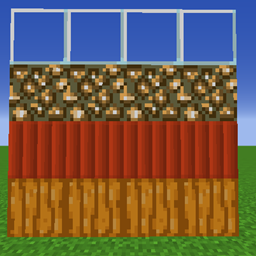
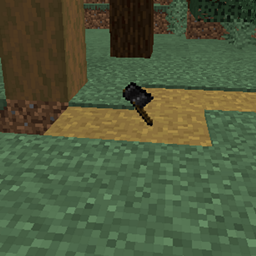
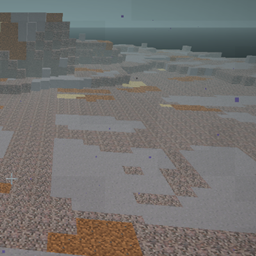
This resource pack causes NATURAL blocks to overlay such as grass dirt and sand
All Optifine files are marked 'beta' so they are easier to filter. These files need the OPTIFINE mod. (These are old and will not get new updates)
all new packs have 'fusion' in the filename so make sure the fusion mod is installed to make these work
This resource pack has been merged/split into the following for non-natural blocks
Brick overlays have moved to https://www.curseforge.com/minecraft/texture-packs/lz-brick-overlays
Wooden Plank overlays have moved to https://www.curseforge.com/minecraft/texture-packs/lz-plank-overlays
(old versions of the pack were all merged together have some bugs so they are marked alpha)
See my other resource packs
https://www.curseforge.com/minecraft/texture-packs/lz-clean-tnt
https://www.curseforge.com/minecraft/texture-packs/lz-dirt-without-rocks
https://www.curseforge.com/minecraft/texture-packs/lz-door-holes
https://www.curseforge.com/minecraft/texture-packs/lz-block-overlays
https://www.curseforge.com/minecraft/texture-packs/lz-glass-fusion
https://www.curseforge.com/minecraft/texture-packs/lz-retro-animated-blocks
https://www.curseforge.com/minecraft/texture-packs/lz-retro-animated-items
https://legacy.curseforge.com/minecraft/texture-packs/lz-retro-animated-ores
https://www.curseforge.com/minecraft/texture-packs/lz-ripe-melon
https://www.curseforge.com/minecraft/texture-packs/lz-roundish-logs
https://www.curseforge.com/minecraft/texture-packs/lz-rustic-torch
https://www.curseforge.com/minecraft/texture-packs/lz-shuffled-bricks
Inspirations and Dead Links and credits and other stuff:
I found this now-dead link in my old bookmarks https://www.planetminecraft.com/texture_pack/ninnih-s-overlays/ and i remember using this all the time with really-old versions of minecraft, and i remember watching lots of youtube videos and clips using this effect.
Another now-dead link i have is https://www.curseforge.com/minecraft/texture-packs/connected-planks which made oak planks stick out one little slip overtop of stone and dirt.
For this pack i had to make all my own assets for every block to match the new art style, i added new block support such as sand, new wood types, and many bricks, and then i re-coded the json block model support to support two methods. The optifine one I solved first and i used this privately for years, and recently i discovered Fusion and ported (re-coded) lots of the JSON to support this as well.
Optifine you get here https://optifine.net/downloads
Fusion is here with https://www.curseforge.com/minecraft/mc-mods/fusion-connected-textures
Also with a great wiki https://github.com/SuperMartijn642/Fusion/wiki
Those are my inspirations and references, so i give those authors all credit they are due