Mineuniverse
Resource Packs
Lunars Crown Overhaul

Lunars Crown Overhaul

RESOURCE PACK
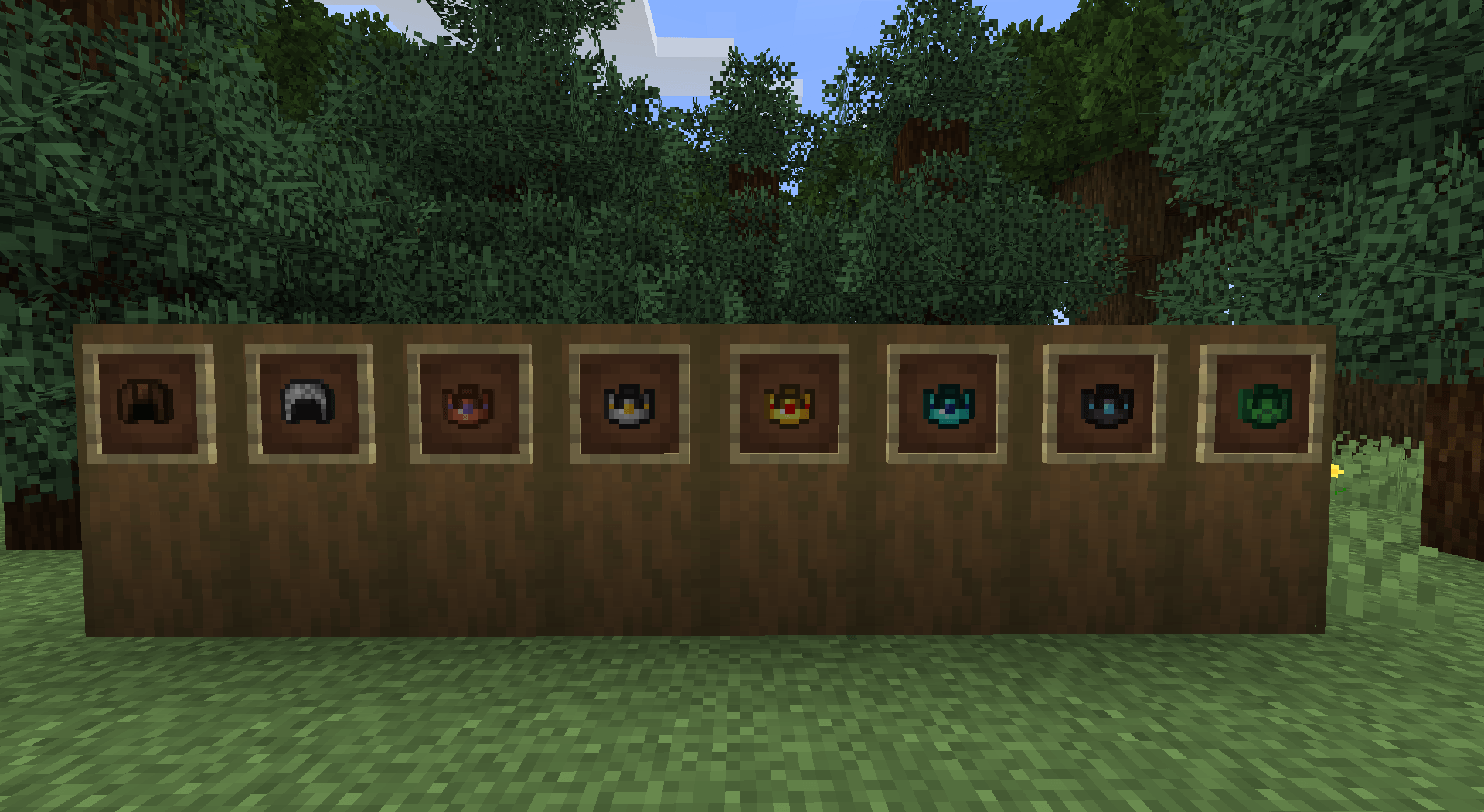
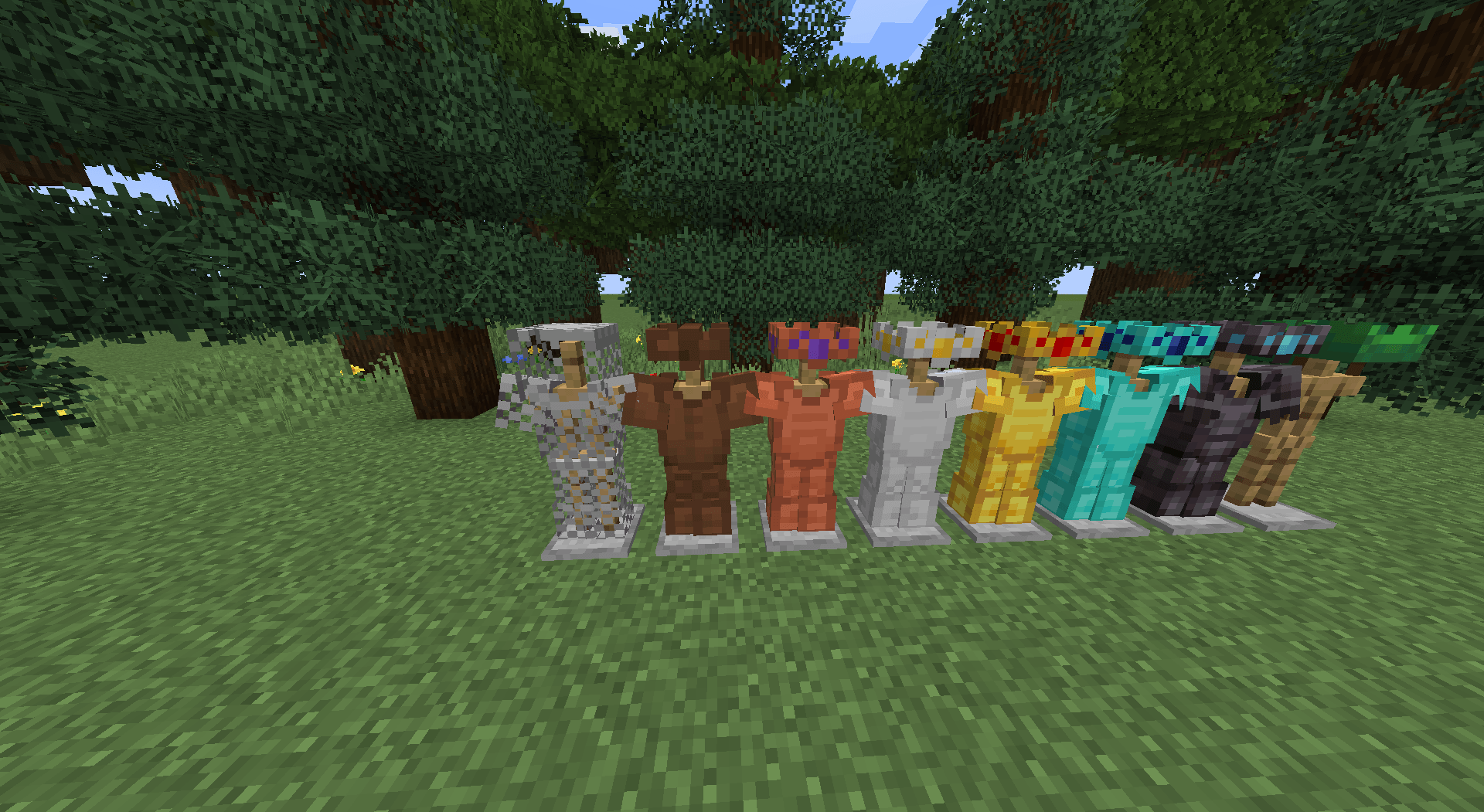
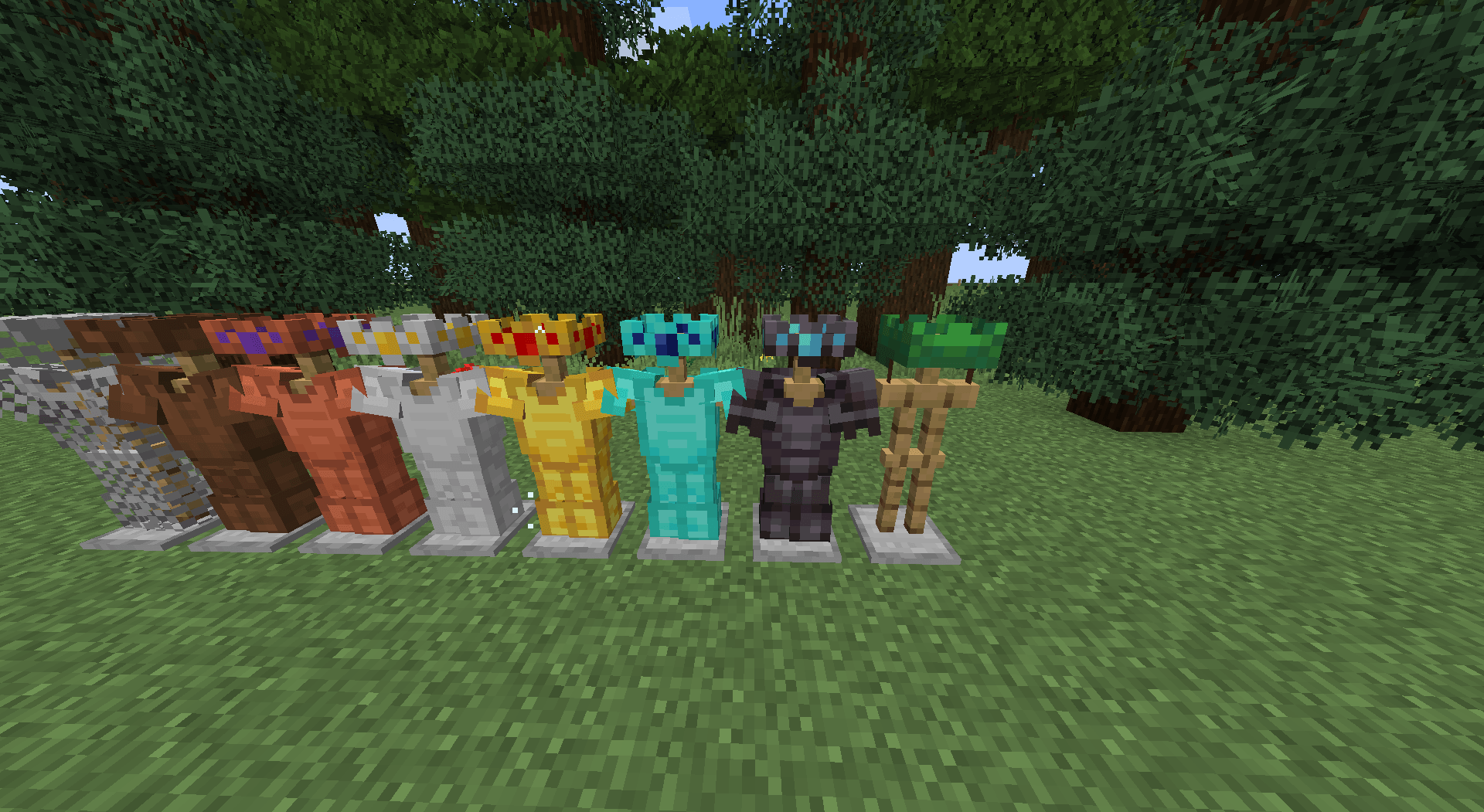
Makes all "helmets" appear as Crowns not including Chainmail, but INCLUDING turtle shell cap.
by Lunar_Lionn
Download Claim this project
173 downloads
0 likes
0 followers
Updated Oct 14, 2026
0 hypes
Follow0
64x Medieval
Advertisement Remove ads with Premium →

This Texture pack changes only the armor, it makes all helmets appear as crowns via item icon and when being worn, all crowns give a vanilla feel, there are leather cap and turtle shell cap crown variants, but none for chainmail because i didnt see a point, this pack also removes the shine parts of all armors, all crowns are actually BASED off my own created minecraft skin. i got the idea from the Even More Crowns texture pack i was heavily inspired by this it can be found on modrinth and curseforge created by Iceburglettuce. Currently untested with armor trims please leave ideas and feadback :3 (WARNING this is my first texture pack ive ever made... umm i use bare bones alot. so please be kind. of course i will do work to improve it in the future... thank you! <3)


LunarsCrownOverhaul.zip
MC 26.2
Release 2026-09-21 Get
LunarsCrownOverhaul (26.3).zip
MC 26.3
Release 2026-09-21 Get

Requirements & install

How to use this resource pack in Minecraft
Resolution
64x
Minecraft
26.2 – 26.3
Install folder
.minecraft/resourcepacks

How to install resource packs

  1. Download the resource pack .zip file (do not extract it).
  2. In Minecraft open Options → Resource Packs → Open Pack Folder.
  3. Drop the .zip into the resourcepacks folder (.minecraft/resourcepacks).
  4. Move the pack to the Selected column and click Done.
Browse more: 16x resource packs 32x resource packs 64x resource packs 128x resource packs 256x resource packs 512x+ resource packs Resource Packs for 26.3 All resource packs
Advertisement Remove ads with Premium →

You Might Also Like