Mineuniverse
Resource Packs
Lost In Space - Space Themed GUIs

Lost In Space - Space Themed GUIs

RESOURCE PACK
GUI's and Inventories changed to a Space Theme.
by happyhabba
Download Claim this project
Add a badge to your pageLink to Lost In Space - Space Themed GUIs from a README, website or forum post.
Preview: Badge

Badges update automatically and link to the resource pack page on MineUniverse.

627 downloads
0 likes
0 followers
Updated Oct 14, 2026
0 hypes
Follow0
64x
Advertisement Remove ads with Premium →

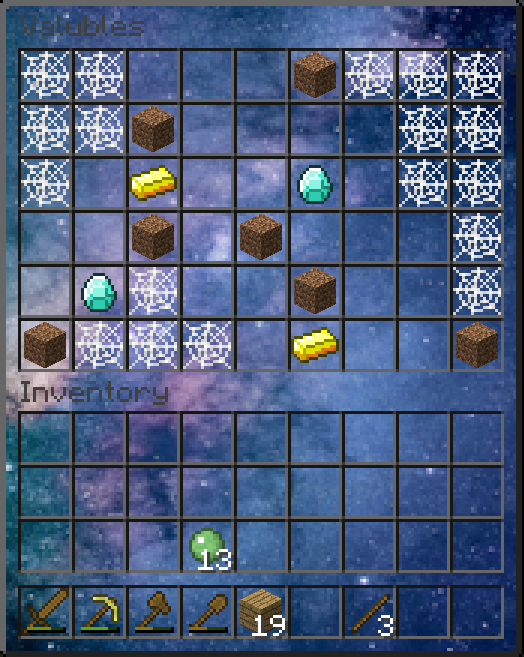
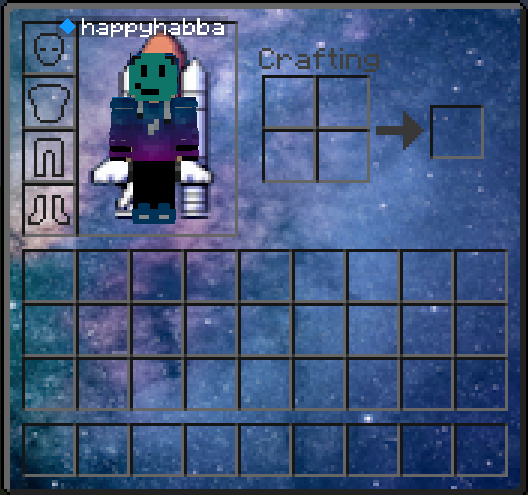
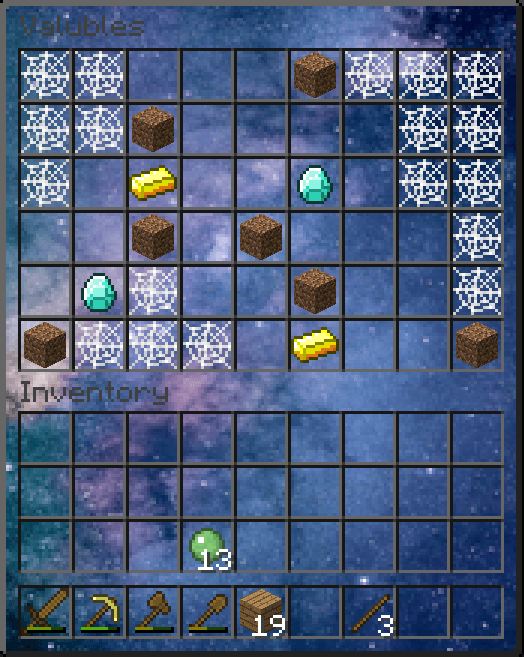
The Lost in Space resource pack updates many different inventories and GUI's to have a deep space backround.

Some Space Themed updates include:

  • The Inventory
  • Chests
  • Furnaces
  • And Much More!


This is my first attempt at creating a resource pack, and I believe it looks very simplistic but pretty. 

If you have any suggestions, please do let me know!
 

Lost In Space Resource Pack (.zip file)
MC 1.8.9
Release 2024-08-14 Get

Requirements & install

How to use this resource pack in Minecraft
Resolution
64x
Minecraft
1.8.9
Install folder
.minecraft/resourcepacks

How to install resource packs

  1. Download the resource pack .zip file (do not extract it).
  2. In Minecraft open Options → Resource Packs → Open Pack Folder.
  3. Drop the .zip into the resourcepacks folder (.minecraft/resourcepacks).
  4. Move the pack to the Selected column and click Done.
Browse more: 16x resource packs 32x resource packs 64x resource packs 128x resource packs 256x resource packs 512x+ resource packs Resource Packs for 1.8.9 All resource packs
Advertisement Remove ads with Premium →

You Might Also Like