Mineuniverse
Resource Packs
Legacy Dyes

Legacy Dyes

RESOURCE PACK
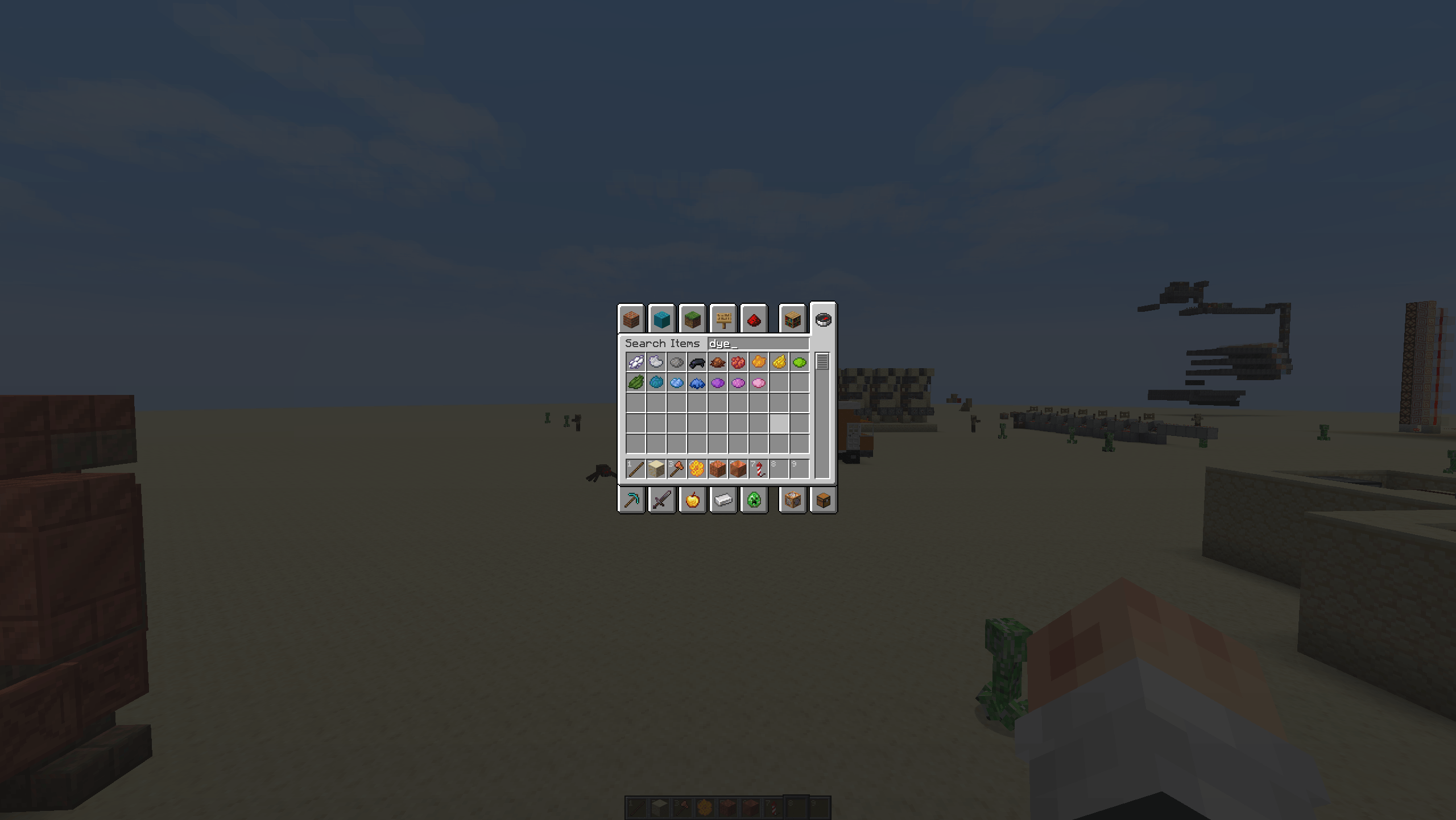
1.21.8 dye textures for players who prefer the older look.
by SniperXJohn
Download Claim this project
137 downloads
0 likes
Updated Oct 14, 2026
0 hypes
16x Miscellaneous Traditional
Advertisement Remove ads with Premium →

A lightweight resource pack that reverts all dye textures to their pre-1.21.8 versions. Ideal for nostalgia lovers, modpack creators, and anyone who preferred the old color icons. Fully compatible with other GUI/resource packs.

This pack focuses purely on restoring the classic dye visuals while keeping the rest of the game untouched, making it a perfect drop-in addition for any setup. Whether you're building a retro-themed world, assembling a modpack, or simply miss the simplicity of the older textures, this pack brings back that familiar charm without affecting performance.

  • No changes to gameplay — visuals only
  • Works with shaders and HD packs
  • Compatible with 1.21.x
  • Zero performance impact
  • Safe for servers and modded environments

If you enjoy clean, simple, and nostalgic vanilla-style visuals, this resource pack is a perfect fit. Let the classic colors return! 🎨


Legacy_dyes-1.0.1.zip
MC 1.21.10, 1.21.11
Release 2025-11-29 Get
Legacy_Dyes-1.0.0.zip
MC 1.21.9, 1.21.10
Release 2025-11-19 Get

Requirements & install

How to use this resource pack in Minecraft
Resolution
16x
Minecraft
1.21.9 – 1.21.11
Install folder
.minecraft/resourcepacks

How to install resource packs

  1. Download the resource pack .zip file (do not extract it).
  2. In Minecraft open Options → Resource Packs → Open Pack Folder.
  3. Drop the .zip into the resourcepacks folder (.minecraft/resourcepacks).
  4. Move the pack to the Selected column and click Done.
Browse more: 16x resource packs 32x resource packs 64x resource packs 128x resource packs 256x resource packs 512x+ resource packs Resource Packs for 1.21.11 All resource packs

More from SniperXJohn

Advertisement Remove ads with Premium →

You Might Also Like