Mineuniverse
Resource Packs
Kanto's regionnal legendaries

Kanto's regionnal legendaries

RESOURCE PACK
Add one new form for each kanto's legendaries
by SaphyDarkcat
Download Claim this project
Add a badge to your pageLink to Kanto's regionnal legendaries from a README, website or forum post.
Preview: Badge

Badges update automatically and link to the resource pack page on MineUniverse.

1,098 downloads
0 likes
0 followers
Updated Oct 14, 2026
0 hypes
Follow0
Data Packs Mod Support
Advertisement Remove ads with Premium →

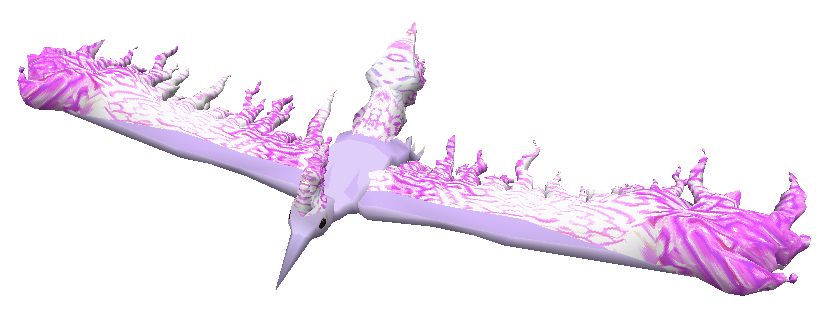
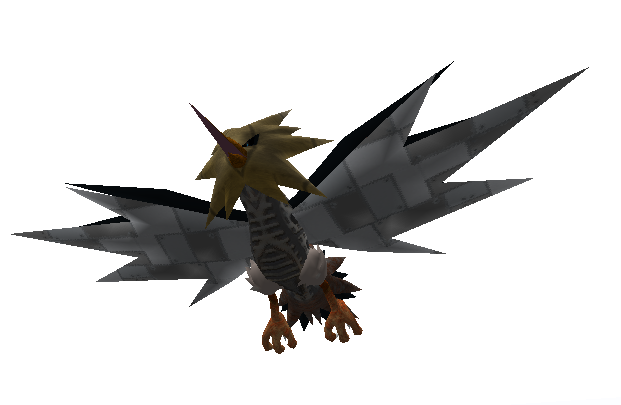
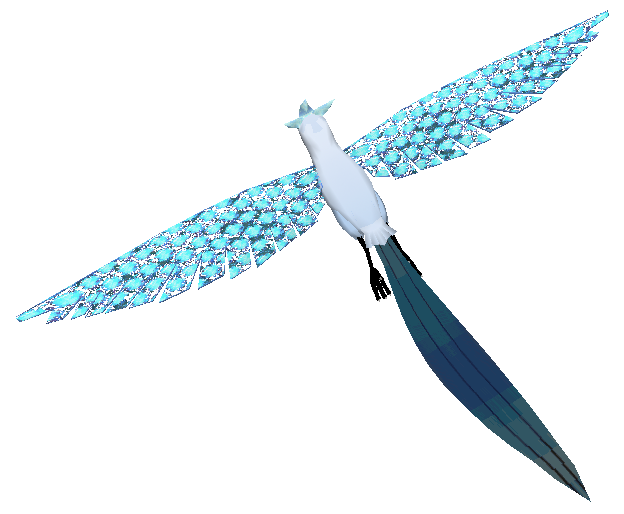
This datapack add one new form for all kanto's legendaries (Articuno, Zapdos, Moltres, Mewtwo and Mew) for pixelmon 1.16.5 !


Each form give a new type, new movesets, stats and talent ! All to go with their background


By default they don't spawn naturally, you may give them to you or spawn them manually. Else you are free to add a spawn yourself 


Description


Snow Articuno, Flying Ghost, his wings got stollen by an hunter, and now he roam the mountain to hunt peoples in return, materializing his wings with ice crystals.


Metal Zapdos, Flying Steel, animatronic created to replace the real zapdos if needed, a disfonction made him escape and sow destruction on his path.


Coral Moltres, Flying Water, left by the flame, the phoenix fell into the coral barrier who got pity of him and gave him a new power, now he use his new life to protect the coral barrier.


Digital Mewtwo, Psychic Electric, studying Porygon, he managed to use their ability to digitize, now using that power to free pokemons the trainers leave too long time in their pc.


Wooden Mew, Psychic Grass, he was a puppet made by an old man for Mew, but when the old man disappear, Mew was left alone. Arceus gave life to the puppet to allow Mew to be happy again.


 

Kanto's legendaries datapack v2.zip
MC 1.16.5
Release 2023-01-20 Get
Kanto's legendaries datapack.zip
MC 1.16.5
Release 2022-09-29 Get
Kanto's legendaries ressourcepack.zip
MC 1.16.5
Release 2022-09-29 Get

Requirements & install

How to use this resource pack in Minecraft
Resolution
Not specified
Minecraft
1.16.5
Install folder
.minecraft/resourcepacks

How to install resource packs

  1. Download the resource pack .zip file (do not extract it).
  2. In Minecraft open Options → Resource Packs → Open Pack Folder.
  3. Drop the .zip into the resourcepacks folder (.minecraft/resourcepacks).
  4. Move the pack to the Selected column and click Done.
Browse more: 16x resource packs 32x resource packs 64x resource packs 128x resource packs 256x resource packs 512x+ resource packs Resource Packs for 1.16.5 All resource packs

More from SaphyDarkcat

Advertisement Remove ads with Premium →

You Might Also Like