Hello !
Did your Wurmple evolve into a Cascoon but you wanted a nice Beautifly ?
Did your Eevee evolve 0.00000000000000000001 sec too late and turned into a green Espeon instead of that perfect shiny Umbreon you wanted ?
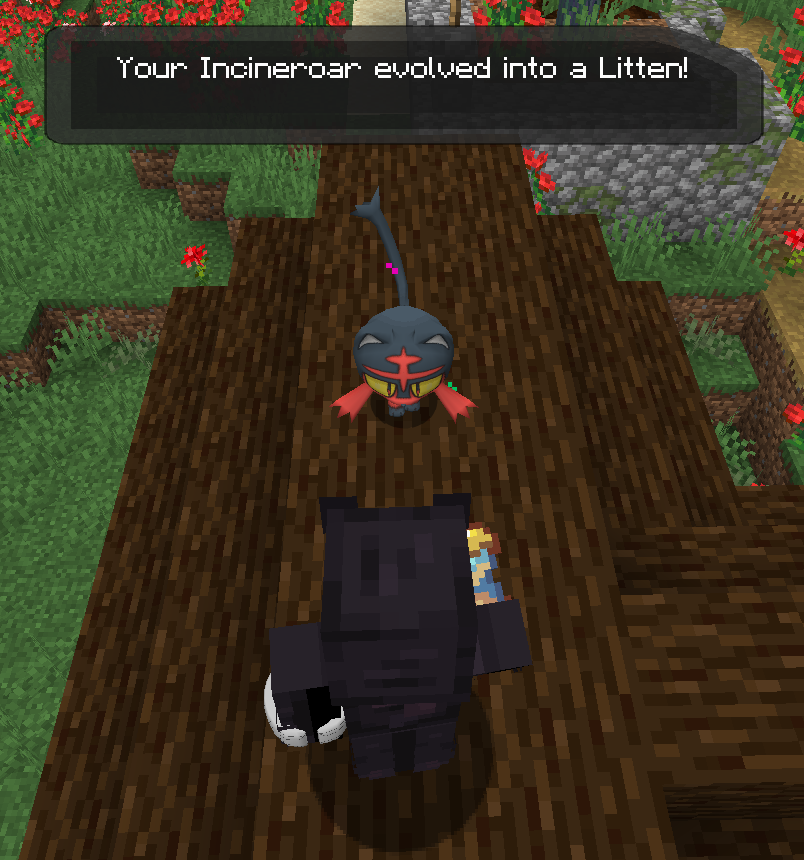
Do you want to make your Incineroar cute again !?
Now there is a datapack for you ! Just drop it into your datapack's folder and ressourcepack's folder, and you'll can use it ! But how do it work ? Simple ! Right click with a Copper Hourglass on your pokemon to devolve your pokemon from one stage (Example, Haunter to Gastly) and right click with a Silver Hourglass on your pokemon to devolve your pokemon from two stage (Example, Gengar to Gastly). And then the Gold Hourglass allow to devolve three stage !
But then you'll tell me "Wait, there is no pokemon with three evolution stages.." But you forgot the last Hourglass ! The Diamond Hourglass now allow you to evolve your pokemon into his mega form permanently. But of course, the previous hourglass work on it to turn him back to any of his previous form.
The datapack try to keep the form as logical as possible (Mothim will have 33% of chance to be each Burmy when devolving)
I'll try to update it as much as I can, for now working properly on pixelmon 9.1.0. It can be used with next versions, but wouldn't have the update added to the pokemons. If you find any problem with the datapack, don't be afraid to report it to me !
Enjoy your game~