Mineuniverse
Resource Packs
Kal's Grimdark Dye Pots

Kal's Grimdark Dye Pots

RESOURCE PACK
A Standalone Version of the Grimdark Dye Pots by Kalamon
by Kalam0n
Download Claim this project
Add a badge to your pageLink to Kal's Grimdark Dye Pots from a README, website or forum post.
Preview: Badge

Badges update automatically and link to the resource pack page on MineUniverse.

7,832 downloads
0 likes
0 followers
Updated Oct 14, 2026
0 hypes
Follow0
16x Miscellaneous
Advertisement Remove ads with Premium →


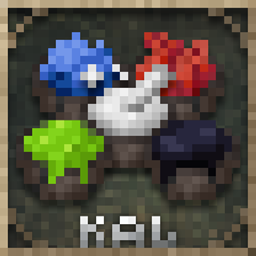
Years ago I released my dye pots as a standalone pack because you all requested it - and then I promptly forgot all about it. Well, I wanted to update the branding for consistency and figured I may as well update the pack on CurseForge. If you're reading this, enjoy the fresh pots of dye!

If you want ONLY my dye textures, this is the pack for you. However, if you like this pack I would encourage you to download my COMPLETE GRIMDARK BATTLEPACK, which includes HUNDREDS of custom item & weapon textures, FORTY armor sets, Elytra variants, a custom sky box and a bunch of other stuff I'm forgetting about. Oh right, there's also custom horse armor, textures for crafting tables, torches, lanterns, chains, stained glass, sun, moon, skies and more! It's great for medieval fantasy worlds and customizing your look.

That all said, if you'd like to see my dye textures in game, you can give the video below a watch.


(PLEASE NOTE: this pack only includes the dye textures displayed in the video, for everything else, please check out the Grimdark Battlepack)

Grimdark Dye Pots [1.20+]
MC 1.20.1, 1.20, 1.20-Snapshot
Release 2023-06-24 Get
Grimdark Dye Pots [1.19.2]
MC 1.19-Snapshot, 1.19.2, 1.19.1, 1.19
Release 2023-03-31 Get
Grimdark Dye Pots [1.19.4]
MC 1.19.4
Release 2023-03-31 Get

Requirements & install

How to use this resource pack in Minecraft
Resolution
16x
Minecraft
1.19-Snapshot – 1.20.1
Install folder
.minecraft/resourcepacks

How to install resource packs

  1. Download the resource pack .zip file (do not extract it).
  2. In Minecraft open Options → Resource Packs → Open Pack Folder.
  3. Drop the .zip into the resourcepacks folder (.minecraft/resourcepacks).
  4. Move the pack to the Selected column and click Done.
Browse more: 16x resource packs 32x resource packs 64x resource packs 128x resource packs 256x resource packs 512x+ resource packs Resource Packs for 1.20.1 All resource packs

More from Kalam0n

Advertisement Remove ads with Premium →

You Might Also Like