Mineuniverse
Resource Packs
Kaguya GUI

Kaguya GUI

RESOURCE PACK
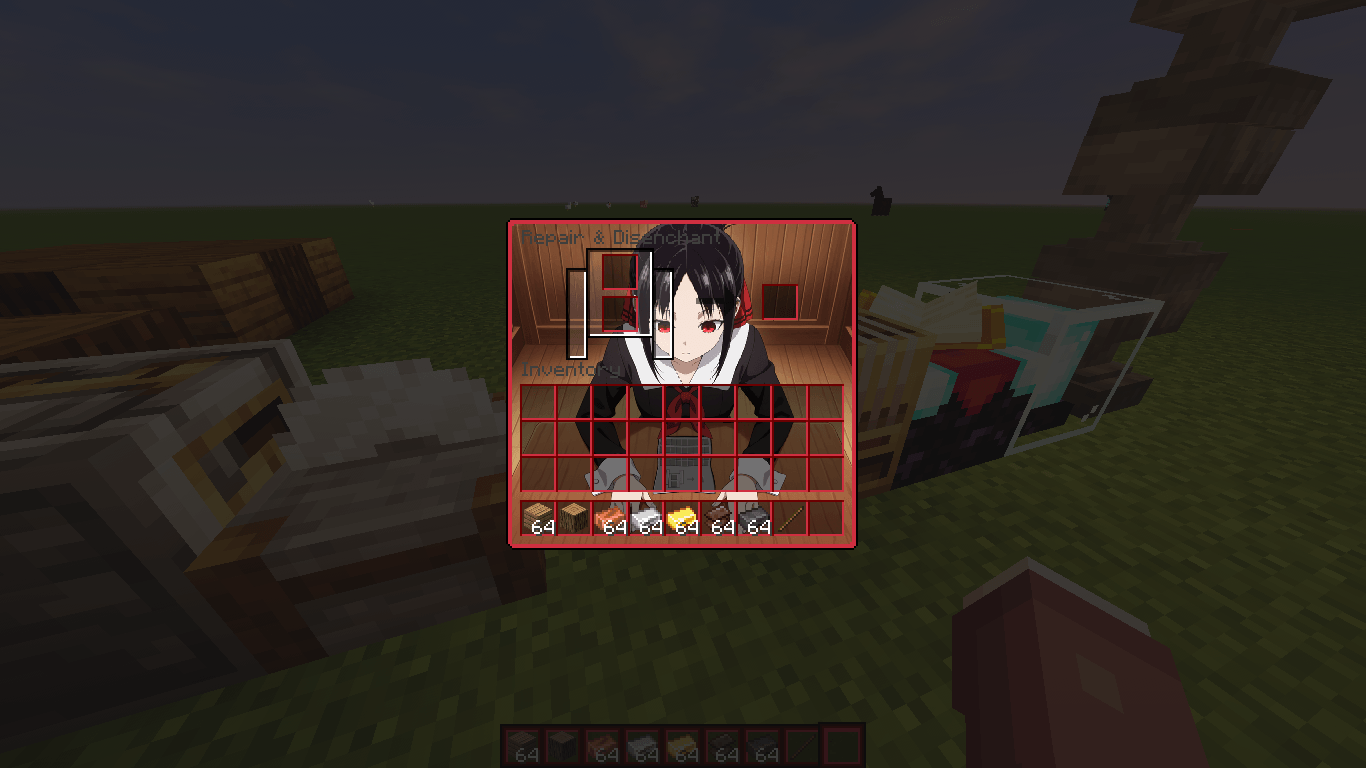
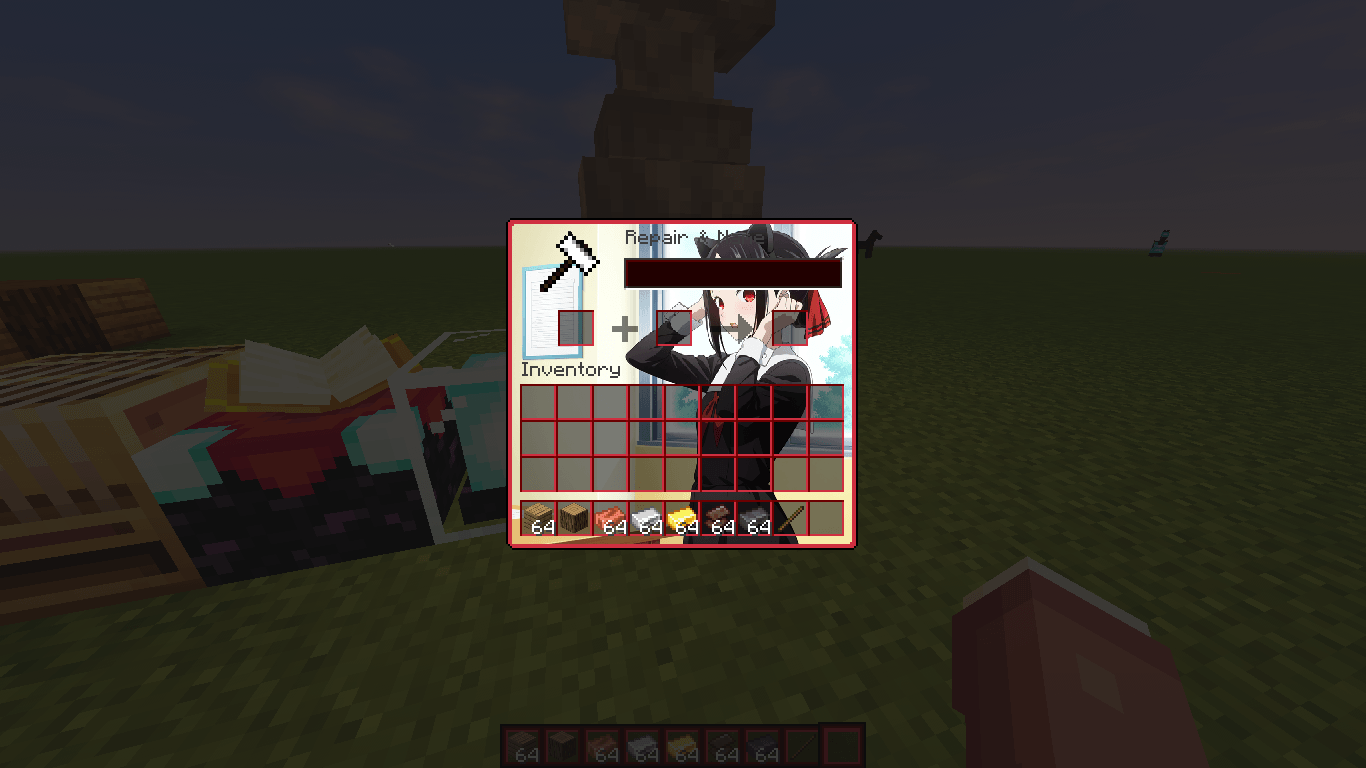
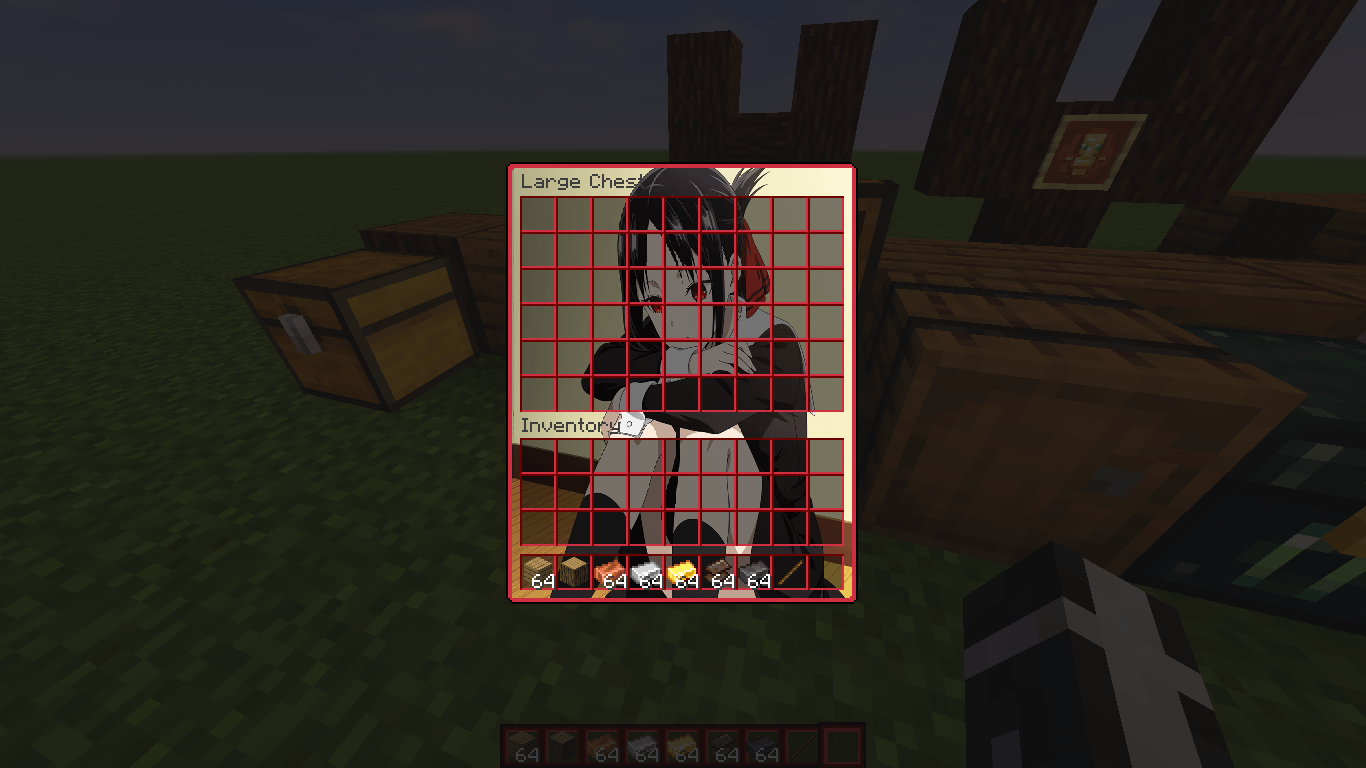
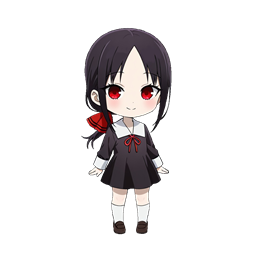
A custom user interface overhaul themed after Kaguya Shinomiya
by marblock
Download Claim this project
505 downloads
0 likes
Updated Oct 14, 2026
0 hypes
512x and Higher
Advertisement Remove ads with Premium →

Features

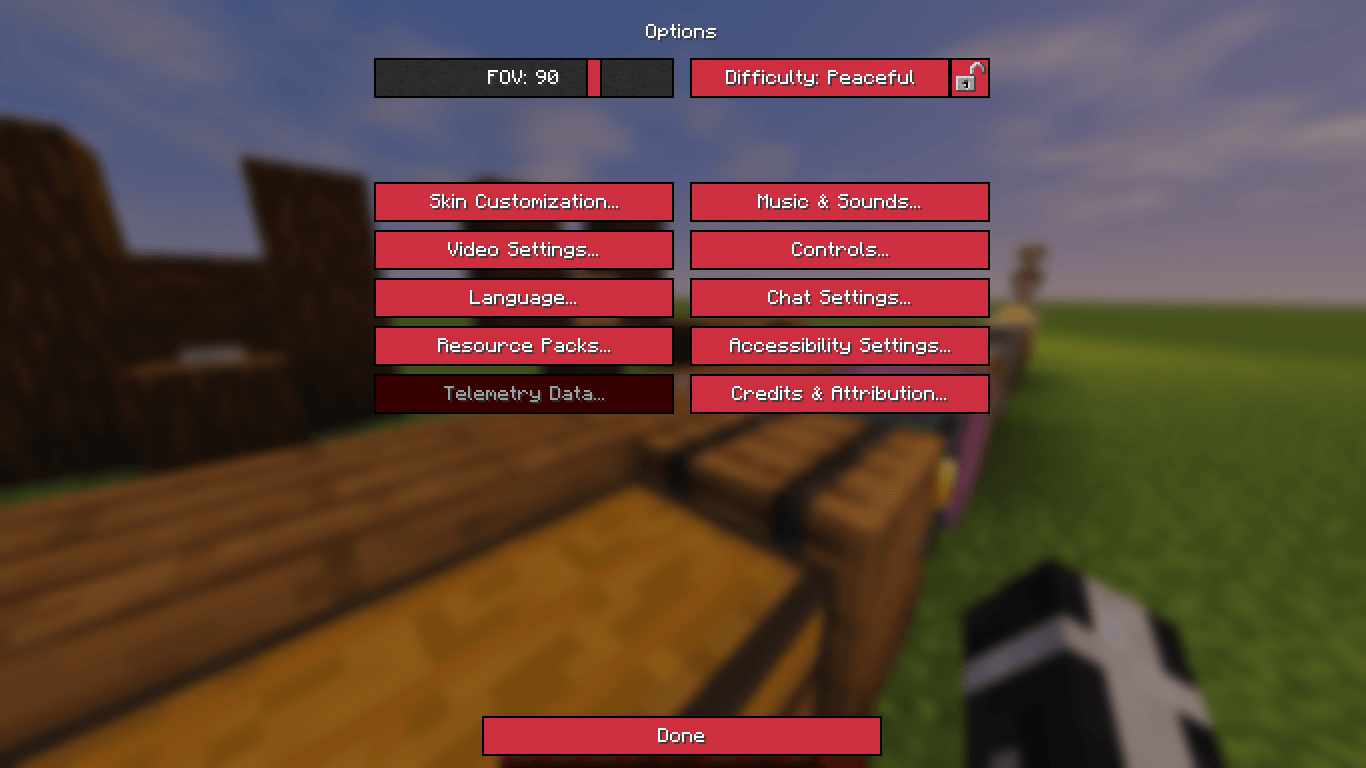
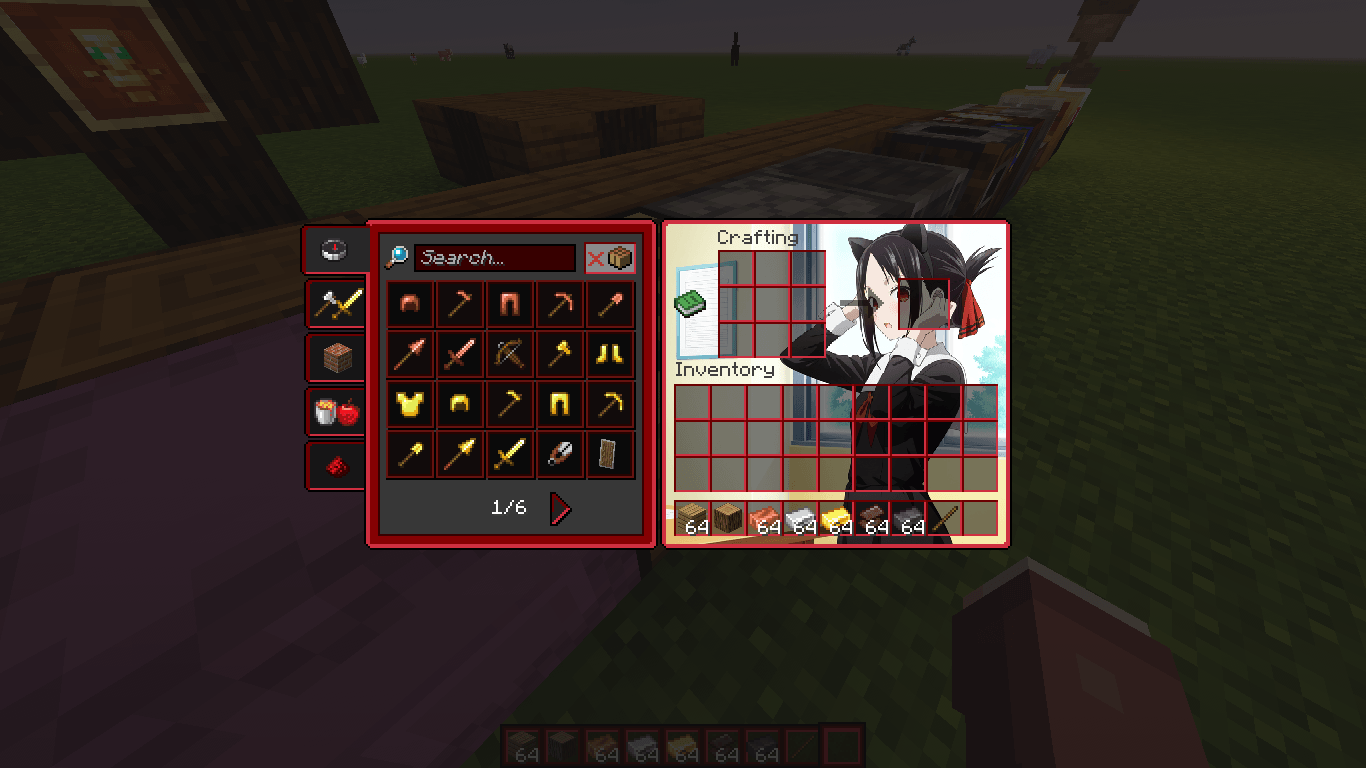
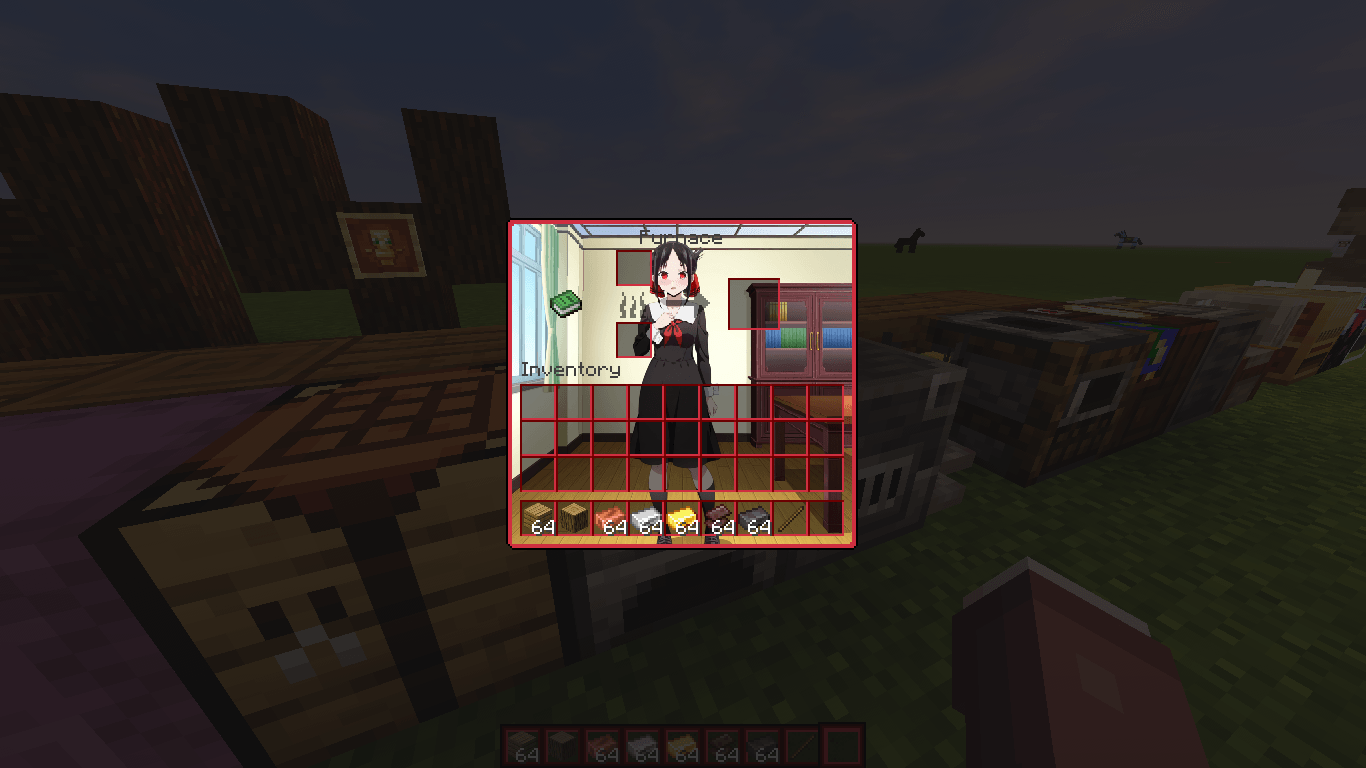
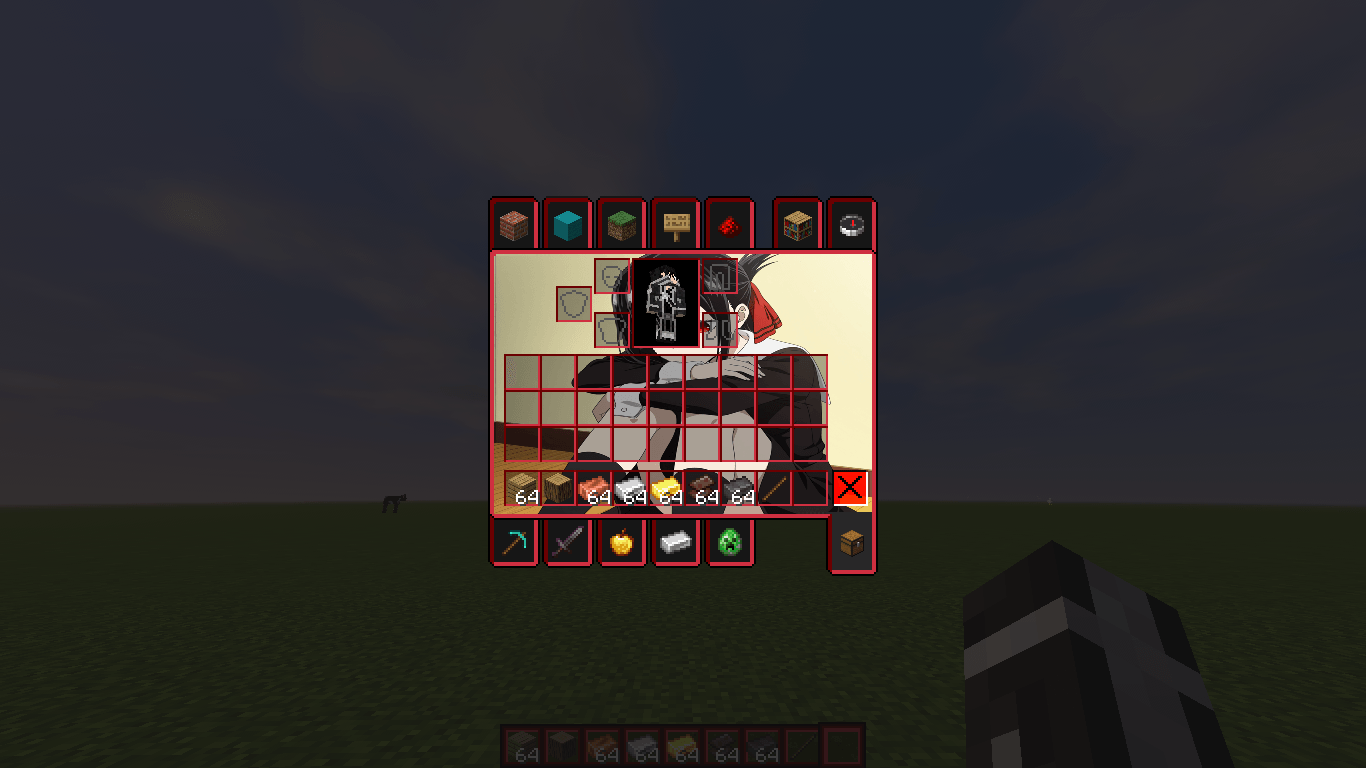
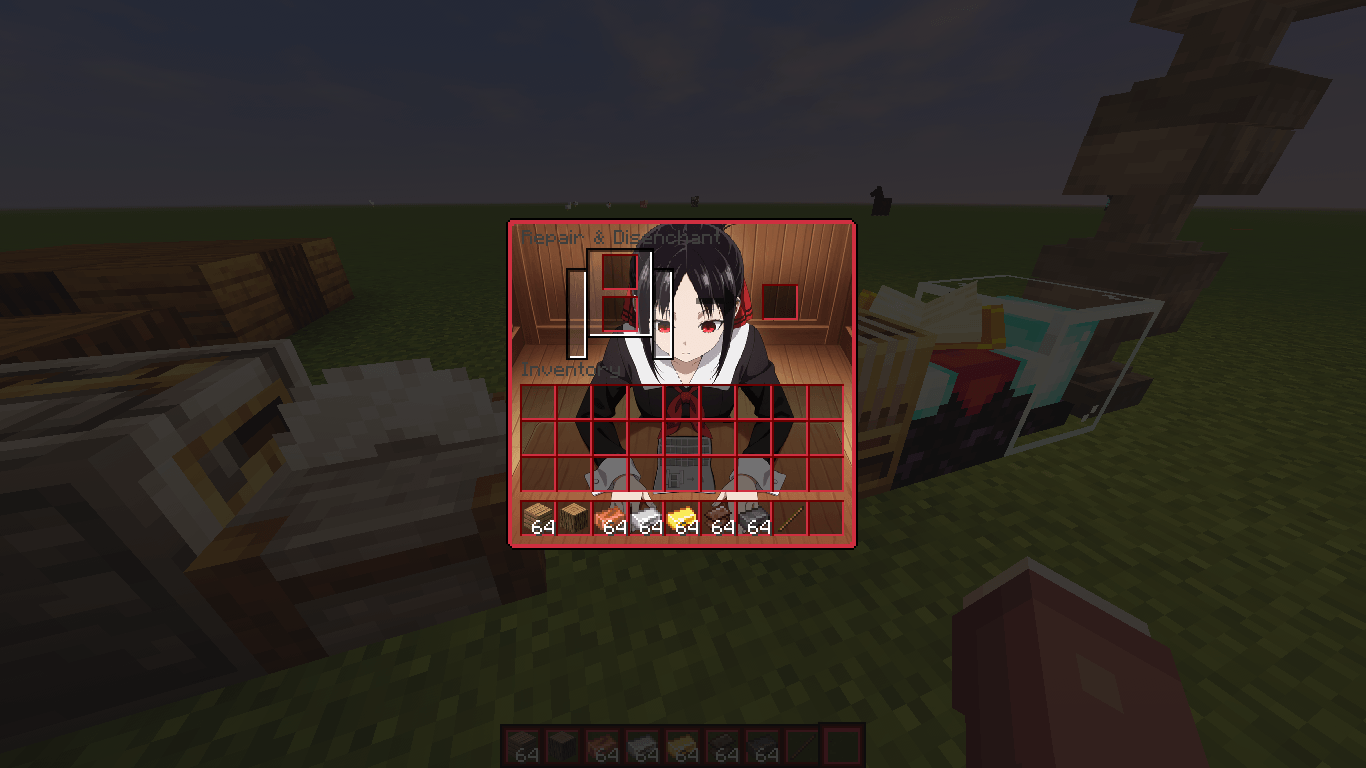
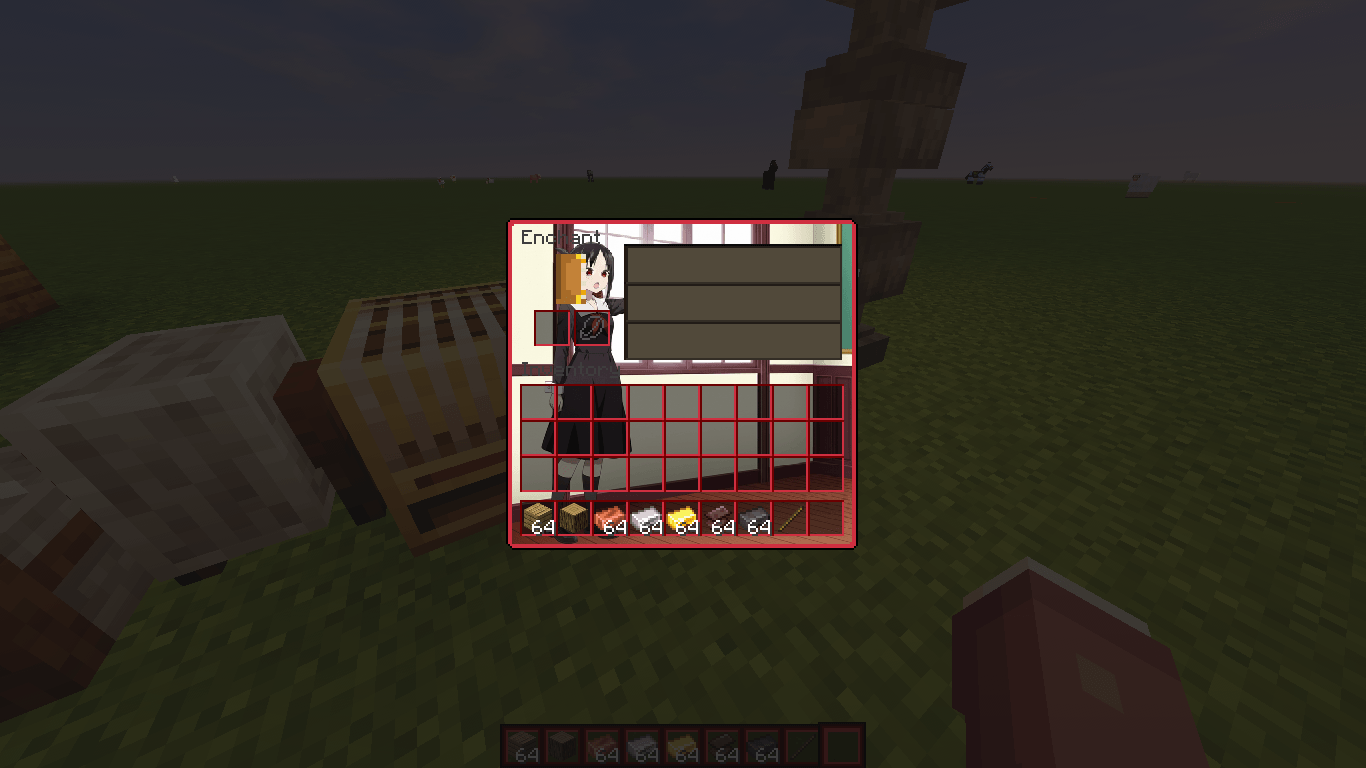
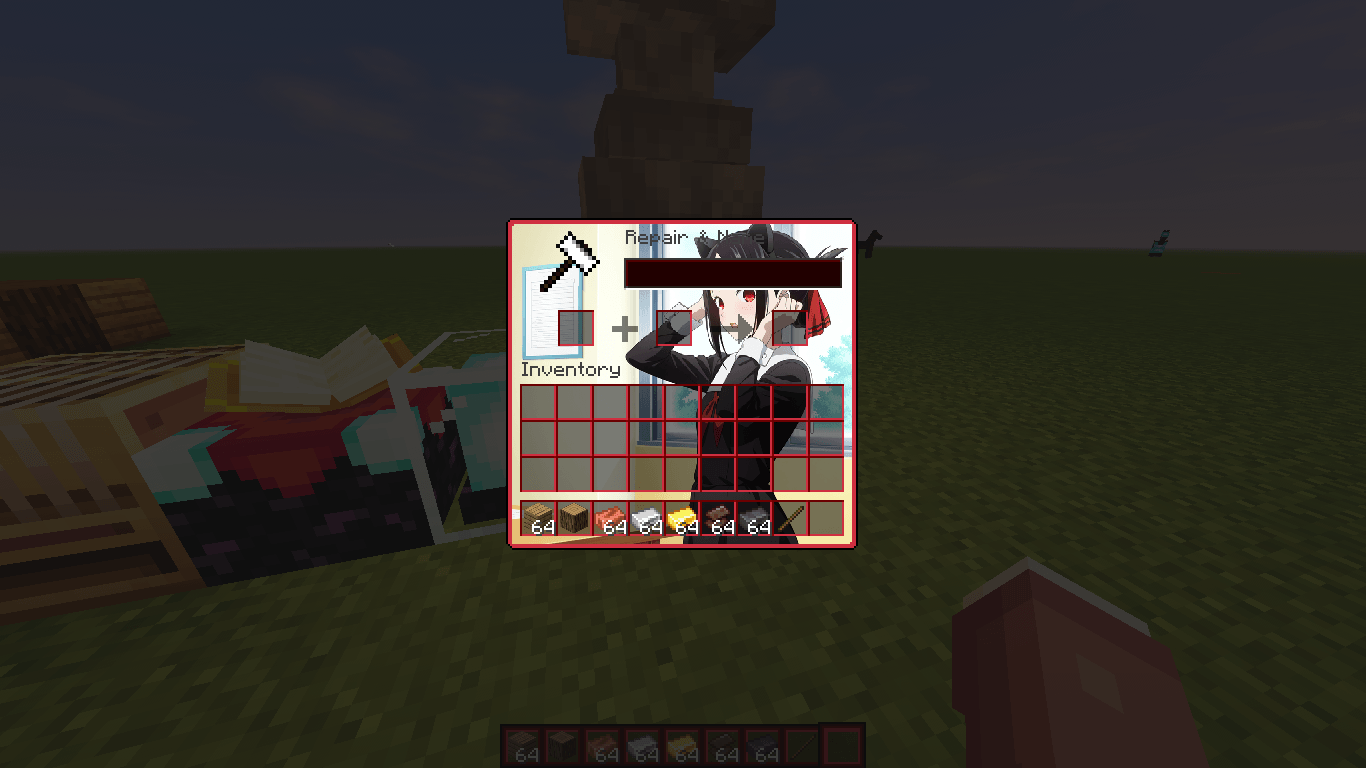
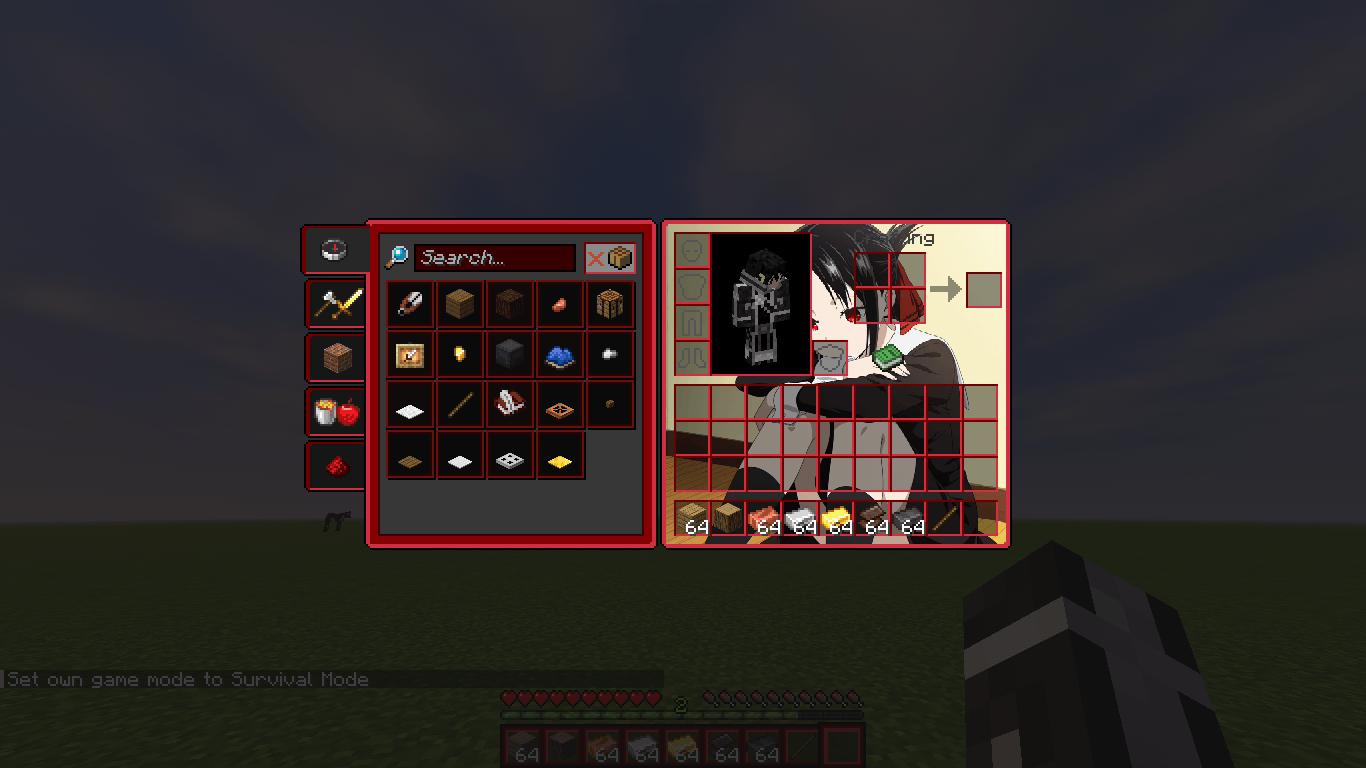
  • Visual Overhaul: Complete redesign of the GUI with a dark red, crimson, and raspberry color palette.
  • Character Art: High-quality Kaguya artwork integrated into the Inventory, Crafting Table, and other containers.
  • Custom UI Elements: Themed buttons, arrows, and sliders.
  • Vanilla Compatibility: Works as a standard resource pack; no mods, OptiFine, or CIT Resewn required.

Installation

  1. Download the release corresponding to your Minecraft version.
  2. Place the .zip file into the .minecraft/resourcepacks directory.
  3. Enable the pack in Options → Resource Packs.

Credits

  • Author: marblock

Disclaimer

Fan-made resource pack. Not affiliated with or endorsed by the rights holders of Kaguya-sama: Love is War. All trademarks belong to their respective owners.


Kaguya GUI v1.0 26.1-snapshot-1.zip
MC 26.1-snapshot
Beta 2026-02-12 Get
Kaguya GUI v1.0 26.1-snapshot-3.zip
MC 26.1-snapshot
Beta 2026-02-12 Get
Kaguya GUI v1.0 26.1-snapshot-2.zip
MC 26.1-snapshot
Beta 2026-02-12 Get
Kaguya GUI v1.0 26.1-snapshot-4.zip
MC 26.1-snapshot
Beta 2026-02-12 Get
Kaguya GUI v1.0 26.1-snapshot-5.zip
MC 26.1-snapshot
Beta 2026-02-12 Get
Kaguya GUI v1.0 26.1-snapshot-6.zip
MC 26.1-snapshot
Beta 2026-02-12 Get
Kaguya GUI v1.0 26.1-snapshot-7.zip
MC 26.1-snapshot
Beta 2026-02-12 Get
Kaguya GUI v1.0.1 1.20.4.zip
MC 1.20.4, 1.20.3
Release 2026-01-31 Get
Kaguya GUI v1.0.1 1.20.6.zip
MC 1.20.5, 1.20.6
Release 2026-01-31 Get
Kaguya GUI v1.0.1 1.21.1.zip
MC 1.21, 1.21.1
Release 2026-01-31 Get
Kaguya GUI v1.0.1 1.21.3.zip
MC 1.21.3, 1.21.2
Release 2026-01-31 Get
Kaguya GUI v1.0.1 1.21.4.zip
MC 1.21.4
Release 2026-01-31 Get
Kaguya GUI v1.0.1 1.21.5.zip
MC 1.21.5
Release 2026-01-31 Get
Kaguya GUI v1.0.1 1.21.6.zip
MC 1.21.6
Release 2026-01-31 Get
Kaguya GUI v1.0.1 1.21.8.zip
MC 1.21.8, 1.21.7
Release 2026-01-31 Get
Kaguya GUI v1.0.1 1.21.10.zip
MC 1.21.9, 1.21.10
Release 2026-01-31 Get
Kaguya GUI v1.0.1 1.21.11.zip
MC 1.21.11
Release 2026-01-31 Get
Kaguya GUI v1.0 1.21.11.zip
MC 1.21.11
Release 2026-01-29 Get

Requirements & install

How to use this resource pack in Minecraft
Resolution
512x+
Minecraft
1.21.5 – 26.1-snapshot
Install folder
.minecraft/resourcepacks

How to install resource packs

  1. Download the resource pack .zip file (do not extract it).
  2. In Minecraft open Options → Resource Packs → Open Pack Folder.
  3. Drop the .zip into the resourcepacks folder (.minecraft/resourcepacks).
  4. Move the pack to the Selected column and click Done.

512x packs need a strong GPU and at least 4 GB of RAM for Minecraft; a performance mod such as Sodium is strongly recommended.

Browse more: 16x resource packs 32x resource packs 64x resource packs 128x resource packs 256x resource packs 512x+ resource packs Resource Packs for 26.1-snapshot All resource packs

More from marblock

Advertisement Remove ads with Premium →

You Might Also Like