Mineuniverse
Resource Packs
Just Enough Music Discs (RP)

Just Enough Music Discs (RP)

RESOURCE PACK
Simply the Just Enough Music Discs ressource pack dependency!
by Democrite973
Download Claim this project
Add a badge to your pageLink to Just Enough Music Discs (RP) from a README, website or forum post.
Preview: Badge

Badges update automatically and link to the resource pack page on MineUniverse.

412 downloads
0 likes
0 followers
Updated Oct 14, 2026
0 hypes
Follow0
16x Mod Support
Advertisement Remove ads with Premium →

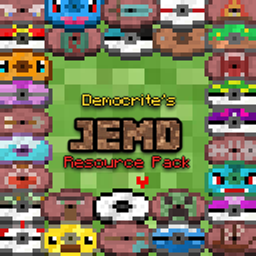
Have you ever felt like vanilla music discs panel was a missed opportunity to create RPG like area specific ambiance musics in the game through jukeboxes? Just Enough Music Discs Datapack + Ressource Pack is here to fix this problem by adding 110+ ambience oriented discs, featuring soundtracks from your favorite indie cosy games (pokemon, stardew valley, undertale/deltarune, terraria or celeste) or even Minecraft itself. This datapack/ressource pack is survival oriented and each disc has it's own unique way to be obtained in the game, adding a new and fun reason to explore your world! To not make this profusion of new discs a burden in an already difficult to navigate game, a handful of quality of life features have been added to make the creation of your musical world as fun as possible! 

CLICK HERE TO REACH DATA PACK PAGE WITH MORE INFO!


How to install?

-⚠ Download the datapack (here) AND the ressource pack as they cannot work without eachother. 

-Simply slide the datapack in the datapack folder of your save and the ressource pack in your ressource pack folder (don't forget to activate it in game in the ressourcepack menu). 

-Additionally, if you plan to use the preview feature of the disc guide, I strongly suggest you to install a mod to deactivate minecraft warning preceding each command execution as well as set gamerule sendCommandFeedback to false to avoid spamming your chat. 

JEMD_resourcepack.V.1.4.zip (requires data pack)
MC 26.3
Release 2026-09-29 Get
JEMD_resourcepack_V.1.2.zip
MC 26.1, 26.1.1, 26.1.2
Release 2026-06-16 Get
JEMD_resourcepack_V.1.3.zip
MC 26.2
Release 2026-06-16 Get
JEMD_ressourcepack.V1.1.zip
MC 26.1, 26.1.1, 26.1.2
Release 2026-04-20 Get
JEMD_ressourcepack.V1.0.zip
MC 1.21.11
Release 2026-04-20 Get

Requirements & install

How to use this resource pack in Minecraft
Resolution
16x
Minecraft
1.21.11 – 26.3
Install folder
.minecraft/resourcepacks

How to install resource packs

  1. Download the resource pack .zip file (do not extract it).
  2. In Minecraft open Options → Resource Packs → Open Pack Folder.
  3. Drop the .zip into the resourcepacks folder (.minecraft/resourcepacks).
  4. Move the pack to the Selected column and click Done.
Browse more: 16x resource packs 32x resource packs 64x resource packs 128x resource packs 256x resource packs 512x+ resource packs Resource Packs for 26.3 All resource packs

More from Democrite973

Advertisement Remove ads with Premium →

You Might Also Like