Mineuniverse
Resource Packs
Jean the Goose

Jean the Goose

RESOURCE PACK
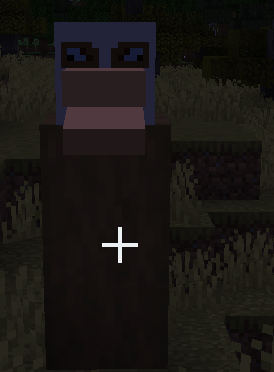
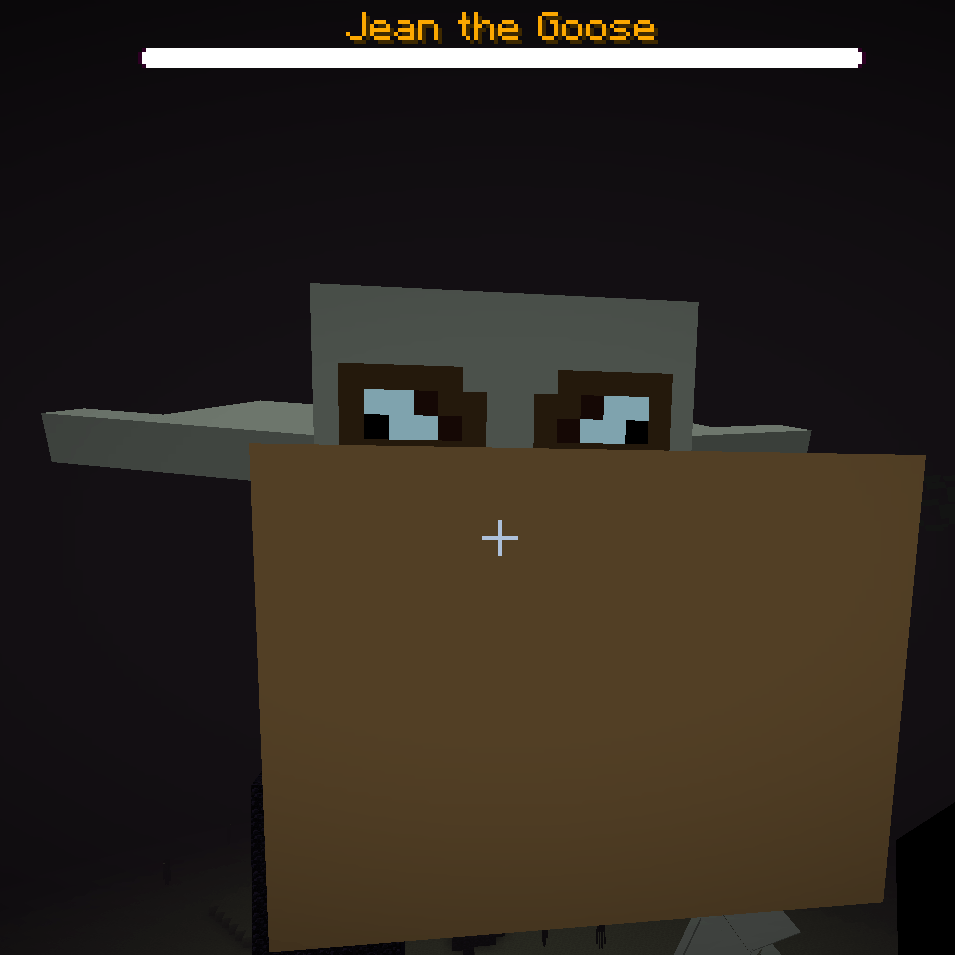
Transforms the Ender Dragon into a goose! Requires ETF/EMF to load the custom model, but the custom textures work without!
by SendMeBread
Download Claim this project
74 downloads
0 likes
0 followers
Updated Oct 14, 2026
0 hypes
Follow0
256x Font Packs Miscellaneous
Advertisement Remove ads with Premium →

Ever saw the Ender Dragon and said to yourself "I wish that was a goose?" Well worry not, because Jean the Goose for Minecraft Java Edition 1.20.1 is tailored specifically for you! Featuring custom particles coloring and lang file changes across numerous english translations! Also includes a custom/modified model and/or texture changes for the head, the egg, the fireball, and the goose itself!


Note: Future versions will be made to work with shaders.


Note 2: Progressive Bosses, or any other mod that changes the title on the boss bar, will allow for the custom colors for the boss bar to appear, but not the custom title. Keep this in mind before installing this mod.


Featured translations:

  • English (US) / en_us
  • English (United Kingdom) / en_gb
  • English (New Zealand) / en_nz
  • English (Canada) / en_ca
  • English (Australia) / en_au
  • Pirate Speak (The Seven Seas) / en_pt
  • Shakespearean English (Kingdom of England) / enws


To do:

  • Endermen (ducks)?
  • Endermites (ducklings?)
GOOSEv1.3.3
MC 1.20.1
Release 2026-09-16 Get
GOOSEv1.3.2
MC 1.20.1
Release 2026-09-15 Get
GOOSEv1.2
MC 1.20.1
Release 2026-09-14 Get
GOOSEv1.3
MC 1.20.1
Release 2026-09-14 Get
GOOSEv1.3.1
MC 1.20.1
Release 2026-09-14 Get
GOOSEv1.0
MC 1.20.1
Release 2026-09-13 Get

Requirements & install

How to use this resource pack in Minecraft
Resolution
256x
Minecraft
1.20.1
Install folder
.minecraft/resourcepacks

How to install resource packs

  1. Download the resource pack .zip file (do not extract it).
  2. In Minecraft open Options → Resource Packs → Open Pack Folder.
  3. Drop the .zip into the resourcepacks folder (.minecraft/resourcepacks).
  4. Move the pack to the Selected column and click Done.

Packs from 128x upwards need more video memory: install a performance mod such as Sodium for smooth frame rates.

Browse more: 16x resource packs 32x resource packs 64x resource packs 128x resource packs 256x resource packs 512x+ resource packs Resource Packs for 1.20.1 All resource packs
Advertisement Remove ads with Premium →

You Might Also Like