Mineuniverse
Resource Packs
IR American Railroad Construction Pack

IR American Railroad Construction Pack

RESOURCE PACK
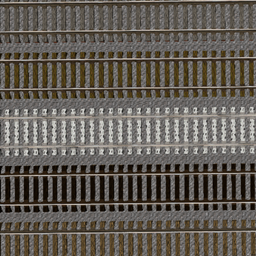
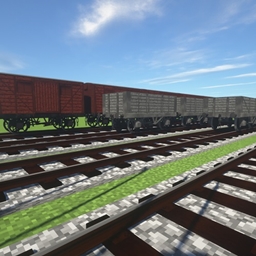
This is my American Railroad Construction Pack. This brings various railroad tracks to the mod Immersive Railroading. Enjoy!
by Trainman264
Download Claim this project
Add a badge to your pageLink to IR American Railroad Construction Pack from a README, website or forum post.
Preview: Badge

Badges update automatically and link to the resource pack page on MineUniverse.

27,053 downloads
0 likes
0 followers
Updated Oct 14, 2026
0 hypes
Follow0
512x and Higher Mod Support Modern Photo Realistic Steampunk
Advertisement Remove ads with Premium →


REALLY IMPORTANT!!!

I literally woke up one day and said: "I'm gonna make high poly track to see how my game can handle it." Turns out my game could handle it just fine but this is not a guarantee for you! Just throwing this out there for potato PCs. I never meant to go so far with these tracks lol!


Survival Use:

Although you may be able to use this for survival, the materials are not correct. I plan on fixing this in the coming updates.


General Stuff:

This pack is by TheLegend5550 and is made for Immersive Railroading MC Mod versions; 1.10, 1.11 and 1.12


You can download Immersive Railroading mod here: https://minecraft.curseforge.com/projects/immersive-railroading


More information can be found at https://github.com/cam72cam/ImmersiveRailroading.


Discord is live at https://discord.gg/CS2RTGq, come pitch ideas or help test unstable versions!


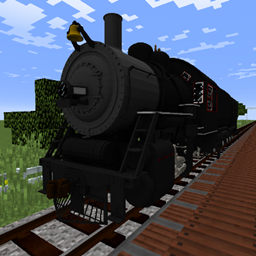
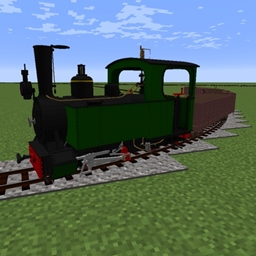
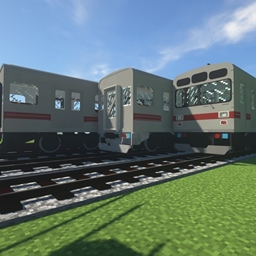
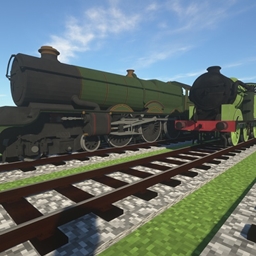
Photos for the interested:

American Railroad Construction Pack
MC 1.12.1, 1.12, 1.10.2, 1.11, 1.10, 1.10.1, 1.11.1, 1.11.2, 1.12.2
Release 2019-07-13 Get
American Railroad Construction Pack
MC 1.12.1, 1.12, 1.10.2, 1.11, 1.10, 1.10.1, 1.11.1, 1.11.2, 1.12.2
Release 2019-06-09 Get
American Railroad Construction Pack
MC 1.12.1, 1.12, 1.10.2, 1.11, 1.10, 1.10.1, 1.11.1, 1.11.2, 1.12.2
Beta 2019-05-25 Get

Requirements & install

How to use this resource pack in Minecraft
Resolution
512x+
Minecraft
1.10.1 – 1.12.2
Install folder
.minecraft/resourcepacks

How to install resource packs

  1. Download the resource pack .zip file (do not extract it).
  2. In Minecraft open Options → Resource Packs → Open Pack Folder.
  3. Drop the .zip into the resourcepacks folder (.minecraft/resourcepacks).
  4. Move the pack to the Selected column and click Done.

512x packs need a strong GPU and at least 4 GB of RAM for Minecraft; a performance mod such as Sodium is strongly recommended.

Browse more: 16x resource packs 32x resource packs 64x resource packs 128x resource packs 256x resource packs 512x+ resource packs Resource Packs for 1.12.2 All resource packs

More from Trainman264

Advertisement Remove ads with Premium →

You Might Also Like