Mineuniverse
Resource Packs
InvisAlert+

InvisAlert+

RESOURCE PACK
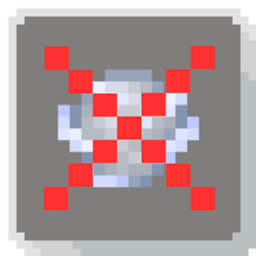
InvisAlert+ replaces the barely visible invisibility particles with a clear on-screen warning so you instantly know when invis is active. Client-side only and works on top of any texture pack. Made for PvP and survival.
by qlttqb
Download Claim this project
Add a badge to your pageLink to InvisAlert+ from a README, website or forum post.
Preview: Badge

Badges update automatically and link to the resource pack page on MineUniverse.

10,870 downloads
0 likes
0 followers
Updated Oct 14, 2026
0 hypes
Follow0
16x Miscellaneous
Advertisement Remove ads with Premium →

InvisAlert+

InvisAlert+ is a lightweight, client-side resource pack designed to make invisibility particles in Minecraft immediately visible. Invisible potions and effects can be frustrating, especially in PvP, survival, or mob-fighting scenarios where timing and awareness matter. This pack replaces the subtle default particles with a bright, clear warning so you always know when other players are invisible around you

Key Features:

 - Clear Indicators: Instantly see when invisibility is applied with a bold, easy-to-notice particle.

 - Minimal & Lightweight: Only changes the invisible potion particle; leaves all other textures untouched.

 - Compatible with Any Pack: Layer InvisAlert+ over your favorite texture pack without conflicts.

 - PvP & Survival Friendly: Designed for players who need awareness in fast-paced or tactical situations.

Installation Instructions:

  1. Download the zip.

  2. Move the InvisAlert+ folder into your Minecraft resourcepacks directory.

  3. Enable the pack in-game and layer it on top of your existing texture pack.

Notes:

Fully client-side; no server mods required.

Works on all supported Minecraft versions (1.20+ recommended).

Perfect for PvP servers, survival maps, or personal gameplay improvement.

InvisAlert+.zip
MC 1.5.3, 1.16.3, 1.13.1, 1.9.3, 1.8.7, 1.7.4, 1.7.7, 1.7.6, 1.16-Snapshot, 1.17.1, 1.9.1, 1.21.2-Snapshot, 1.21, 1.21.6-snapshot, 1.15-Snapshot, 1.7.5, 1.4.6, 1.6.1, 1.0, 1.16.1
Release 2026-02-24 Get
InvisAlert+
MC 1.8.7, 1.21.2-Snapshot, 1.21, 1.21.6-snapshot, 1.21.1-Snapshot, 1.21.8, 1.8.8, 1.8.4, 1.21.5, 1.21.5-Snapshot, 1.8.3, 1.21.1, 1.21.6, 1.8, 1.21.3, 1.21.7, 1.8.6, 1.21-Snapshot
Release 2026-01-04 Get

Requirements & install

How to use this resource pack in Minecraft
Resolution
16x
Minecraft
1.21.2-Snapshot – 1.21.8
Install folder
.minecraft/resourcepacks

How to install resource packs

  1. Download the resource pack .zip file (do not extract it).
  2. In Minecraft open Options → Resource Packs → Open Pack Folder.
  3. Drop the .zip into the resourcepacks folder (.minecraft/resourcepacks).
  4. Move the pack to the Selected column and click Done.
Browse more: 16x resource packs 32x resource packs 64x resource packs 128x resource packs 256x resource packs 512x+ resource packs Resource Packs for 1.21.8 All resource packs

More from qlttqb

Advertisement Remove ads with Premium →

You Might Also Like