Mineuniverse
Resource Packs
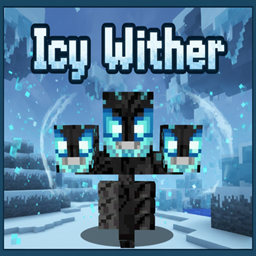
Icy Wither

Icy Wither

RESOURCE PACK
A frost-themed Wither texture that adds a cold and powerful visual upgrade to Minecraft boss fights.
by Zensiyoo
Download Claim this project
193 downloads
0 likes
0 followers
Updated Oct 14, 2026
0 hypes
Follow0
64x
Advertisement Remove ads with Premium →

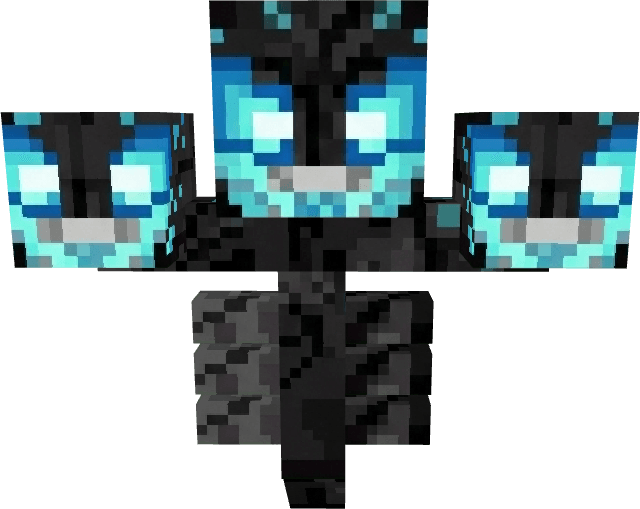
The Icy Wither texture pack transforms the Wither into a frozen, frost-covered boss with a chilling new appearance. Featuring icy tones, frosted textures, and cold-themed visual details, this redesign gives the Wither a powerful winter-inspired look while keeping its original mechanics unchanged.

The texture blends smoothly with Minecraft’s vanilla style while adding a bold and atmospheric twist to boss battles. Perfect for snow-themed worlds, winter maps, or players who want a fresh and intimidating Wither design.


Features

  • Frost-themed Wither redesign

  • Icy color palette with detailed textures

  • Vanilla-friendly style

  • No gameplay changes (visual upgrade only)

  • Compatible with survival and multiplayer

  • Lightweight and performance-friendly
Icy Wither.zip
MC 1.21, 1.21.8, 1.21.5, 1.21.4, 1.21.1, 1.21.6, 1.21.3, 1.21.7, 1.21.2, 1.21.9, 1.21.10, 1.21.11
Release 2026-02-14 Get

Requirements & install

How to use this resource pack in Minecraft
Resolution
64x
Minecraft
1.21.4 – 1.21.11
Install folder
.minecraft/resourcepacks

How to install resource packs

  1. Download the resource pack .zip file (do not extract it).
  2. In Minecraft open Options → Resource Packs → Open Pack Folder.
  3. Drop the .zip into the resourcepacks folder (.minecraft/resourcepacks).
  4. Move the pack to the Selected column and click Done.
Browse more: 16x resource packs 32x resource packs 64x resource packs 128x resource packs 256x resource packs 512x+ resource packs Resource Packs for 1.21.11 All resource packs

More from Zensiyoo

Advertisement Remove ads with Premium →

You Might Also Like