Mineuniverse
Resource Packs
I Don't Like Colorful GregTech Casings

I Don't Like Colorful GregTech Casings

RESOURCE PACK
Patches out obnoxious casing colors introduced by Faithful32 Modded. That's it.
by notmywing
Download Claim this project
Add a badge to your pageLink to I Don't Like Colorful GregTech Casings from a README, website or forum post.
Preview: Badge

Badges update automatically and link to the resource pack page on MineUniverse.

1,200 downloads
0 likes
0 followers
Updated Oct 14, 2026
0 hypes
Follow0
32x Miscellaneous Mod Support
Advertisement Remove ads with Premium →

!!! This is a patch for Faithful32 Modded. !!!

!!! It's intended to be installed alongside the original resource pack. !!!


"Yeah I too don't like colorful casings, they SUCK!"

- surprisingly not a lot of people


Description

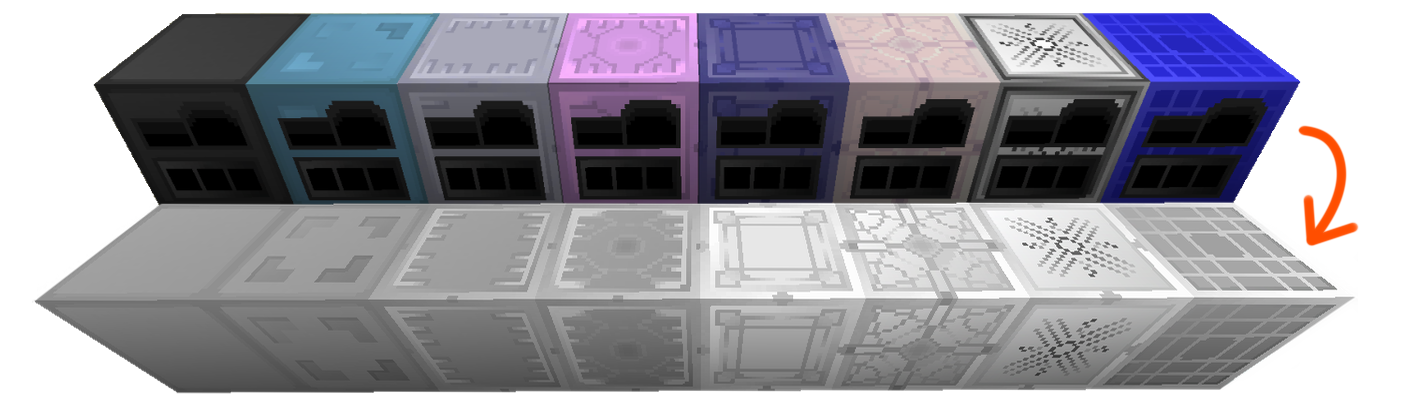
This patch changes the appearance of GregTech Community Edition machines when Faithful32 Modded is applied. Machines and casings get neutral colors so you can easily paint them with Spraypaint Cans on demand. ...yes, you can paint them yourself.


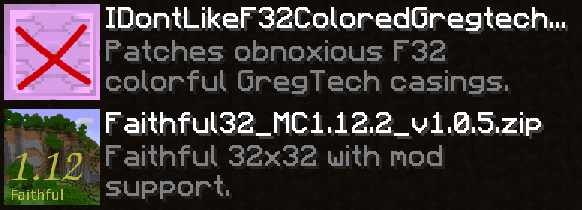
This patch MUST be applied above Faithful32 Modded in the resource pack menu, otherwise you will NOT see the changes! (see PFAQ)


Potential Frequently Asked Questions (PFAQ)

Q: why
A: because


Q: Doesn't work for me, I don't see the changes!
A: Make sure this patch is applied above Faithful32 Modded in the resource packs menu.
 

Q: Does this work with regular GregTech?
A: It probably should, if GT uses the same resource schema as GTCE.


 

Credits:

• Faithful32 Modded

• GregTech Community Edition

IDontLikeColorfulGregTechCasings-1.12.2-1.0.0.zip
MC 1.12.2
Release 2020-03-09 Get

Requirements & install

How to use this resource pack in Minecraft
Resolution
32x
Minecraft
1.12.2
Install folder
.minecraft/resourcepacks

How to install resource packs

  1. Download the resource pack .zip file (do not extract it).
  2. In Minecraft open Options → Resource Packs → Open Pack Folder.
  3. Drop the .zip into the resourcepacks folder (.minecraft/resourcepacks).
  4. Move the pack to the Selected column and click Done.
Browse more: 16x resource packs 32x resource packs 64x resource packs 128x resource packs 256x resource packs 512x+ resource packs Resource Packs for 1.12.2 All resource packs

More from notmywing

Advertisement Remove ads with Premium →

You Might Also Like