I think this is the tiniest resource pack I have ever made/seen.
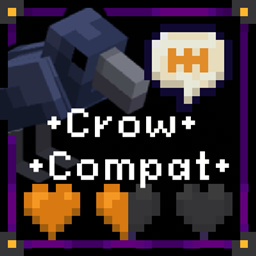
Hexerei and Alex's Mobs both have crows. All this pack does is rename the Alex's Mobs Crow to a Raven (because it has a bigger beak than the Hexerei crow). Also renames the spawn egg for consistency.

If you want to make the edit yourself
In a/your resource pack go to assets>minecraft>lang and either add or edit the en_us.json (or your home language), file in a text editor and add this:
{
"item.alexsmobs.spawn_egg_crow": "Raven Spawn Egg",
"entity.alexsmobs.crow": "Raven"
}
That's all that needs to be in the file! If there's other stuff in there already, just add these two lines below the existing lines but inside of the curly bracket }.
Double check that each line except the last one ends in a comma.
Then load up your pack and presto, Ravens.
Potential Issues + Sundry Details:
File Overlap: I believe the lang files replace rather than append, so if you find that this pack has squashed some other customization you had, you will have to go into the resource pack you're using and add the lines manually (as described above).
Minecraft Version: I see no reason this wont work for all of 1.18, but I've only checked it in my mod pack and on my server--which are both on 1.18.2.
Languages: Currently the pack updates the lang files for all the various regional English varieties. Feel free to edit as needed. Also happy to add more languages if you wanna toss me the edit.