Mineuniverse
Resource Packs
HDGUI

HDGUI

RESOURCE PACK
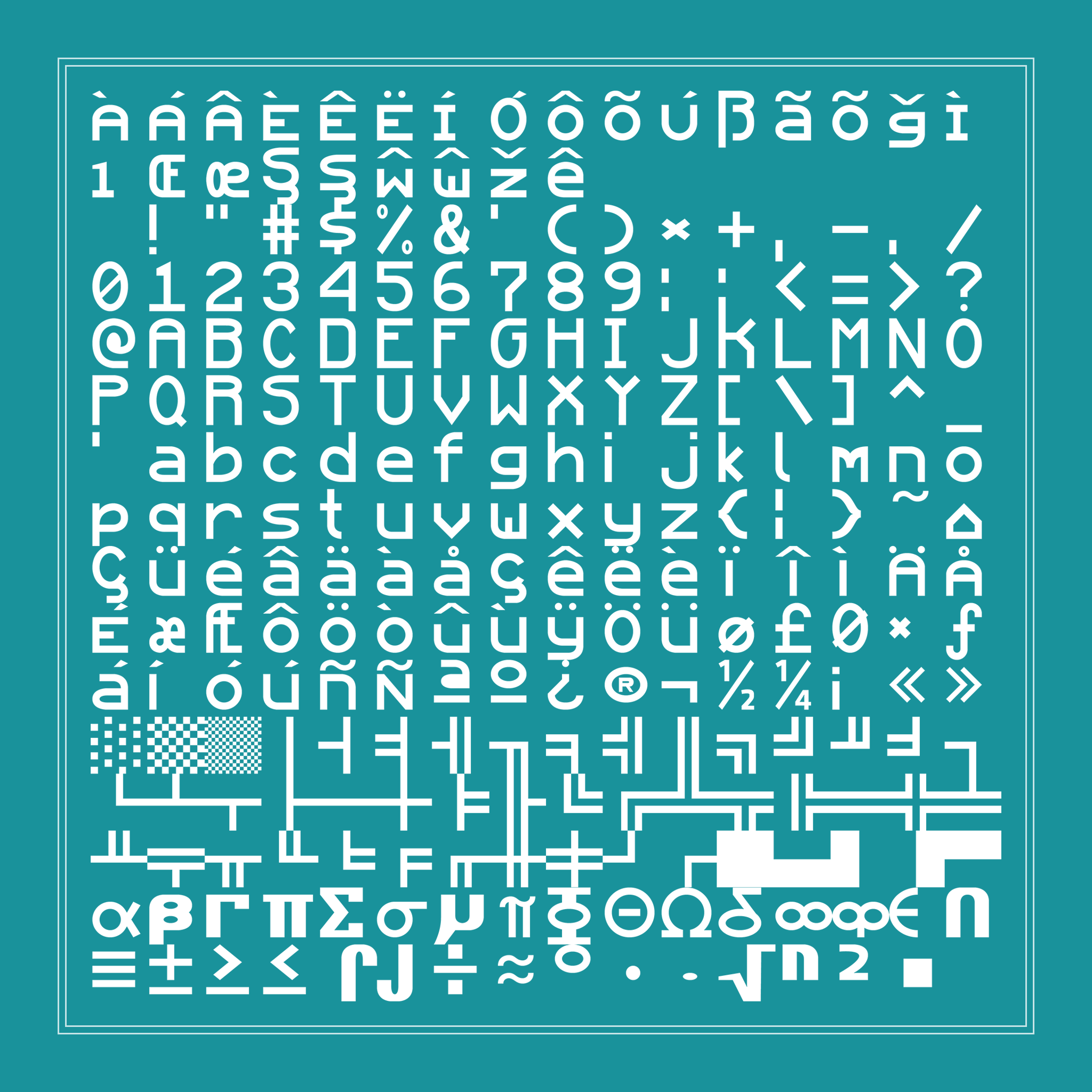
Changes the the default GUI to one in HD which stays faithful to the original.
by Alvtron
Download Claim this project
26,355 downloads
0 likes
Updated Oct 14, 2026
0 hypes
512x and Higher Miscellaneous Modern Traditional
Advertisement Remove ads with Premium →

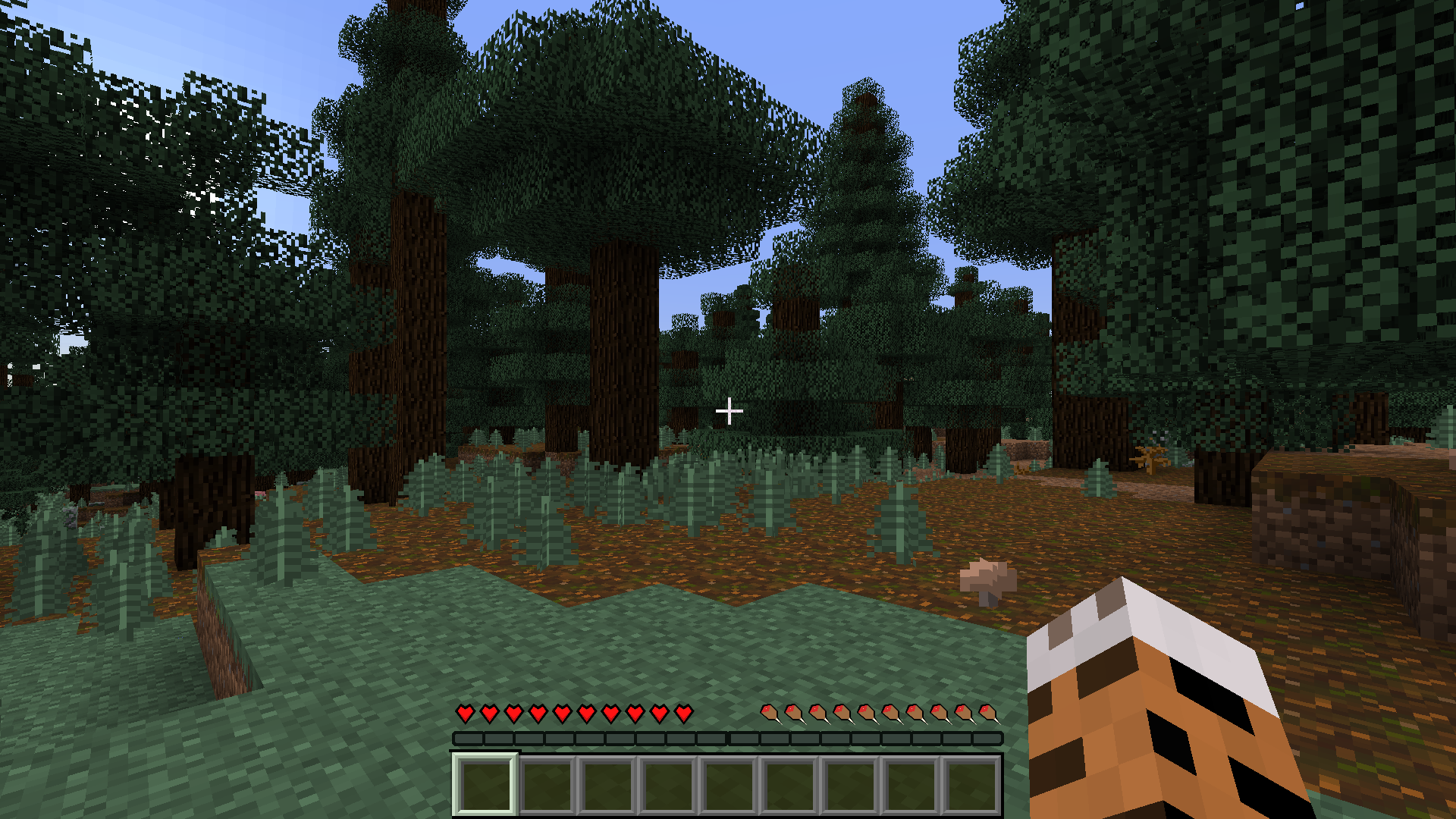
Changes Minecrafts default GUI to a smoother, cleaner and more pleasant look, while staying faithful to the default texture.


So far, this changes:

  • Mojang logo (won't show without mods)
  • In-game menu icons
  • In-game GUI
  • In-game action bar
  • Default Minecraft font

This project is in development. More will be added as time goes by.

HDGUI 1.3
MC 1.10-Snapshot, 1.10.2, 1.10, 1.10.1
Release 2016-06-30 Get
HDGUI 1.2
MC 1.7.6, 1.7.4, 1.7.7, 1.7.5, 1.6.1, 1.7.9, 1.7.2, 1.8-Snapshot, 1.8.3, 1.5.2, 1.5.1, 1.7.8, 1.6.4, 1.7.10, 1.8, 1.8.2, 1.8.1, 1.5.0, 1.6.2
Release 2014-06-06 Get
HDGUI 1.1
MC 1.7.5, 1.7.9, 1.5.0, 1.6.2
Release 2014-06-03 Get
HDGUI 1.0
MC 1.7.6, 1.9.1, 1.9.3, 1.8.7, 1.7.4, 1.7.7, 1.7.5, 1.6.1, 1.9.4, 1.9.2, 1.8.4, 1.7.9, 1.8.8, 1.7.2, 1.8-Snapshot, 1.8.3, 1.8.6, 1.5.2, 1.5.1, 1.7.8, 1.6.4, 1.7.10, 1.8
Release 2014-05-30 Get

Requirements & install

How to use this resource pack in Minecraft
Resolution
512x+
Minecraft
1.9.1 – 1.10.2
Install folder
.minecraft/resourcepacks

How to install resource packs

  1. Download the resource pack .zip file (do not extract it).
  2. In Minecraft open Options → Resource Packs → Open Pack Folder.
  3. Drop the .zip into the resourcepacks folder (.minecraft/resourcepacks).
  4. Move the pack to the Selected column and click Done.

512x packs need a strong GPU and at least 4 GB of RAM for Minecraft; a performance mod such as Sodium is strongly recommended.


Browse more: 16x resource packs 32x resource packs 64x resource packs 128x resource packs 256x resource packs 512x+ resource packs Resource Packs for 1.10.2 All resource packs

More from Alvtron

Advertisement Remove ads with Premium →

You Might Also Like