Mineuniverse
Resource Packs
Golden Carrots to 3d Blue Egg Drink

Golden Carrots to 3d Blue Egg Drink

RESOURCE PACK
Golden Carrots to 3D Blue Egg Drink
by LordofheDeath
Download Claim this project
Add a badge to your pageLink to Golden Carrots to 3d Blue Egg Drink from a README, website or forum post.
Preview: Badge

Badges update automatically and link to the resource pack page on MineUniverse.

205 downloads
0 likes
0 followers
Updated Oct 14, 2026
0 hypes
Follow0
512x and Higher Medieval Photo Realistic
Advertisement Remove ads with Premium →

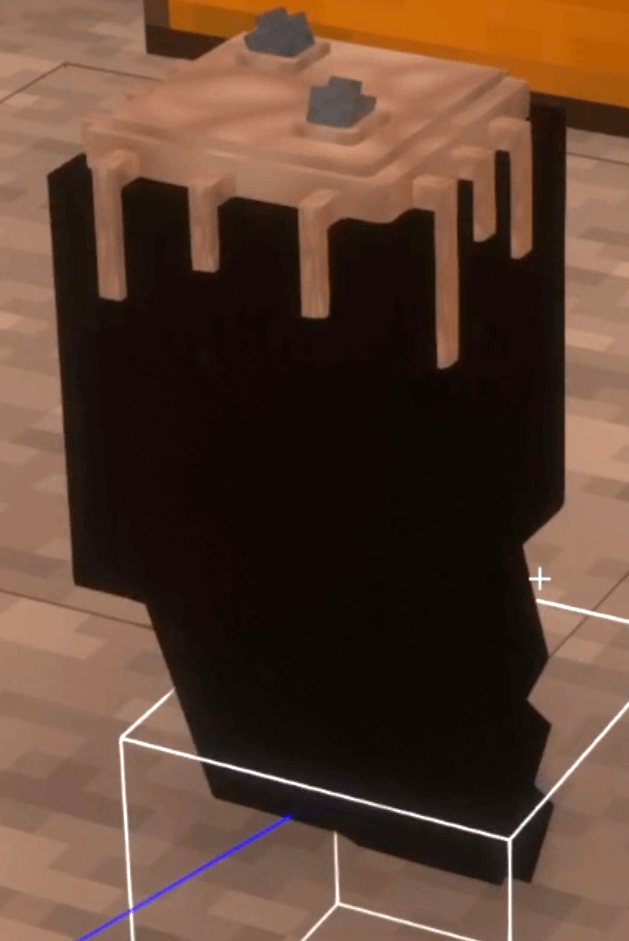
🥂 Luxury Wooden Horn with Blue Eggnog – 3D Model Resource Pack 🥂

Tired of plain drinks when what you really want is a luxurious wooden horn filled with exquisite blue eggnog? With this resource pack, transform the classic horn into an elegant 3D model, perfect for adventurers seeking a unique and sophisticated drink. 🥂✨

🌟 Features 🌟
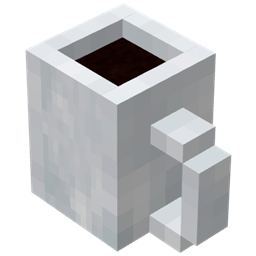
🔹 Golden Carrots → Luxury 3D Horn: Say goodbye to the simple horn and hello to a realistic, finely detailed model filled with vibrant, creamy blue eggnog.
🔹 High-Quality 3D Model: Crafted with great attention to detail, showcasing natural wood textures and a glossy, inviting liquid inside.
🔹 Shader-Friendly: Looks stunning with any shaders, boosting immersion in your world.
🔹 Lightweight & Lag-Free: Only replaces the original horn with this luxury 3D model, keeping your game running smoothly.

💡 Perfect for: fans of specialty drinks, roleplayers, and anyone wanting to add a unique and elegant touch to their adventure.

🥂 Download now and elevate your drinks with the luxury wooden horn filled with blue eggnog! 🚀

Golden Carrots to 3D Blue Egg Drink!.zip
MC 1.17.1, 1.16.3, 1.13.1, 1.19.3, 1.20.2, 1.21, 1.16.1, 1.18.1, 1.20.5, 1.21.5, 1.14.4, 1.14.1, 1.17, 1.14.3, 1.15, 1.16, 1.13, 1.19.4, 1.21.8, 1.16.5, 1.21.4, 1.18.2, 1.19.2
Release 2025-08-09 Get

Requirements & install

How to use this resource pack in Minecraft
Resolution
512x+
Minecraft
1.19.3 – 1.21.8
Install folder
.minecraft/resourcepacks

How to install resource packs

  1. Download the resource pack .zip file (do not extract it).
  2. In Minecraft open Options → Resource Packs → Open Pack Folder.
  3. Drop the .zip into the resourcepacks folder (.minecraft/resourcepacks).
  4. Move the pack to the Selected column and click Done.

512x packs need a strong GPU and at least 4 GB of RAM for Minecraft; a performance mod such as Sodium is strongly recommended.

Browse more: 16x resource packs 32x resource packs 64x resource packs 128x resource packs 256x resource packs 512x+ resource packs Resource Packs for 1.21.8 All resource packs

More from LordofheDeath

Advertisement Remove ads with Premium →

You Might Also Like