Mineuniverse
Resource Packs
God's Better food

God's Better food

RESOURCE PACK
Updated textures for food
by god__of__all
Download Claim this project
Add a badge to your pageLink to God's Better food from a README, website or forum post.
Preview: Badge

Badges update automatically and link to the resource pack page on MineUniverse.

25,151 downloads
0 likes
0 followers
Updated Oct 14, 2026
0 hypes
Follow0
64x Animated Miscellaneous Photo Realistic
Advertisement Remove ads with Premium →

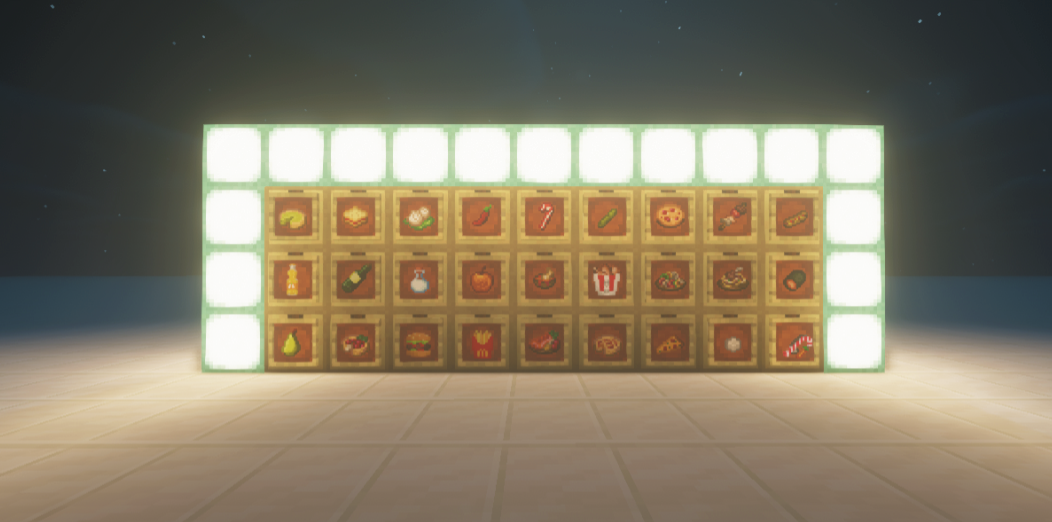
This texture pack changes the vanilla food textures into some fast food favorites.

The updates are as follows:

original = updated

apple = chocolate apple

baked potato = french fries

beetroot = pear

beetroot soup = pear pie

bread = hotdog

carrot = candy cane

carrot on a stick = carrot on a candy cane 

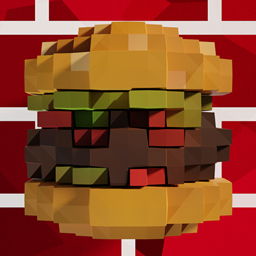
steak = hamburger

cooked chicken = fried chicken

cooked cod = cod soup

cooked mutton = noodles with mutton

cooked Porkchop = barbeque skewer 

cooked rabbit = dumpling

cooked salmon = grilled salmon 

cookie = sweet berry cookie 

dried kelp = sushi

glass bottle = bottle of wine

golden apple = apple pie

enchanted golden apple= apple pie

golden carrot = pizza 

honey bottle = bottle of fanta

milk bucket= bottle of milk 

mushroom stew = updated mushroom stew 

potato = pickle

pumpkin pie = sweet berry pie 

rabbit stew = lasagna 

rotten flesh = chili

sweet berries= marshmellow


this packs offers you a fun time with your fav food items which makes your vanilla gameplay a Lil more fun 


this is my first texture pack so any reviews in the comments would be appreciated 

godly food.zip
MC 1.16.5
Release 2021-04-04 Get
God's Better food v2
MC 1.16.3, 1.17.1, 1.21.2-Snapshot, 1.21, 1.21.6-snapshot, 1.16.1, 1.18.1, 1.20.2-Snapshot, 1.20.5-Snapshot, 1.16, 1.19-Snapshot, 1.21.1-Snapshot, 1.16.5, 1.19.3, 1.20.2, 1.19.4
Release 2021-04-04 Get

Requirements & install

How to use this resource pack in Minecraft
Resolution
64x
Minecraft
1.19.4 – 1.21.6-snapshot
Install folder
.minecraft/resourcepacks

How to install resource packs

  1. Download the resource pack .zip file (do not extract it).
  2. In Minecraft open Options → Resource Packs → Open Pack Folder.
  3. Drop the .zip into the resourcepacks folder (.minecraft/resourcepacks).
  4. Move the pack to the Selected column and click Done.
Browse more: 16x resource packs 32x resource packs 64x resource packs 128x resource packs 256x resource packs 512x+ resource packs Resource Packs for 1.21.6-snapshot All resource packs
Advertisement Remove ads with Premium →

You Might Also Like