Mineuniverse
Resource Packs
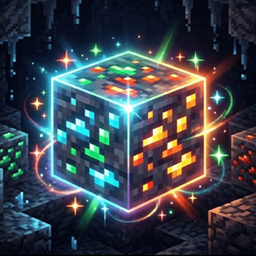
GlowingOres ++

GlowingOres ++

RESOURCE PACK
Makes standard and ores glow brightly in the dark.
by dropiboii
Download Claim this project
Add a badge to your pageLink to GlowingOres ++ from a README, website or forum post.
Preview: Badge

Badges update automatically and link to the resource pack page on MineUniverse.
707 downloads
0 likes
0 followers
Updated Oct 14, 2026
0 hypes
Follow0
64x Animated Modern
Advertisement Remove ads with Premium →

🎯 HealthHUD

HealthHUD

Welcome to HealthHUD, a lightweight, highly optimized, and visually stunning client-side Health Indicator mod for Minecraft 1.21.x!

Have you ever wanted to know exactly how much health your enemy has during an intense PvP fight? Or wanted to check a boss's health from afar? HealthHUD is your ultimate solution!


✨ Features

🔭 Sniper Raycast

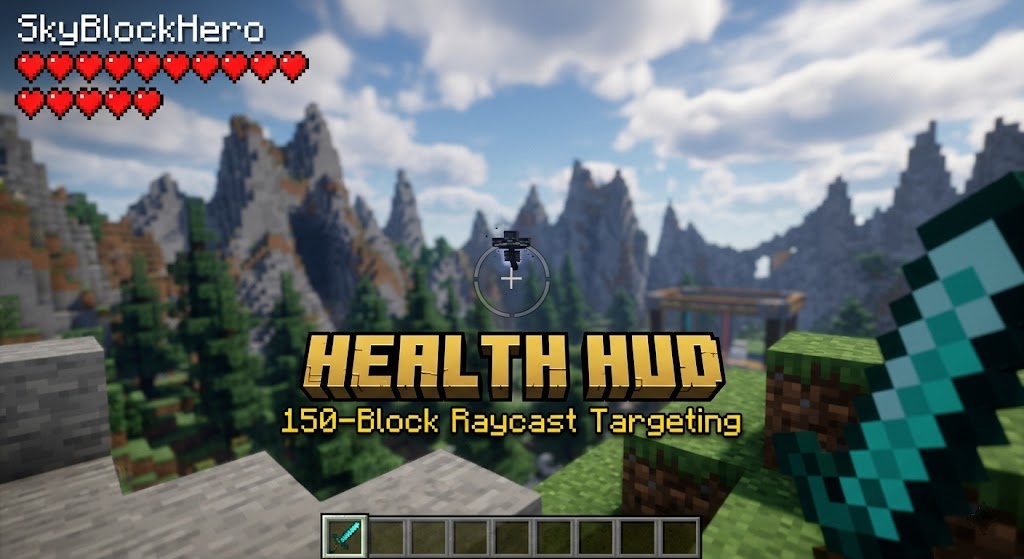
Unlike normal Minecraft targeting which stops working after 4-5 blocks, HealthHUD uses a custom-built advanced raycast engine. You can now see the health, name, and live model of any player, mob, or animal from up to 150 blocks away!

🎨 Clean UI

  • Top-Left Placement: Neatly tucked in the corner, out of the way of your crosshair.
  • Transparent Background: Fully transparent design so your gameplay view is never blocked.
  • Live 3D Render: Displays a real-time, spinning 3D animated model of your target!
  • Dynamic Hearts: Perfectly wraps the hearts into multiple neat lines for bosses with huge health pools.

⚡ Client-Side

This mod is completely Client-Side. You do NOT need to install this on the server for it to work. Safely use it on Lifesteal SMPs, Factions, Bedwars, or any Vanilla server!


🛠️ Specs

  • Mod Loader: Fabric
  • Versions: 1.21.x
  • Dependencies: Fabric API (Required)

Developed by: DropiBoiis

GlowingOres++.zip
MC 1.16.3, 1.13.1, 1.9.3, 1.8.7, 1.17.1, 1.9.1, 1.21, 1.16.1, 1.18.1, 1.20.5-Snapshot, 1.14.3, 1.15, 1.16, 1.13, 1.16.5, 1.10.2, 1.19.3, 1.20.2, 1.19.4, 1.21.8, 1.8.8, 1.9.4
Release 2026-08-23 Get

Requirements & install

How to use this resource pack in Minecraft
Resolution
64x
Minecraft
1.17.1 – 1.21.8
Install folder
.minecraft/resourcepacks

How to install resource packs

  1. Download the resource pack .zip file (do not extract it).
  2. In Minecraft open Options → Resource Packs → Open Pack Folder.
  3. Drop the .zip into the resourcepacks folder (.minecraft/resourcepacks).
  4. Move the pack to the Selected column and click Done.
Browse more: 16x resource packs 32x resource packs 64x resource packs 128x resource packs 256x resource packs 512x+ resource packs Resource Packs for 1.21.8 All resource packs

More from dropiboii

Advertisement Remove ads with Premium →

You Might Also Like