Mineuniverse
Resource Packs
Glitch Tale Music Discs

Glitch Tale Music Discs

RESOURCE PACK
Just adds some music.
by rocket_ninja
Download Claim this project
Add a badge to your pageLink to Glitch Tale Music Discs from a README, website or forum post.
Preview: Badge

Badges update automatically and link to the resource pack page on MineUniverse.

285 downloads
0 likes
0 followers
Updated Oct 14, 2026
0 hypes
Follow0
64x Miscellaneous
Advertisement Remove ads with Premium →

This Changes all Music Discs other than Pigstep (for now) into Glitchtale songs these songs are:

11 being Fearless Terror,

far being NEO Fear,

13 being Prepare Yourself,

mall being A Welcoming Smile,

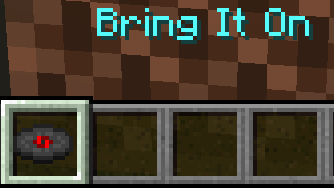
mellohi being Bring it On [Dual Mix],

strad being Bring it On [Rock Version],

ward being Vantablack,

wait being Bete Noire,

cat being The Undying,

chirp being Bring It On,

stal being Embodiment of a Yellow Devil,

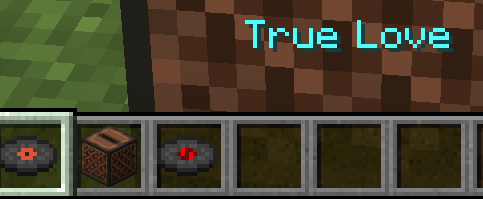
blocks being True Love.

It also changes the in-game name of the Music Discs

1.17-1.17.1
MC 1.17.1, 1.17, 1.17-Snapshot
Release 2021-09-20 Get

Requirements & install

How to use this resource pack in Minecraft
Resolution
64x
Minecraft
1.17-Snapshot – 1.17.1
Install folder
.minecraft/resourcepacks

How to install resource packs

  1. Download the resource pack .zip file (do not extract it).
  2. In Minecraft open Options → Resource Packs → Open Pack Folder.
  3. Drop the .zip into the resourcepacks folder (.minecraft/resourcepacks).
  4. Move the pack to the Selected column and click Done.
Browse more: 16x resource packs 32x resource packs 64x resource packs 128x resource packs 256x resource packs 512x+ resource packs Resource Packs for 1.17.1 All resource packs
Advertisement Remove ads with Premium →

You Might Also Like