Mineuniverse
Resource Packs
Genetic Animals - Farmer's Delight Compat Datapack

Genetic Animals - Farmer's Delight Compat Datapack

RESOURCE PACK
More recipe compat between Genetic Animals items and Farmer's Delight recipes
by Maltshakes
Download Claim this project
Add a badge to your pageLink to Genetic Animals - Farmer's Delight Compat Datapack from a README, website or forum post.
Preview: Badge

Badges update automatically and link to the resource pack page on MineUniverse.

9,485 downloads
0 likes
0 followers
Updated Oct 14, 2026
0 hypes
Follow0
Data Packs Mod Support
Advertisement Remove ads with Premium →

This datapack creates more compat between Farmer's Delight (FD) and Genetic Animals (GA), allowing you to cook more mindlessly with fewer conversions.


For 1.16.5:

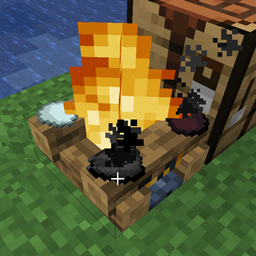
  • All GA chicken eggs can make FD fried eggs in the smoker and on the campfire.
  • Big dark chicken meats and milk bottles have tags added to now work in more recipes.
  • Big dark chicken meats can be cut on the cutting board.
  • Big dark chicken meat can be used in the barbecue stick and roast chicken recipes.
  • Unbound hay blocks can be used to make horse feed. 


For 1.18.2/1.20:

  • Contains recipes from 1.16.5, but removed some tags (they are now built into GA 1.18.2+).
  • Added all cuts of GA chicken and rabbit to the dog food recipe.
  • Genetic turtle eggs added to eggs category, now work in recipes that usually took vanilla turtle eggs.


These datapacks are uploaded for convenience sake for the Genetic Animals discord, though anyone is free to use them.

Since genetic animals do not use the traditional loot tables, adding ham to genetic pigs is not handled through these datapacks. It can instead be done using the In Control! mod. Scripts for this are also available on the Genetic Animals discord.

 

Genetic_Farmers_Delight_3.0.zip
MC 1.20.1, 1.20
Release 2025-01-14 Get
Genetic_Farmers_Delight_1.0.zip
MC 1.16.5
Release 2023-01-18 Get
Genetic_Farmers_Delight_2.0.zip
MC 1.18.2
Release 2023-01-18 Get

Requirements & install

How to use this resource pack in Minecraft
Resolution
Not specified
Minecraft
1.16.5 – 1.20.1
Install folder
.minecraft/resourcepacks

How to install resource packs

  1. Download the resource pack .zip file (do not extract it).
  2. In Minecraft open Options → Resource Packs → Open Pack Folder.
  3. Drop the .zip into the resourcepacks folder (.minecraft/resourcepacks).
  4. Move the pack to the Selected column and click Done.
Browse more: 16x resource packs 32x resource packs 64x resource packs 128x resource packs 256x resource packs 512x+ resource packs Resource Packs for 1.20.1 All resource packs

More from Maltshakes

Advertisement Remove ads with Premium →

You Might Also Like