Mineuniverse
Resource Packs
Genetic Animals - Alex's Mobs Compat Datapack

Genetic Animals - Alex's Mobs Compat Datapack

RESOURCE PACK
Alex's Mobs animals will now recognize Genetic Animals as valid hunting targets, GA items as food, and more!
by Maltshakes
Download Claim this project
Add a badge to your pageLink to Genetic Animals - Alex's Mobs Compat Datapack from a README, website or forum post.
Preview: Badge

Badges update automatically and link to the resource pack page on MineUniverse.

23,624 downloads
0 likes
0 followers
Updated Oct 14, 2026
0 hypes
Follow0
Data Packs Mod Support
Advertisement Remove ads with Premium →

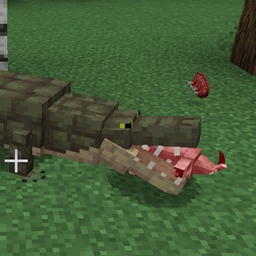
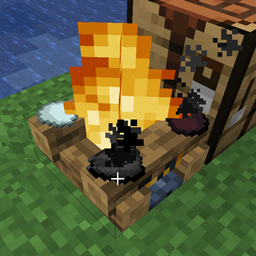
This datapack creates more compat between Alex's Mobs (AM) and Genetic Animals (GA), allowing AM animals to target GA animals and accept GA items as food. You will need both of the mentioned mods installed in order for this datapack to function as described. 


For 1.16.5:

  • Crocodiles, Komodos, Tigers, Eagles, Orcas, and Snow leopards will now target the appropriate GA animals.
  • Elephants now recognize unbound hay block as food.
  • Crows and Raccoons now recognize GA chicken eggs and turtle eggs as food. (Raccoons seem hardcoded to be tamed with vanilla chicken eggs in 1.16.5, so you will need to convert a GA egg to a vanilla egg for taming)


For 1.18.2:

  • Same compat as in the 1.16.5 version, with adjustments made for new items/mobs.
  • Anacondas and Froststalkers now target the appropriate GA animals.


For 1.20/1.20.1:

  • Same compat as in the 1.18.2 version, with adjustments made for new mobs.
  • Caiman now target GA chickens and rabbits.
  • Anacondas will use large black chicken meat (raw or cooked) as a breeding item.
  • Maned Wolves will use large black chicken meat (raw or cooked) as a breeding item.
Genetic_Alex_Mobs_3.0.zip
MC 1.20.1, 1.20
Release 2024-12-30 Get
Genetic_Alex_Mobs_1.2.zip
MC 1.16.5
Release 2023-01-29 Get
Genetic_Alex_Mobs_2.2.zip
MC 1.18.2
Release 2023-01-29 Get

Requirements & install

How to use this resource pack in Minecraft
Resolution
Not specified
Minecraft
1.16.5 – 1.20.1
Install folder
.minecraft/resourcepacks

How to install resource packs

  1. Download the resource pack .zip file (do not extract it).
  2. In Minecraft open Options → Resource Packs → Open Pack Folder.
  3. Drop the .zip into the resourcepacks folder (.minecraft/resourcepacks).
  4. Move the pack to the Selected column and click Done.
Browse more: 16x resource packs 32x resource packs 64x resource packs 128x resource packs 256x resource packs 512x+ resource packs Resource Packs for 1.20.1 All resource packs

More from Maltshakes

Advertisement Remove ads with Premium →

You Might Also Like