Hello!
This is a add-on for the Mod Immersive Railroading, you will need this mod for it to work. you can find the mod here :
Immersive railroading mod
Packs that goes well with this resourcepack is:
Brums Dutch Pack
What locomotives will this pack add:
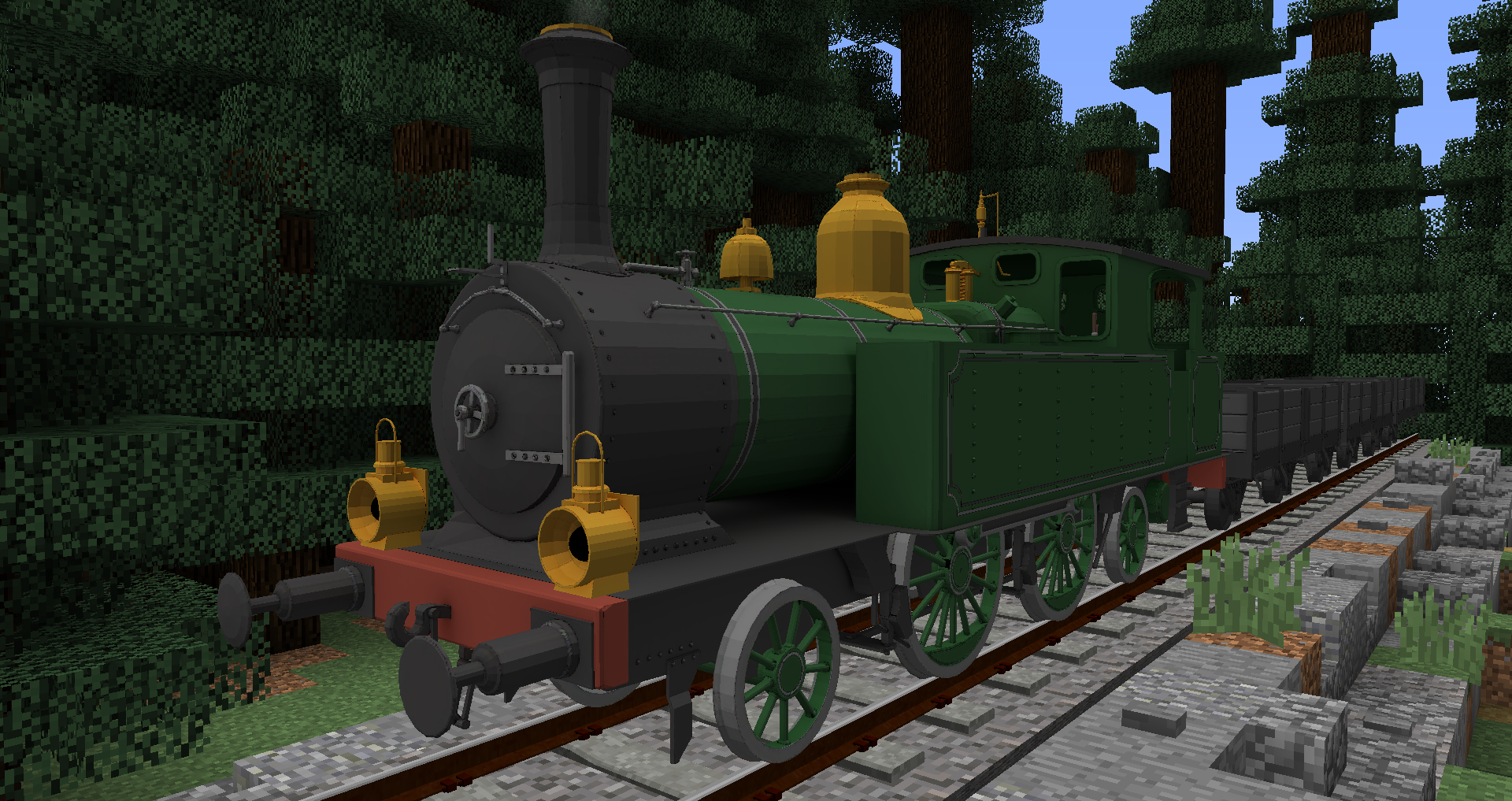
NS 7100
What rollingstock will this pack add:
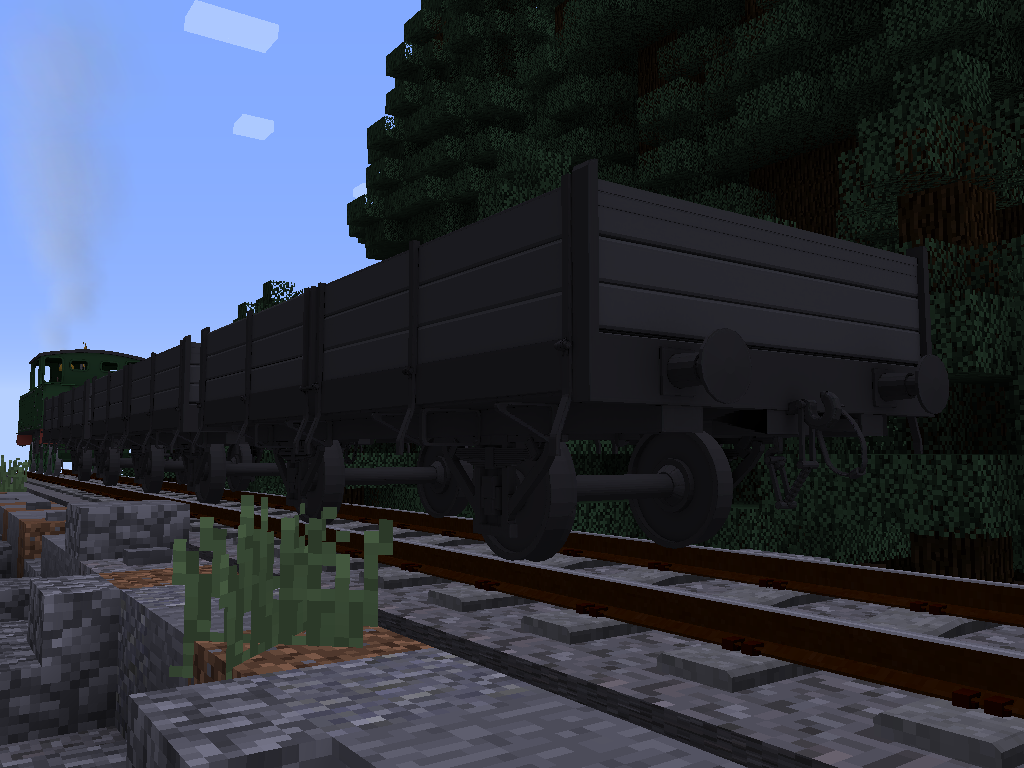
NS GZM
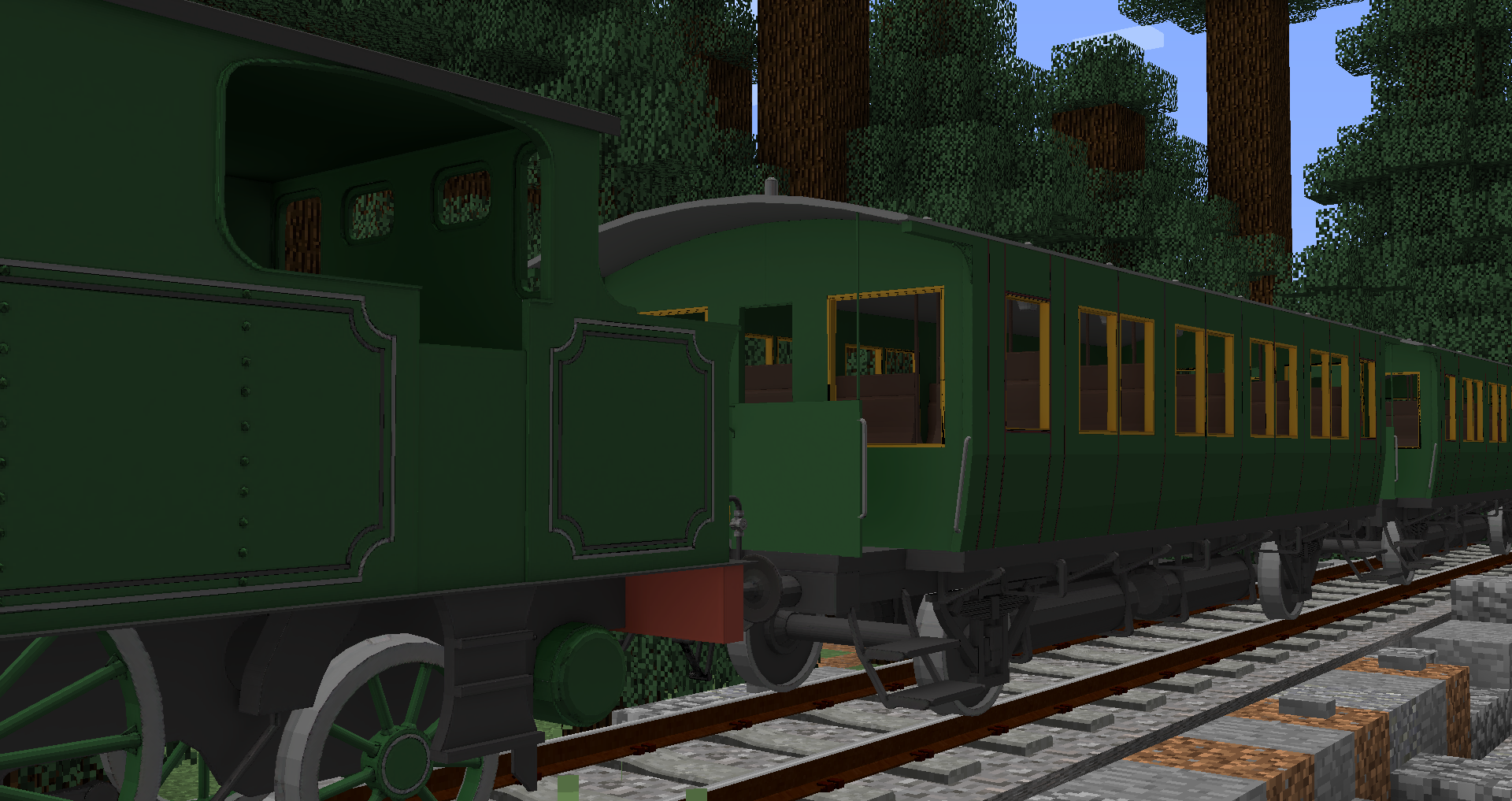
NFLS 2eklasser rijtuig
Info about the pack and models :
I've been playing immersive railroading for quite some time now, and I figured it was time to model and release a pack myself. This wasn't easy, but I did manage because you're reading this now! However this pack is not 100% acurate to the IRL designs, however, I tried to make them as close to it as possible! Because I want to mostly have fun in making these models, and not go in a frenzy about if it accurate or not! So I chose for the most comfy option possible and try to add as much detail to the models, but not make them 100% accurate, unles I want to in paticulair!
Just some simple things,
I gotta say it for those who will still try.
1. Do not reskin from this pack
2. Do not "yoink" any models from this pack
3. If using this pack in a video, do link it in the description of the video.
4. Don't claim this pack to be your own
Enjoy the pack!
If you see any issue's, let me know through the comments!