PickLoot: Copper Hotbar UI
Give PickLoot's nearby-loot interface a warm survival-style appearance inspired by classic Minecraft hotbars. Copper Hotbar UI replaces PickLoot's interface textures with dark wooden frames, copper corners, golden highlights, and translucent coffee-brown glass panels while preserving the mod's information, controls, and rarity system.
## What this resource pack changes
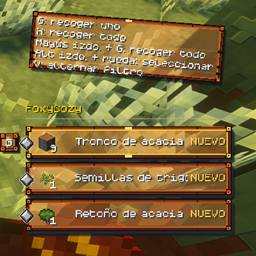
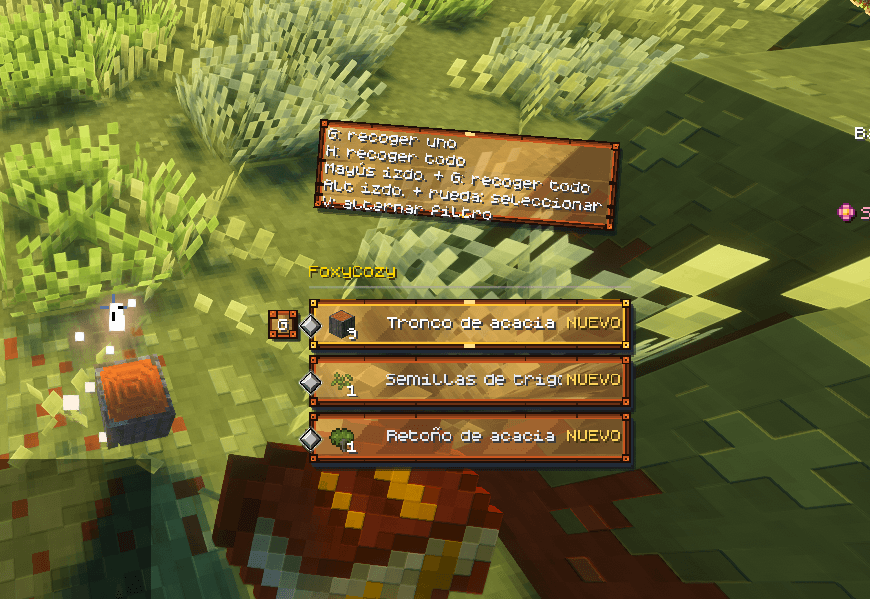
- Restyles PickLoot's item cards with thin dark-wood and copper frames.
- Adds translucent coffee-brown glass interiors with subtle diagonal reflections.
- Gives the currently selected loot card a brighter golden border, making it easier to identify before collecting an item.
- Restyles PickLoot's compact hotbar, key prompt, tutorial, and flat-layout frames so the complete interface shares the same visual theme.
- Preserves PickLoot's animated rarity diamonds for Normal, Common, Rare, Epic, and Legendary items.
- Preserves the grayscale rarity masks used by PickLoot's configurable rarity colors.
- Supports the optional **Use Resource Pack Colors for Rarity Diamonds** setting when players prefer the colors included with the pack.
## How it affects the player experience
Copper Hotbar UI makes nearby loot cards feel more integrated with survival and adventure-oriented packs. The warm glass panels keep item names and quantities readable, while the brighter selected frame provides a clear visual cue for the item that will be collected. Rarity markers remain visible and animated, so valuable drops can still be recognized quickly.
This pack changes only the appearance of PickLoot. It does not alter item rarity calculations, filters, pickup distance, controls, loot behavior, Minecraft blocks, items, hearts, hunger icons, or the vanilla hotbar.
## Requirements and compatibility
- Minecraft Java Edition 1.21.1
- PickLoot 3.5.0 or a compatible 1.21.1 release
- Fabric, Forge, or NeoForge
The same resource-pack ZIP works with all three supported mod loaders. PickLoot is required; this is not a standalone interface replacement.
## Installation
1. Install PickLoot for your mod loader and Minecraft 1.21.1.
2. Place the Copper Hotbar UI ZIP in the Minecraft `resourcepacks` folder.
3. Open **Options > Resource Packs** and enable it.
4. Place it above other packs that modify `assets/pickloot` if you want Copper Hotbar UI to take priority.
Do not extract the ZIP when installing it through Minecraft's resource-pack menu.
## Custom rarity colors
PickLoot's configurable rarity colors continue to work because this pack includes the original tintable rarity masks. Leave **Use Resource Pack Colors for Rarity Diamonds** disabled to use the colors selected in PickLoot's configuration. Enable it only if you want the predefined colors supplied by this resource pack.
## Credits and license
Created by **KubePixel** for PickLoot. Copyright 2026 KubePixel. All Rights Reserved.
Read the included `LICENSE` before modifying or distributing this resource pack or a derivative version.
---
## CurseForge Summary
A warm wood, copper and coffee-glass UI theme for PickLoot with animated rarity diamonds and configurable color support.