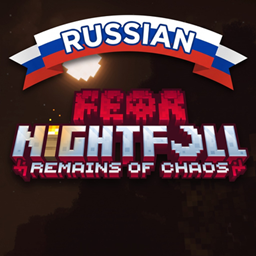
Russian Translation for Fear Nightfall Remains of Chaos (v1.1.4)
This project is a comprehensive Russian translation for the popular horror modpack Fear Nightfall Remains of Chaos.
⚠️ IMPORTANT WARNING:
This translation was created and tested strictly for modpack version 1.1.4 (Minecraft 1.20.1).
Proper functionality on other versions is not guaranteed.
What is translated:
- 📝 FTB Quests: All 11 chapter and task files are fully adapted (translated titles, task descriptions, and tooltips).
- 🖥️ Main Menu (FancyMenu): Complete translation of the start screen, in-game menu, settings windows, and warning dialogs.
- 📦 Mods (72 total): All items, blocks, effect descriptions, mobs, and tooltips for mods that lacked default Russian localization.
- ⚙️ Startup Settings: Pre-configured to launch in Russian with the translation resource pack active (if files are copied correctly).
Manual Installation Instructions:
- Download a clean original instance of Fear Nightfall Remains of Chaos version 1.1.4 (for Minecraft 1.20.1).
- Download this translation archive (
Fear_Nightfall_Remains_of_Chaos_1.20.1_1.1.4_RU.zip).
- Resource Pack Installation: Copy the downloaded ZIP file as-is into your modpack's
resourcepacks folder.
- Quests & Menu Installation: Open this ZIP archive, find the
config folder inside, and copy all its contents (fancymenu, ftbquests folders) into your modpack's config folder, overwriting existing files when prompted.
- Launch the game.
⚠️ IMPORTANT: If translation doesn't apply automatically
Sometimes launchers reset default language settings. If the game remains in English after launching, do the following manually:
- Go to Settings -> Language and select Русский (Россия).
- Go to Settings -> Resource Packs, locate FearNightfallRussianTranslation.zip (or Fear_Nightfall_Remains_of_Chaos_1.20.1_1.1.4_RU.zip), move it to the right-hand list (Selected), and move it to the very top.
====================================================================================
Русификатор для Fear Nightfall Remains of Chaos (v1.1.4)
Этот проект представляет собой комплексный перевод для популярной хоррор-сборки Fear Nightfall Remains of Chaos.
⚠️ ВАЖНОЕ ПРЕДУПРЕЖДЕНИЕ:
Данный перевод создавался и тестировался строго для версии сборки 1.1.4 (Minecraft 1.20.1).
На других версиях сборки корректная работа не гарантируется.
Что переведено:
- 📝 Квесты (FTB Quests): Все 11 файлов глав и заданий полностью адаптированы (переведены названия, описания задач и подсказки).
- 🖥️ Главное меню (FancyMenu): Полный перевод стартового экрана, внутриигрового меню, окон настроек и предупреждающих диалогов.
- 📦 Моды (72 штуки): Все предметы, блоки, описания эффектов, мобы и всплывающие подсказки из модов, не имевших русской локализации по умолчанию.
- ⚙️ Стартовые настройки: Сборка автоматически настроена на запуск с русским языком и активным ресурспаком перевода (если файлы скопированы корректно).
Инструкция по ручной установке:
- Скачайте чистую оригинальную сборку Fear Nightfall Remains of Chaos версии 1.1.4 (для Minecraft 1.20.1).
- Скачайте архив этого перевода (
Fear_Nightfall_Remains_of_Chaos_1.20.1_1.1.4_RU.zip).
- Установка ресурспака: Скопируйте скачанный ZIP-файл как есть в папку
resourcepacks вашей сборки.
- Установка квестов и меню: Откройте этот ZIP-архив, найдите в нём папку
config и перенесите всё её содержимое (папки fancymenu, ftbquests) в папку config вашей сборки с заменой файлов.
- Запустите игру.
⚠️ ВАЖНО: Если перевод не включился автоматически
Иногда лаунчеры сбрасывают стартовые настройки языка. Если после запуска игра осталась на английском, сделайте следующее вручную:
- Перейдите в Settings (Настройки) -> Language (Язык) и выберите Русский (Россия).
- Перейдите в Settings -> Resource Packs (Наборы ресурсов), найдите ресурспак FearNightfallRussianTranslation.zip (или Fear_Nightfall_Remains_of_Chaos_1.20.1_1.1.4_RU.zip), переместите его в правый список (активные) и поднимите на самый верх.