Mineuniverse
Resource Packs
Fancy Stands - Sapixcraft add-on

Fancy Stands - Sapixcraft add-on

RESOURCE PACK
πŸ”Ά 8 fancy armor stand model variants (rename in anvil) - Now with arms! | available in 16xβ†’ 512x
by Sapix
Download Claim this project
597 downloads
0 likes
0 followers
Updated Oct 14, 2026
0 hypes
Follow0
32x Miscellaneous Mod Support Modern
Advertisement Remove ads with Premium →

Want your armor stands to actually look good?

This add-on gives armor stands a proper makeover — 8 custom 3D styles that match Sapixcraft's cartoony aesthetic, unlocked just by renaming them in an anvil. No commands, no mods needed for item visuals on 1.21+.

Fancy stands Sapixcraft add-on

8 styles to choose from:

normal · oak · pale oak · spruce · mangrove · jungle · birch · stone

Each style also has an arms variant → just add arms to the end of the name.

Fancy stands full lineup β€” Sapixcraft add-on


πŸ“¦ Resolutions

All resolutions are FREE → higher resolutions are available on sapixcraft.com.

Resolution Download
16× βœ… Available here
32× βœ… Available here
64× sapixcraft.com
128× sapixcraft.com
256× sapixcraft.com
512× sapixcraft.com

How to use

  1. Install Fancy Stands above Sapixcraft in your load order
  2. Install EMF & ETF or OptiFine for 3D in-world models ⚠️
  3. Rename an armor stand in an anvil — e.g. Oak, Stone Arms, Mangrove
  4. Place the stand — done!

Item & inventory models work on 1.21+ without any mods. 3D in-world models require OptiFine or EMF/ETF**.

Fancy stands dropped item models β€” Sapixcraft add-on

Fancy stands in a build β€” Sapixcraft add-on


This add-on is designed to use with Sapixcraft — it works standalone, but is recommended to use alongside Sapixcraft.

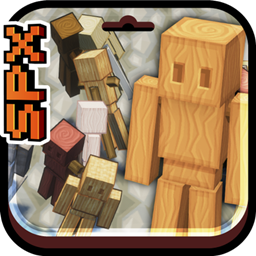
Fancy Stands r0.2 - 16x & 32x
MC 26.1, 26.1.1, 26.1.2
Release 2026-05-24 Get
Fancy Stands r0.2 - 16x & 32x
MC 1.21.11
Release 2026-05-13 Get

Requirements & install

How to use this resource pack in Minecraft
Resolution
32x
Minecraft
1.21.11 – 26.1.2
Install folder
.minecraft/resourcepacks

How to install resource packs

  1. Download the resource pack .zip file (do not extract it).
  2. In Minecraft open Options β†’ Resource Packs β†’ Open Pack Folder.
  3. Drop the .zip into the resourcepacks folder (.minecraft/resourcepacks).
  4. Move the pack to the Selected column and click Done.
Browse more: 16x resource packs 32x resource packs 64x resource packs 128x resource packs 256x resource packs 512x+ resource packs Resource Packs for 26.1.2 All resource packs

More from Sapix

Advertisement Remove ads with Premium →

You Might Also Like