
Mineuniverse
Resource Packs
Enchantment Descriptions Java

Enchantment Descriptions Java

RESOURCE PACK
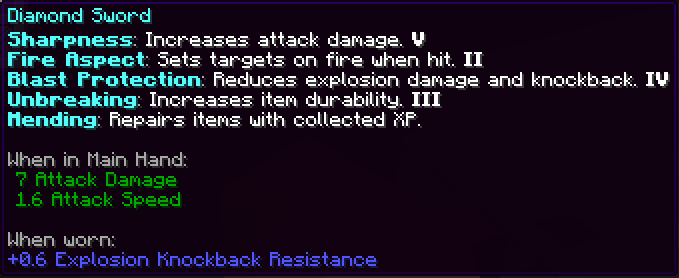
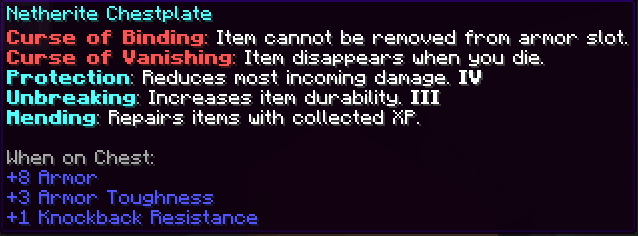
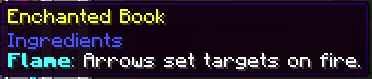
This resource pack enhances Minecraft’s enchantment system by providing detailed descriptions of every enchantment directly in-game. Whether you're new or experienced, it helps you make better choices while enchanting your gear.
by quillphen
Download Claim this project
1,980 downloads
0 likes
Updated Oct 14, 2026
0 hypes
Data Packs Mod Support
Advertisement Remove ads with Premium →


🪄 Enchantment Descriptions (Java Edition)

to make enchantments less mysterious and more magical!

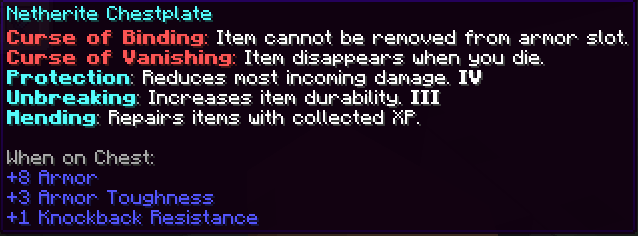
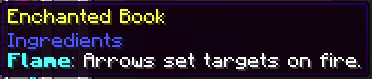
A simple but powerful resource pack that adds detailed enchantment descriptions to tooltips in Minecraft Java Edition. No more guessing what each enchantment does—this pack shows you all relevant information directly in-game.
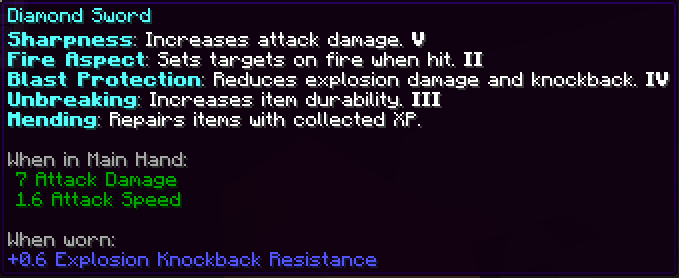
✅ Features

  • 📖 Clear, concise descriptions of all enchantments
  • 🧠 Helps players make informed enchantment decisions
  • ⚙️ Lightweight — does not alter textures or mechanics
  • 🧰 Compatible with most UI/tooltip-enhancing mods

🎨 Screenshots

Screenshot 1

Screenshot 2

Screenshot 3

Screenshot 4

Screenshot 5


📦 Installation (Resource Pack - .zip)

  1. Download the .zip file.
  2. Place it in your resourcepacks folder.
  3. Launch Minecraft → Options → Resource Packs → Enable the pack.


🧰 Installation (Mod Version - .jar)

  1. Make sure you have Minecraft Forge or Fabric installed.
  2. Download the latest .jar file from the Files section.
  3. Place the .jar file into your mods/ folder, located in:
    • Windows: %appdata%\.minecraft\mods
    • macOS: ~/Library/Application Support/minecraft/mods
    • Linux: ~/.minecraft/mods
  4. Launch Minecraft using the appropriate mod loader.
  5. Enjoy detailed enchantment tooltips in-game!
ℹ️ This is a client-side visual aid only — it does not affect gameplay or servers.

💻 Compatibility

  • Minecraft Java Edition 1.13–1.20+
  • OptiFine or Vanilla-supported (no mods required)
  • Works with most GUI and font packs

Enjoy better enchanting, one tooltip at a time!

Enchantment_Java.zip
MC 1.21.2-Snapshot, 1.21, 1.21.6-snapshot, 1.20.2-Snapshot, 1.20.5-Snapshot, 1.19-Snapshot, 1.21.1-Snapshot, 1.19.3, 1.20.2, 1.19.4, 1.19.4-Snapshot, 1.20.5, 1.21.5, 1.21.4
Release 2025-05-17 Get

Requirements & install

How to use this resource pack in Minecraft
Resolution
Not specified
Minecraft
1.20.5-Snapshot – 1.21.6-snapshot
Install folder
.minecraft/resourcepacks

How to install resource packs

  1. Download the resource pack .zip file (do not extract it).
  2. In Minecraft open Options → Resource Packs → Open Pack Folder.
  3. Drop the .zip into the resourcepacks folder (.minecraft/resourcepacks).
  4. Move the pack to the Selected column and click Done.
Browse more: 16x resource packs 32x resource packs 64x resource packs 128x resource packs 256x resource packs 512x+ resource packs Resource Packs for 1.21.6-snapshot All resource packs

More from quillphen

Advertisement Remove ads with Premium →

You Might Also Like