Badges update automatically and link to the resource pack page on MineUniverse.
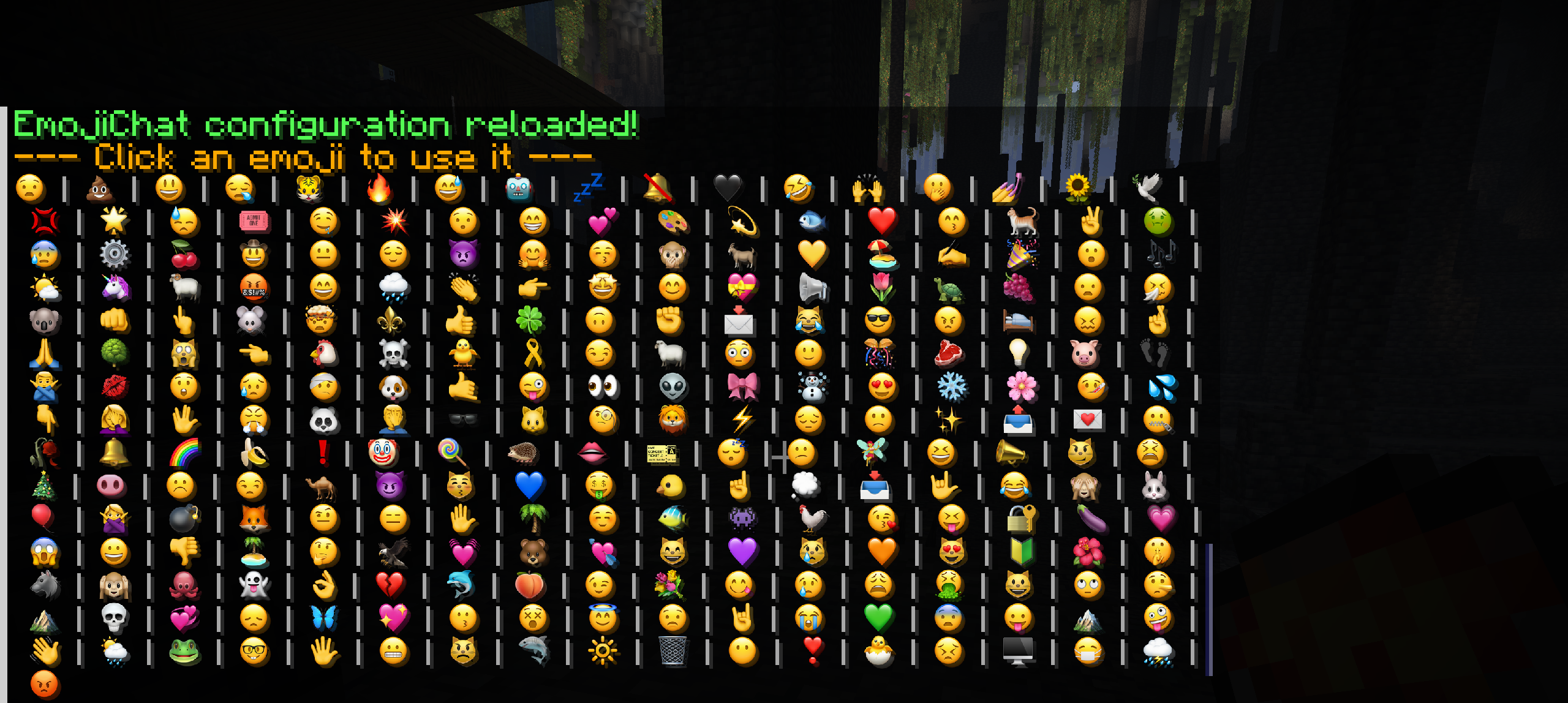
Tired of plain old text? The EmojiChat Resource Pack is designed to work exclusively with our companion plugin to integrate a massive collection of high-resolution (64x64) emojis directly into your Minecraft chat.
This pack makes communication with your friends more fun and expressive, but it requires a server running the EmojiChat plugin to function.
We're building a unique community experience and need your help to test it. Our server features a custom-managed system called BoringGroups, which unlocks cool perks for everyone:
✨ Emojis for All: Use emojis directly in chat to bring your messages to life! 🛡️ Supporter & Staff Badges: Get exclusive emoji badges next to your name to show your status.
Join our testing phase and help shape the future of our community. Your feedback is crucial!
Server IP: 51.222.244.227
Huge Emoji Library: Over 250+ high-quality emojis to express yourself!
HD Quality: Crisp, clean 64x64 textures that look great even on high-resolution screens.
Easy to Use: Simply type the code (e.g., :smile:, :heart:, :pog:) and the emoji appears.
Fully Customizable: Add, remove, or edit emojis to create the perfect pack for your server!
This resource pack will not work on its own or in single-player. It is designed to work exclusively with the companion plugin.
Install the Plugin: Download and install the EmojiChat Spigot Plugin or Download are group manager/permissions HERE plugin on your Spigot/Paper server.
Server Setup: For the best experience, set up the resource pack to be sent to players automatically in your server.properties file.
Enjoy! Players who join your server will get the pack and be able to use the emojis instantly!