Mineuniverse
Resource Packs
DrDonut Essentials PvP Pack

DrDonut Essentials PvP Pack

RESOURCE PACK
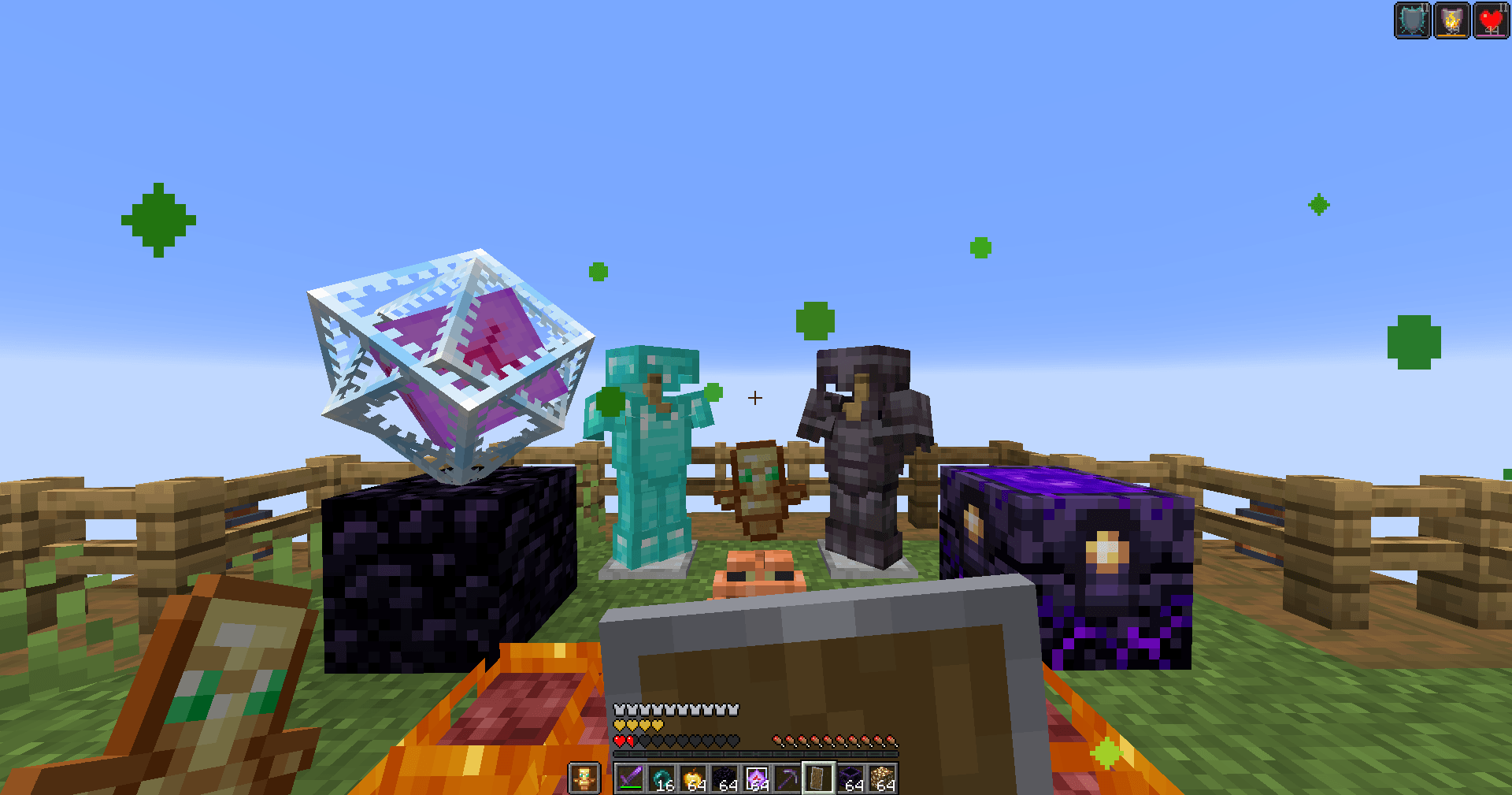
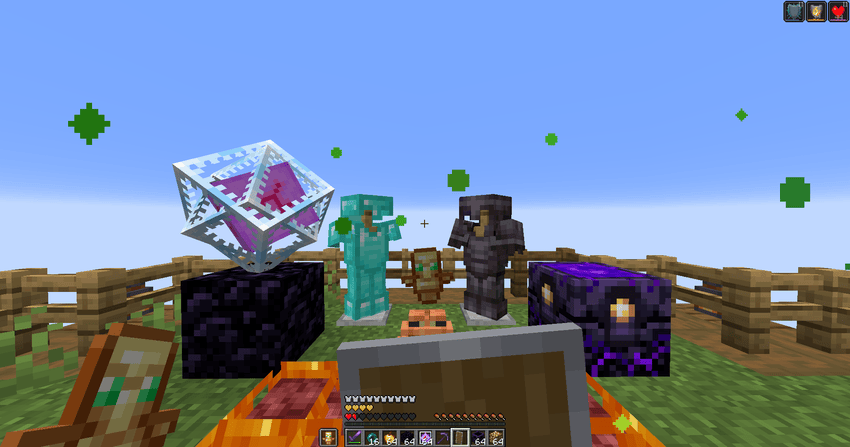
A lightweight PvP resource pack inspired by DrDonut's gameplay style, featuring visibility improvements such as low fire, side shield, clear particles, and other clean tweaks for a better PvP experience.
by Atishay
Download Claim this project
9,396 downloads
0 likes
Updated Oct 14, 2026
0 hypes
16x Miscellaneous
Advertisement Remove ads with Premium →

⚔️ DrDonut Essentials PvP Pack

Improve your Minecraft PvP experience with a clean and lightweight resource pack inspired by the gameplay style used by DrDonut.

Instead of changing Minecraft's overall look, this pack focuses on making combat clearer and less distracting while keeping the vanilla feel intact.

✨ Features

• 🔥 Low Fire for improved visibility during fights

• 🛡️ Side Shield for a less obstructed screen

• 💨 Clear Particles to reduce visual clutter

• 👀 Better combat visibility

• 🎮 Lightweight design with a vanilla-friendly appearance

• ⚡ Perfect for PvP game modes such as:

  • BedWars
  • SkyWars
  • Duels
  • Practice PvP
  • Survival Combat

✅ Why Use This Pack?

Whether you're practicing your aim or playing competitive PvP, this pack helps reduce unnecessary visual distractions while keeping Minecraft looking familiar.

✔ Cleaner Screen

Important parts of the screen remain visible during combat.

✔ Vanilla Friendly

Designed to preserve Minecraft's original style while improving gameplay.

✔ Lightweight

Simple visual improvements without unnecessary changes.

📦 Included Improvements

• Low Fire

• Side Shield

• Clear Particles

• Other quality-of-life PvP tweaks

🎯 Compatible With

Minecraft Java Edition

Supports the Minecraft versions selected on the project page.


⚠️ Disclaimer

This project is inspired by DrDonut's gameplay preferences and is not an official DrDonut product or release.


DrDonut Essentials PvP Pack.zip
MC 1.21.8, 1.21.5, 1.21.4, 1.21.1, 1.21.6, 1.21.3, 1.21.7, 1.21.2, 1.21.9, 1.21.10, 1.21.11, 26.1, 26.1.1, 26.1.2, 26.2
Release 2026-08-02 Get

Requirements & install

How to use this resource pack in Minecraft
Resolution
16x
Minecraft
1.21.8 – 26.2
Install folder
.minecraft/resourcepacks

How to install resource packs

  1. Download the resource pack .zip file (do not extract it).
  2. In Minecraft open Options → Resource Packs → Open Pack Folder.
  3. Drop the .zip into the resourcepacks folder (.minecraft/resourcepacks).
  4. Move the pack to the Selected column and click Done.
Browse more: 16x resource packs 32x resource packs 64x resource packs 128x resource packs 256x resource packs 512x+ resource packs Resource Packs for 26.2 All resource packs

More from Atishay

Advertisement Remove ads with Premium →

You Might Also Like