Changes the Netherite and Mace textures to look like RPG Legendary weapons,
So, basically it is
Welcome to Draconic Ascension, a mythical texture overhaul that channels the raw, untamed power of dragons into your endgame equipment.
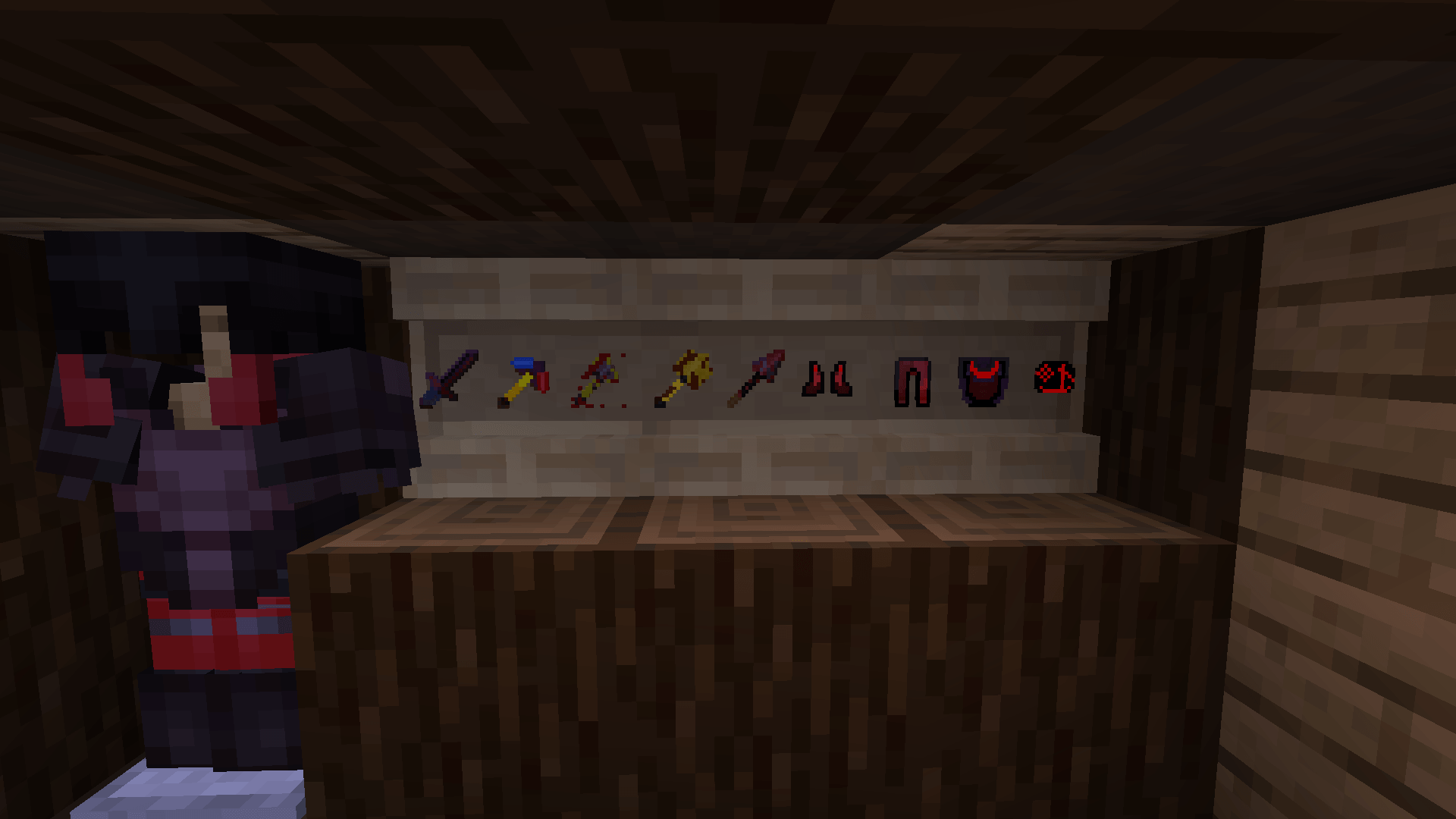
Say goodbye to basic, dull Netherite. This resource pack re-imagines your highest-tier gear as if it were forged from blackened dragon scales, infused with glowing magma, and sharpened with razor-sharp dragon teeth. Become the ultimate dragon rider or slayer with this striking visual upgrade.
Blackened Scale Base: All Netherite pieces are transformed with a dark, obsidian-like dragon scale texture.
Molten Core Accents: Tools and armor glow with a fierce, internal crimson energy, mimicking the fiery breath of a dragon.
Mythical Silhouette Overhaul: Features entirely custom shapes for your weapons and tools—including curved blades, heavy battle-axe heads, and reinforced hilts.
Draconic Carapace Armor: Turning your armor stand or player model into a legendary warrior, complete with horned helmet aesthetics and reinforced plating.
Vanilla Seamless: Fits perfectly into your survival world while completely elevating your endgame flex.
| Item Type | Custom Reskin Details |
| Armor | Draconic Helmet, Chestplate, Leggings, and Boots |
| Weapons | Dragon-Tooth Greatsword |
| Tools | Molten-Core Pickaxe, Battle-Axe, Shovel, and Hoe |
| UI/Icons | High-contrast inventory icons for all modified gear |