Badges update automatically and link to the resource pack page on MineUniverse.
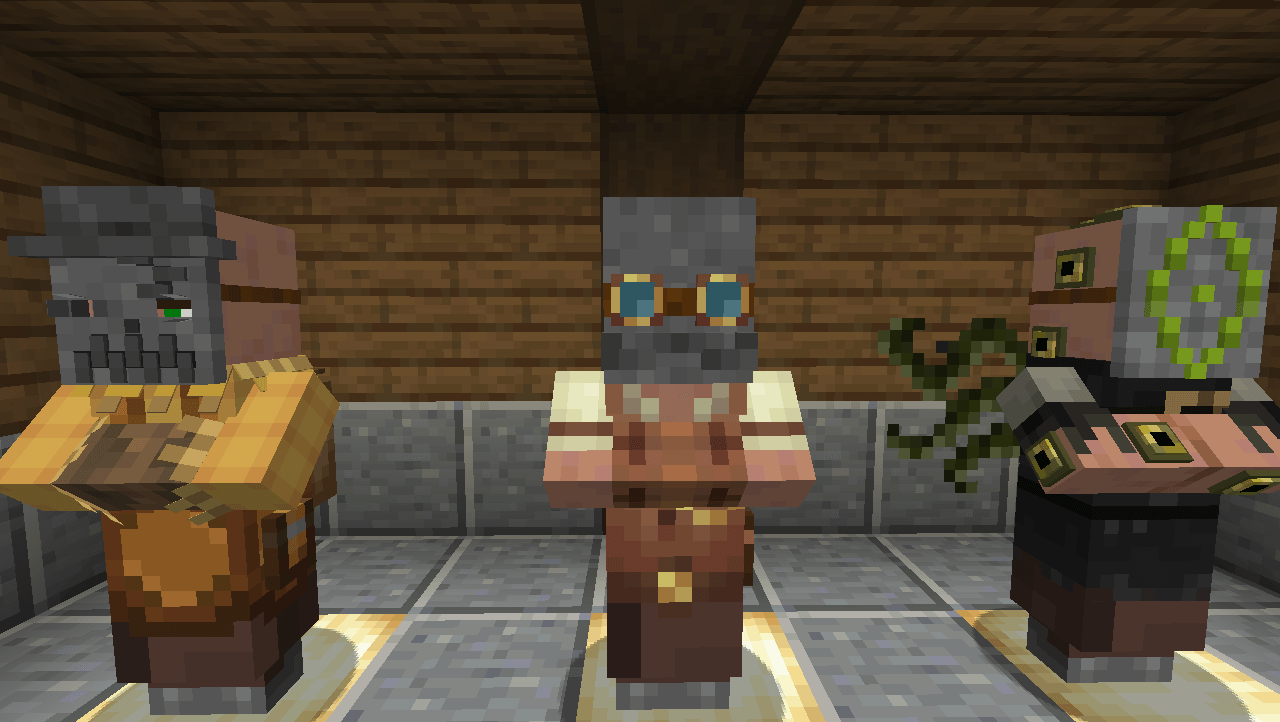
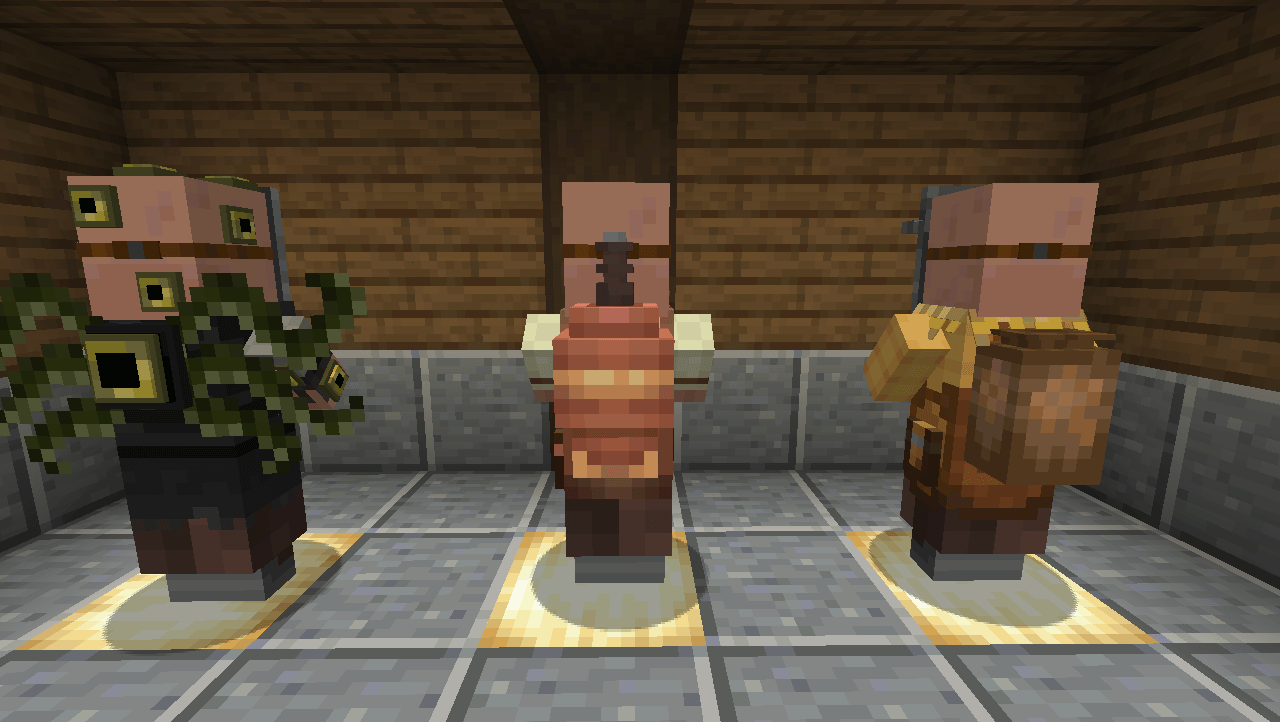
This pack modifies the model, textures, and names of the farmer, toolsmith, and librarian villagers.
It is inteded to be used for my upcoming modpack "Phantasmal Homestead" but anyone is welcome to use it.
The core concept is inspired by Inscryption and so they all wear masks to invoke their jobs
The Farmer is changed to the "Botanist" taking on a scarecrow like visage
The Toolsmith is changed to the "Engineer" taking inspiration from Create and Immersive Engineering the visage is suppose to look like an old timey steam punk engineer
The Librarian is changed to the "Occultist" and as a result pulls inspiration from warlocks who have taken pacts with dark gods. Parts of the model are also emissive.
To properly use the pack some mods are required.
https://www.curseforge.com/minecraft/mc-mods/entity-model-features
https://www.curseforge.com/minecraft/mc-mods/entity-texture-features-fabric
Currently only the three are changed as they are the only three relavent to my modpack. I do plan to make more though as I find the time and inspiration.
This was my first attempt at block bench. Please let me know what you think, and suggestions if you have any. Thanks for downloading.