Mineuniverse
Resource Packs
Daydream Tools

Daydream Tools

RESOURCE PACK
A Modular texture pack with several skins for tools. Also have Pink Diamond and Netherite!
by SoraNoUmi
Download Claim this project
11,323 downloads
0 likes
Updated Oct 14, 2026
0 hypes
16x Medieval Traditional
Advertisement Remove ads with Premium →

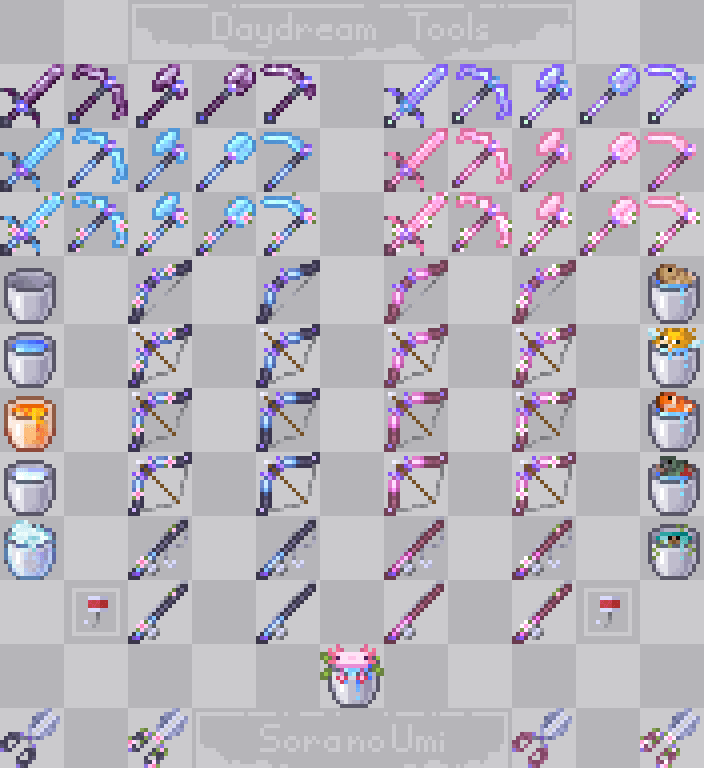
This is a modular texture collection for those who see their gear not just as utilities, but as an extension of their world's story. It's not one imposed vision—it's a palette. Craft your own aesthetic from fragments of different dreams.

What's Inside the Dream?

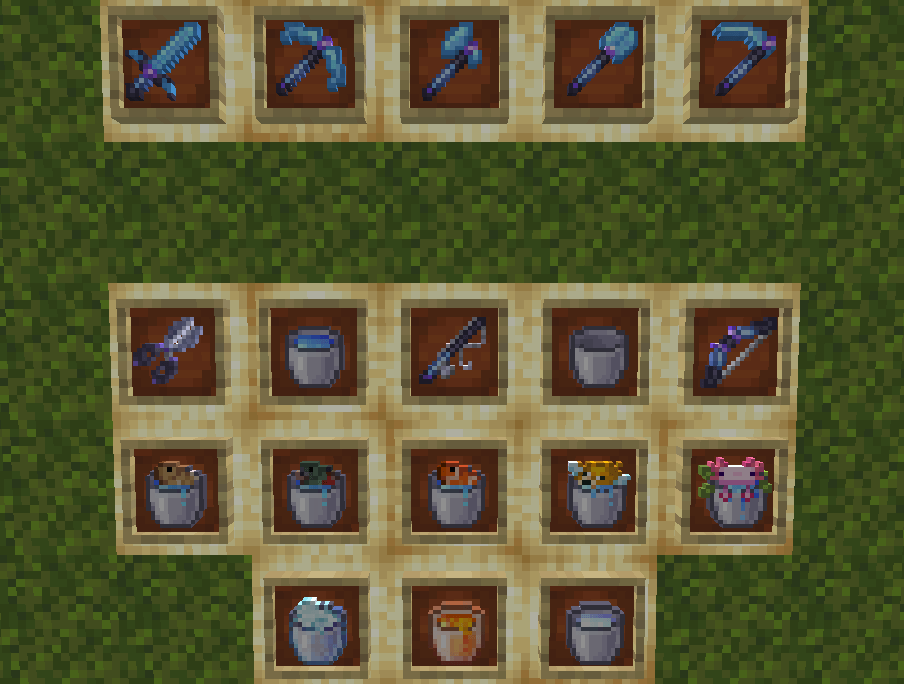
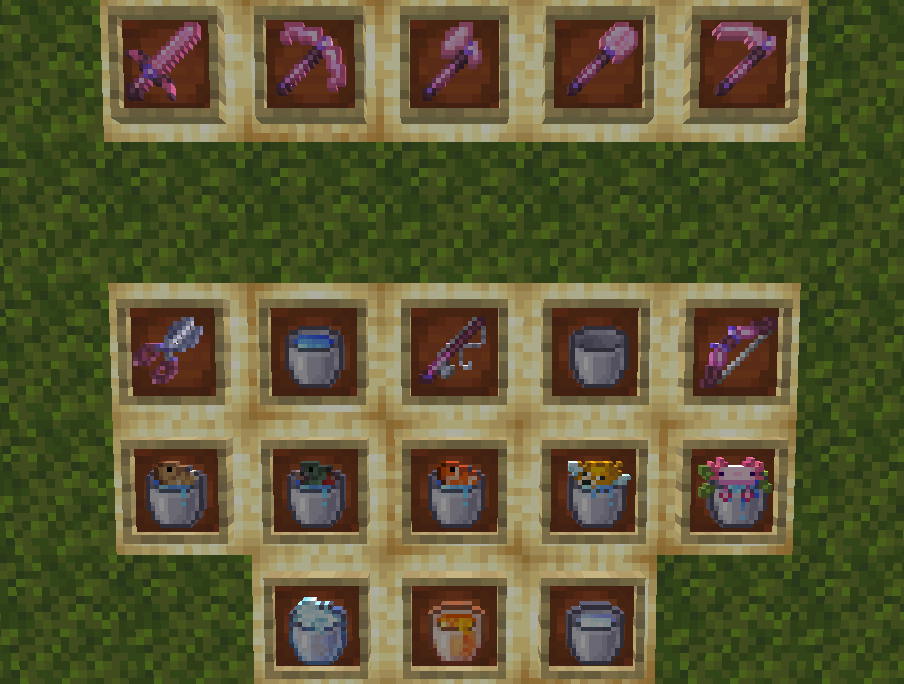
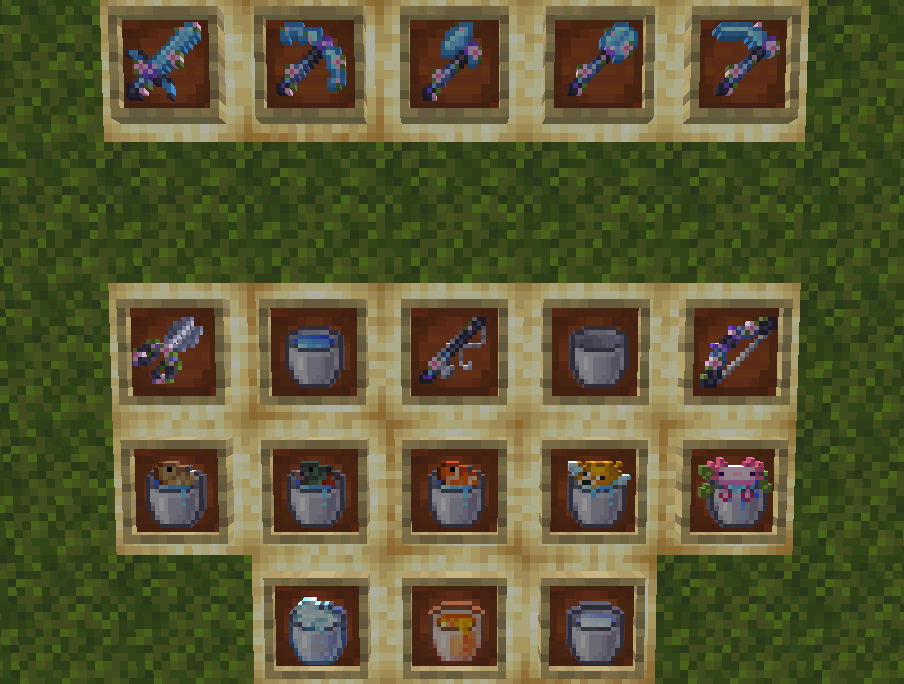
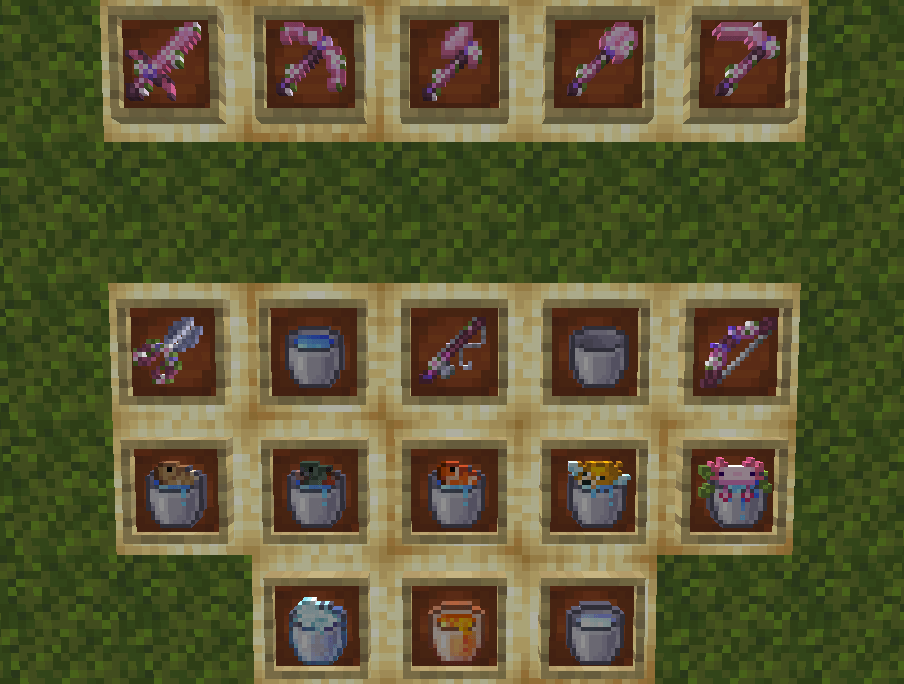
All Buckets — empty, with liquids, with mobs, with powdered snow.
Core Tools — Diamond & Netherite Pickaxe, Sword, Axe, Shovel, Hoe.
Additional Tools — Bow, Fishing Rod, Shears.

◈ ━━━━━━━━━━━━━━━━━━━ ◈

How It Works:

This is a modular pack. You can choose one thing or combine several and layer them to create something truly unique.
Compatibility: All modules work on Minecraft versions 1.21. and 1.20.

How to choose skins:

Different color schemes or textures are provided for the same items (except buckets). You can select them by downloading the file you need, following these names:

(Optional)
• buckets — A standalone pack for redesigned buckets. Install this if you only want new buckets.

Choose Your Diamond:
Each Diamond pack includes all core Diamond tools + the additional tools (Bow, Rod, Shears).

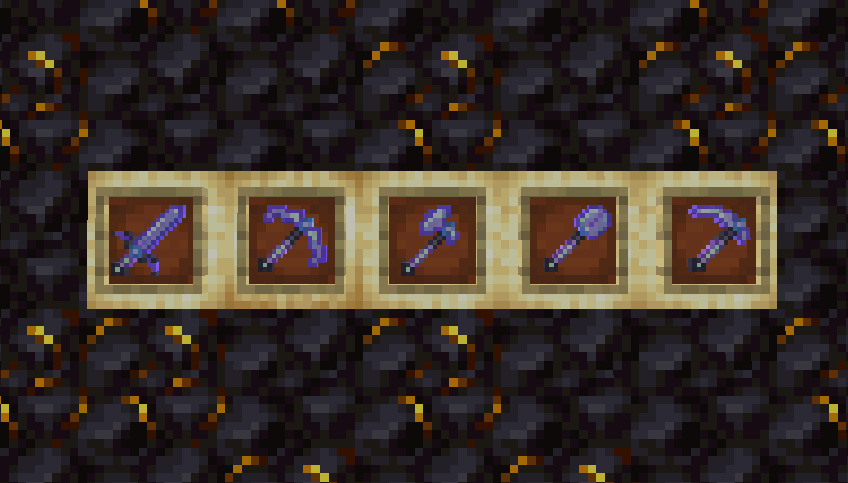
• Daydream_nd — Normal Diamond. Classic, clear, celestial blue.

• Daydream_pd — Pink Diamond. Elegant and... pink.

• Daydream_cnd — Cherry Normal Diamond. Sakura petals on classic blue.

• Daydream_cpd — Cherry Pink Diamond. Sakura petals on soft pink.

Choose Your Netherite:
Each Netherite pack includes only the Netherite tools.

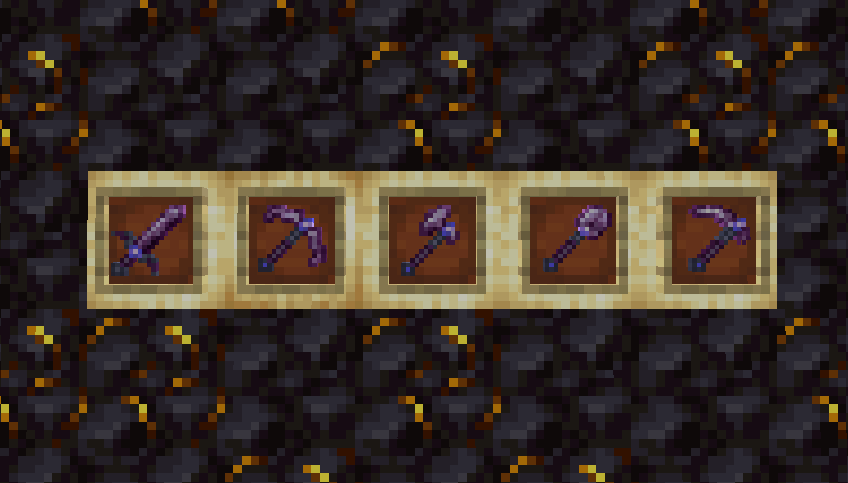
• Daydream_nn — Normal Netherite. Classic color, new shape.

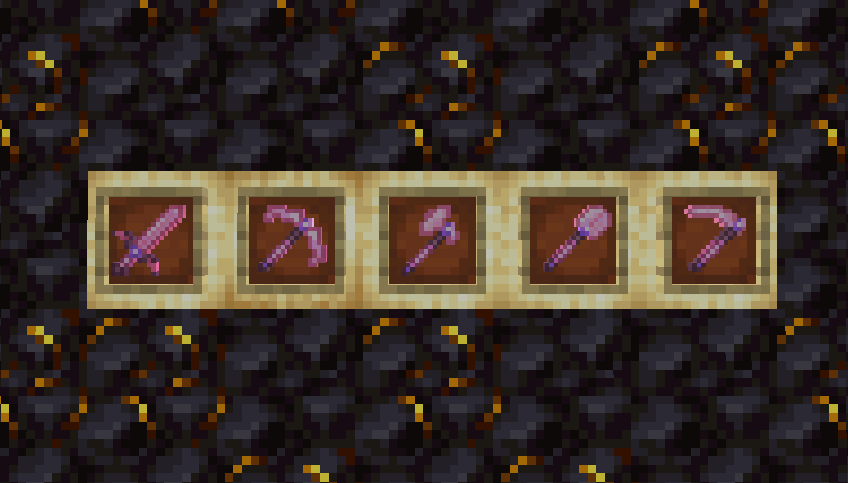
• Daydream_pn — Pink Netherite. Same texture as for diamond one.

• Daydream_hn — Heaven Netherite. Pearlescent, ethereal.


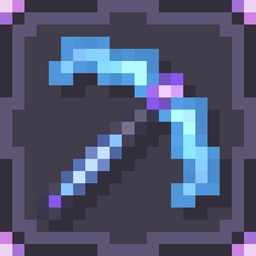
Each skin-pack has a unique icon for easy identification in the menu.

◈ ━━━━━━━━━━━━━━━━━━━ ◈

Your adventure is your own. May your tools be too.

◈ ━━━━━━━━━━━━━━━━━━━ ◈

=========================

Support & Contact:

Love this pack? Support me on Boosty!
For any questions or suggestions, reach me out via my Discord server

Daydream_buckets
MC 1.21, 1.20.2, 1.21.8, 1.20.5, 1.21.5, 1.21.4, 1.20.1, 1.20, 1.20.6, 1.21.1, 1.21.6, 1.21.3, 1.21.7, 1.20.4, 1.20.3, 1.21.2, 1.21.9, 1.21.10, 1.21.11
Release 2026-01-24 Get
Daydream_cnd
MC 1.21, 1.20.2, 1.21.8, 1.20.5, 1.21.5, 1.21.4, 1.20.1, 1.20, 1.20.6, 1.21.1, 1.21.6, 1.21.3, 1.21.7, 1.20.4, 1.20.3, 1.21.2, 1.21.9, 1.21.10, 1.21.11
Release 2026-01-24 Get
Daydream_cpd
MC 1.21, 1.20.2, 1.21.8, 1.20.5, 1.21.5, 1.21.4, 1.20.1, 1.20, 1.20.6, 1.21.1, 1.21.6, 1.21.3, 1.21.7, 1.20.4, 1.20.3, 1.21.2, 1.21.9, 1.21.10, 1.21.11
Release 2026-01-24 Get
Daydream_hn
MC 1.21, 1.20.2, 1.21.8, 1.20.5, 1.21.5, 1.21.4, 1.20.1, 1.20, 1.20.6, 1.21.1, 1.21.6, 1.21.3, 1.21.7, 1.20.4, 1.20.3, 1.21.2, 1.21.9, 1.21.10, 1.21.11
Release 2026-01-24 Get
Daydream_nd
MC 1.21, 1.20.2, 1.21.8, 1.20.5, 1.21.5, 1.21.4, 1.20.1, 1.20, 1.20.6, 1.21.1, 1.21.6, 1.21.3, 1.21.7, 1.20.4, 1.20.3, 1.21.2, 1.21.9, 1.21.10, 1.21.11
Release 2026-01-24 Get
Daydream_nn
MC 1.21, 1.20.2, 1.21.8, 1.20.5, 1.21.5, 1.21.4, 1.20.1, 1.20, 1.20.6, 1.21.1, 1.21.6, 1.21.3, 1.21.7, 1.20.4, 1.20.3, 1.21.2, 1.21.9, 1.21.10, 1.21.11
Release 2026-01-24 Get
Daydream_pd
MC 1.21, 1.20.2, 1.21.8, 1.20.5, 1.21.5, 1.21.4, 1.20.1, 1.20, 1.20.6, 1.21.1, 1.21.6, 1.21.3, 1.21.7, 1.20.4, 1.20.3, 1.21.2, 1.21.9, 1.21.10, 1.21.11
Release 2026-01-24 Get
Daydream_pn
MC 1.21, 1.20.2, 1.21.8, 1.20.5, 1.21.5, 1.21.4, 1.20.1, 1.20, 1.20.6, 1.21.1, 1.21.6, 1.21.3, 1.21.7, 1.20.4, 1.20.3, 1.21.2, 1.21.9, 1.21.10, 1.21.11
Release 2026-01-24 Get

Requirements & install

How to use this resource pack in Minecraft
Resolution
16x
Minecraft
1.21.4 – 1.21.11
Install folder
.minecraft/resourcepacks

How to install resource packs

  1. Download the resource pack .zip file (do not extract it).
  2. In Minecraft open Options → Resource Packs → Open Pack Folder.
  3. Drop the .zip into the resourcepacks folder (.minecraft/resourcepacks).
  4. Move the pack to the Selected column and click Done.
Browse more: 16x resource packs 32x resource packs 64x resource packs 128x resource packs 256x resource packs 512x+ resource packs Resource Packs for 1.21.11 All resource packs

More from SoraNoUmi

Advertisement Remove ads with Premium →

You Might Also Like