Mineuniverse
Resource Packs
[DAI] Tower of DLC (Resource)

[DAI] Tower of DLC (Resource)

RESOURCE PACK
The official Tower of DLC visual companion, adding Cyan/Orange Grid materials, native Light Cycles, Identity Discs, Grid Lamps, custom HUD elements, and the complete neon faction-war presentation.
by J12H36H
Download Claim this project
Add a badge to your pageLink to [DAI] Tower of DLC (Resource) from a README, website or forum post.
Preview: Badge

Badges update automatically and link to the resource pack page on MineUniverse.

14 downloads
0 likes
0 followers
Updated Oct 14, 2026
0 hypes
Follow0
Animated Data Packs Miscellaneous Mod Support Modern
Advertisement Remove ads with Premium →

Tower of DLC Resource Pack

The Tower of DLC Resource Pack is the official visual companion for the Tower of DLC DAI MAIN experience.

It transforms the generated battlefield into a high-contrast digital Grid built around dark architecture, luminous Cyan and Orange circuitry, custom faction equipment, native Light Cycles, and a dedicated DAI interface presentation.

Cyan vs Orange

The visual language is built around two opposing faction identities:

Cyan

Dark navy materials combined with bright cyan circuitry, illuminated Grid surfaces, and cool energy effects.

Orange

Dark industrial materials combined with intense orange circuitry, warm emitters, and opposing faction highlights.

The two sides remain visually readable throughout the city, Core Spire, equipment, and vehicles.

Native Light Cycles

Includes dedicated native DAI models for:

  • Cyan Light Cycle
  • Orange Light Cycle

Each cycle uses its own authored:

  • Body material
  • Faction glow material
  • Geometry
  • Item presentation
  • Native entity rendering

The Light Cycles are rendered directly by DAI rather than through an invisible vanilla mount or item-display workaround.

Identity Discs

Includes custom item presentation for:

  • Cyan Identity Disc
  • Orange Identity Disc

The discs visually match their respective factions and are used for both melee and thrown-disc combat.

Grid Lamps

Includes dedicated models and textures for:

  • Cyan Grid Lamp
  • Orange Grid Lamp

The lamps use dark paneled Grid construction with high-contrast circuitry and bright central emitters.

They are integrated throughout the city, faction bases, interior floors, Core Spire routes, and System Eye.

Equipment

Custom visual assets are included for:

  • Cyan Access Key
  • Orange Access Key
  • Bike Toggle
  • Overclock
  • Cyan Light Cycle Frame
  • Orange Light Cycle Frame
  • Cyan Identity Disc
  • Orange Identity Disc

Grid Environment

The Resource Pack includes a complete authored environmental treatment for important Minecraft materials used throughout the experience.

These include customized:

  • Concrete
  • Glass
  • Blackstone
  • Deepslate
  • Lighting blocks
  • Grid surfaces

The result is a consistent dark digital environment instead of a normal vanilla city.

Custom HUD

Tower of DLC includes its own HUD treatment for:

  • Hearts
  • Hunger
  • Hotbar
  • Hotbar selection
  • Experience bar
  • Crosshair

These elements maintain the same dark-grid visual language as the world itself.

Experience Presentation

The companion includes:

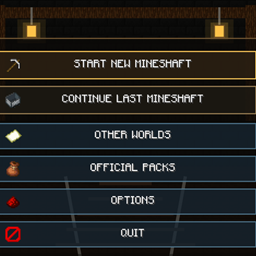
  • Tower of DLC logo
  • Custom loading background
  • Custom loading emblem
  • Start icon
  • Continue icon
  • Worlds icon
  • Packs icon
  • Options icon
  • Quit icon

DAI automatically enables the Resource Pack alongside the matching MAIN experience through the stable towerofdlc companion identity.

DAI 3.3

Resource v0.2.0 is synchronized with the first public DAI 3.3 release of Tower of DLC.

All existing authored visual assets have been preserved without destructive resizing or detail reduction.


Tower_of_DLC_Resource_v0.2.0_DAI3.3.zip
MC 26.2
Release 2026-08-27 Get

Requirements & install

How to use this resource pack in Minecraft
Resolution
Not specified
Minecraft
26.2
Install folder
.minecraft/resourcepacks

How to install resource packs

  1. Download the resource pack .zip file (do not extract it).
  2. In Minecraft open Options → Resource Packs → Open Pack Folder.
  3. Drop the .zip into the resourcepacks folder (.minecraft/resourcepacks).
  4. Move the pack to the Selected column and click Done.
Browse more: 16x resource packs 32x resource packs 64x resource packs 128x resource packs 256x resource packs 512x+ resource packs Resource Packs for 26.2 All resource packs

More from J12H36H

Advertisement Remove ads with Premium →

You Might Also Like