Mineuniverse
Resource Packs
[DAI] Boxhead (Resource)

[DAI] Boxhead (Resource)

RESOURCE PACK
The HD visual companion for Boxhead, adding detailed infected models, custom firearms, ammunition, projectiles, UI artwork, and authored HD materials to the complete DAI survival experience.
by J12H36H
Download Claim this project
26 downloads
0 likes
0 followers
Updated Oct 14, 2026
0 hypes
Follow0
Animated Data Packs Miscellaneous Mod Support
Advertisement Remove ads with Premium →

Boxhead Universe — Resource Pack

The Boxhead Universe Resource Pack provides the complete custom visual layer for Boxhead Universe: Outbreak Protocol, built for DAI Engine 4.2.

Designed as the companion to the Boxhead Universe Data Pack, it transforms the experience with custom firearms, infected, equipment, projectiles, perk machines, weapon stations, interface elements, battlefield props, and Boxhead-specific presentation assets.

The gameplay systems themselves are provided by the Boxhead Universe Data Pack.

This pack provides the world you actually see.

Custom Infected Models

The Resource Pack gives Boxhead's infected their own visual identity rather than relying on ordinary Minecraft mobs.

Custom models and textures are provided for:

  • Zombie
  • Mangled
  • Mutant
  • Giant

Boxlaska also receives dedicated winter infected variants, including:

  • Winter Coat Zombie
  • Snow Zombie
  • Frozen Zombie

These variants use specialized cold-weather clothing, frozen skin, snow equipment, and other environment-specific visual details.

Full Custom Weapon Arsenal

Every major Boxhead firearm has its own custom visual presentation:

  • Service Pistol
  • Hand Cannon
  • Vanguard Carbine
  • Pump Shotgun
  • Vector SMG
  • Bulwark LMG
  • Longwatch Rifle
  • Arc Caster

Weapons include dedicated idle and firing models where applicable, allowing firearms to visually react when used instead of appearing as static vanilla items.

The weapon designs use their own material set built from details such as:

  • Dark steel
  • Mid steel
  • Light steel
  • Brass
  • Copper
  • Walnut
  • Rubber grips
  • Red accents
  • Muzzle components
  • Muzzle-flash elements

Custom Ammunition and Equipment

Boxhead's supporting equipment also receives dedicated models and presentation.

This includes:

  • Light rounds
  • Heavy rounds
  • Rifle rounds
  • Shotgun shells
  • Energy cells
  • Spent casings
  • Fragmentation grenades
  • Incendiary grenades
  • Stun grenades
  • Shock charges
  • Field Kits
  • Overdrive Injectors
  • Combat Knives

The result is an equipment system that visually belongs to Boxhead rather than appearing as renamed vanilla Minecraft items.

Custom Projectile Models

The Resource Pack includes visual models and materials for Boxhead's projectile system, including:

  • Light bullets
  • Heavy bullets
  • Shotgun pellets
  • Fragmentation projectiles
  • Incendiary projectiles
  • Stun projectiles
  • Shock projectiles

Projectile visuals use dedicated materials such as brass, copper, lead, and heavy ammunition components.

3D Weapon Stations

Boxhead's physical wall-buy system is represented by custom 3D battlefield models.

Dedicated wall stations exist for:

  • Pistol
  • Hand Cannon
  • Carbine
  • Shotgun
  • SMG
  • LMG
  • Longwatch Rifle
  • Arc Caster

These models turn equipment purchases into physical pieces of the map rather than simple menu entries.

Custom Perk Machines

Every major Boxhead perk has its own dedicated machine model:

  • Ironheart Tonic
  • Quick Hands
  • Focus Cola
  • Sprint Serum
  • Scavenger Soda

The machines provide recognizable physical landmarks throughout each battlefield and visually connect directly to the Data Pack's perk system.

Armory and Zone Terminals

Custom models are also included for:

  • Armory Terminals
  • Zone Gate Terminals

These provide a dedicated visual identity for major interaction points used by the gameplay pack.

Boxhead HUD Presentation

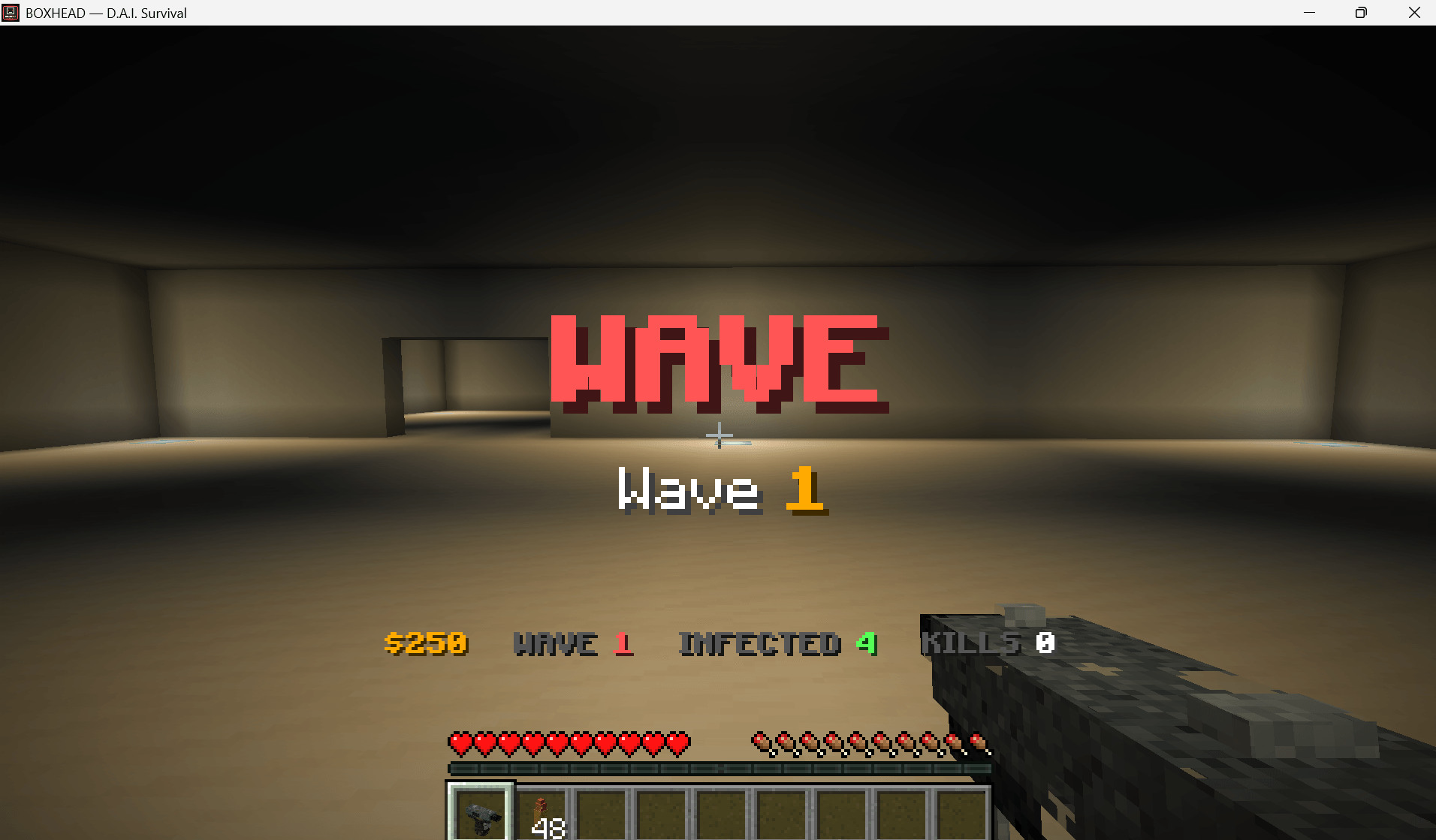
The Resource Pack replaces key parts of Minecraft's normal combat presentation with Boxhead-specific interface assets.

This includes a customized:

  • Hotbar
  • Hotbar selection indicator
  • Boxhead interface icons
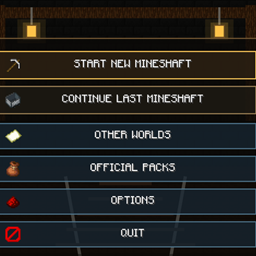
  • Create and Continue presentation elements

The Resource Pack works alongside DAI's custom screens to make the experience feel like its own game rather than a standard Minecraft survival world.

Boxhead Title Presentation

Boxhead Universe includes a dedicated presentation environment for its front end.

The Resource Pack contains the scene definitions used for the full-screen rotating Boxhead title simulation, representing:

  • Box Town
  • Village Box
  • Sky Scraper
  • The Space
  • Boxlaska

This title environment is presentation-only and does not consume or alter player progression.

The pack also includes the visual environment used by the wider Boxhead Universe presentation flow.

Outbreak Visual Identity

The Resource Pack establishes Boxhead's dark industrial presentation around a dedicated visual palette of:

  • Deep dark backgrounds
  • Dark red environments
  • Bright red accents
  • Steel and metallic weapon materials
  • Brass and copper ammunition
  • Muted survivor equipment
  • Blood and infected details

Its presentation configuration gives Boxhead its own visual identity across loading, title, gameplay, and interface surfaces.

Built for the Complete Boxhead Experience

The Boxhead Universe Resource Pack contains custom assets for:

  • Infected models and textures
  • Winter infected variants
  • Firearms
  • Weapon firing states
  • Ammunition
  • Tactical equipment
  • Lethal equipment
  • Special equipment
  • Melee equipment
  • Projectiles
  • Wall-buy stations
  • Perk machines
  • Armory terminals
  • Zone terminals
  • HUD elements
  • Interface icons
  • Title-scene environments
  • Boxhead presentation styling

Requirements

This is the visual companion pack for Boxhead Universe: Outbreak Protocol.

For the complete experience, use it alongside:

  • Boxhead Universe Data Pack v1.4.6
  • DAI Engine 4.2

The Data Pack controls the outbreak.

The Resource Pack gives it a face.

Boxhead_Resource_v1.4.6.zip
MC 26.2
Release 2026-09-28 Get
Boxhead_Resource_v0.3.4.zip
MC 26.2
Release 2026-09-09 Get
Boxhead_Resource_v0.3.0.zip
MC 26.2
Release 2026-08-27 Get

Requirements & install

How to use this resource pack in Minecraft
Resolution
Not specified
Minecraft
26.2
Install folder
.minecraft/resourcepacks

How to install resource packs

  1. Download the resource pack .zip file (do not extract it).
  2. In Minecraft open Options → Resource Packs → Open Pack Folder.
  3. Drop the .zip into the resourcepacks folder (.minecraft/resourcepacks).
  4. Move the pack to the Selected column and click Done.
Browse more: 16x resource packs 32x resource packs 64x resource packs 128x resource packs 256x resource packs 512x+ resource packs Resource Packs for 26.2 All resource packs

More from J12H36H

Advertisement Remove ads with Premium →

You Might Also Like