Mineuniverse
Resource Packs
Cute mob's

Cute mob's

RESOURCE PACK
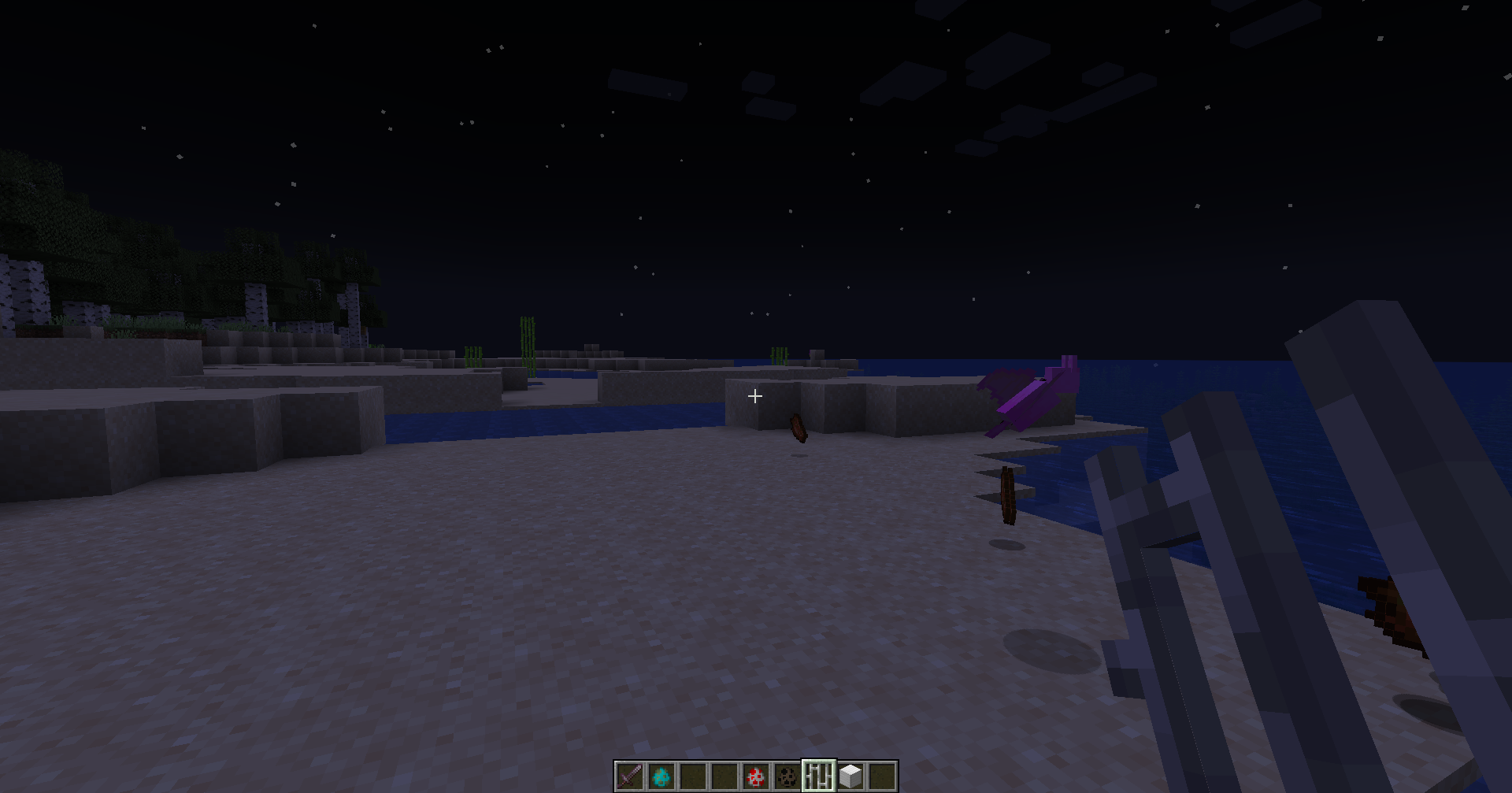
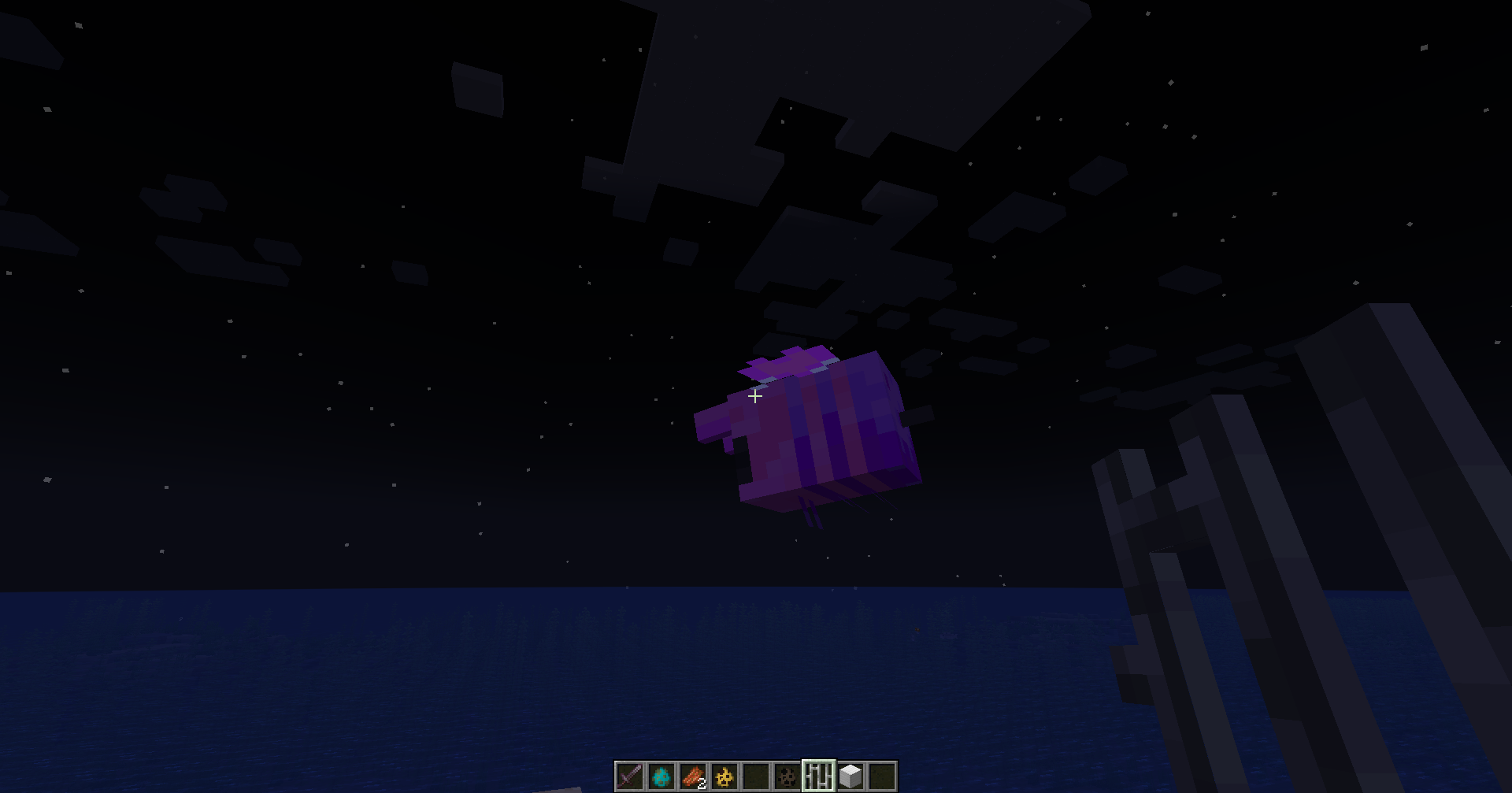
It makes the mob's more cute and wonderfull.
by starryskydreamer923
Download Claim this project
7,974 downloads
0 likes
Updated Oct 14, 2026
0 hypes
64x Modern Traditional
Advertisement Remove ads with Premium →

The resource pack fundamentally transforms the appearance of the mobs within the game. Instead of their usual intimidating and fearsome look, they become significantly more cute and appealing. This change not only makes the game less scary for those who might be easily frightened, but it also adds a delightful and charming aesthetic that many players find enjoyable. The mobs, once seen as threats, now carry a friendly and approachable vibe. Their new adorable look, combined with their less threatening demeanor, enhances the overall gaming experience, making the world of Minecraft a much more welcoming and pleasant place to explore and enjoy.

Cute mobs 2.0.zip
MC 1.7.6, 1.17.1, 1.9.1, 1.5.3, 1.16.3, 1.13.1, 1.9.3, 1.8.7, 1.7.4, 1.7.7, 1.19.3, 1.20.2, 1.21, 1.7.5, 1.4.6, 1.6.1, 1.0, 1.16.1, 1.18.1, 1.20.5, 1.9.4, 1.9.2, 1.8.4, 1.7.9
Release 2024-09-02 Get
Cute Mobs Update.zip
MC 1.17.1, 1.9.1, 1.16.3, 1.13.1, 1.9.3, 1.8.7, 1.19.3, 1.20.2, 1.16.1, 1.18.1, 1.20.5, 1.9.4, 1.9.2, 1.14.4, 1.14.1, 1.12.1, 1.17, 1.12, 1.14.3, 1.15, 1.16, 1.13, 1.19.4
Release 2024-05-05 Get
Cute Mobs - V2.0
MC 1.17.1, 1.16.3, 1.13.1, 1.19.3, 1.20.2, 1.16.1, 1.18.1, 1.14.4, 1.14.1, 1.12.1, 1.17, 1.12, 1.14.3, 1.15, 1.16, 1.13, 1.19.4, 1.16.5, 1.18.2, 1.19.2, 1.20.3, 1.15.2, 1.14
Release 2024-02-27 Get
Cute mobs V1.0
MC 1.17.1, 1.16.3, 1.13.1, 1.19.3, 1.20.2, 1.16.1, 1.18.1, 1.14.4, 1.14.1, 1.12.1, 1.17, 1.12, 1.14.3, 1.15, 1.16, 1.13, 1.19.4, 1.16.5, 1.18.2, 1.19.2, 1.20.3, 1.15.2, 1.14
Release 2024-02-16 Get

Requirements & install

How to use this resource pack in Minecraft
Resolution
64x
Minecraft
1.18.2 – 1.21
Install folder
.minecraft/resourcepacks

How to install resource packs

  1. Download the resource pack .zip file (do not extract it).
  2. In Minecraft open Options → Resource Packs → Open Pack Folder.
  3. Drop the .zip into the resourcepacks folder (.minecraft/resourcepacks).
  4. Move the pack to the Selected column and click Done.
Browse more: 16x resource packs 32x resource packs 64x resource packs 128x resource packs 256x resource packs 512x+ resource packs Resource Packs for 1.21 All resource packs

More from starryskydreamer923

Advertisement Remove ads with Premium →

You Might Also Like