Mineuniverse
Resource Packs
Cubiz Outline

Cubiz Outline

RESOURCE PACK
Adds outlines to selected Minecraft items for better visibility.
by Creliont
Download Claim this project
Add a badge to your pageLink to Cubiz Outline from a README, website or forum post.
Preview: Badge

Badges update automatically and link to the resource pack page on MineUniverse.

115 downloads
0 likes
0 followers
Updated Oct 14, 2026
0 hypes
Follow0
128x
Advertisement Remove ads with Premium →

Cubiz Outline

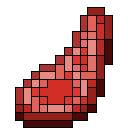
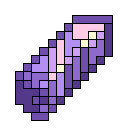
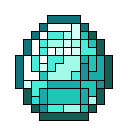
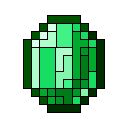
Cubiz Outline is a resource pack that adds clean outlines to selected Minecraft items. I originally started making it just for fun because I really enjoy the look of outlined textures. They help items stand out and improve visibility while staying true to Minecraft's vanilla style.

The pack currently includes valuable resources, bottles, and a large collection of food items, including fruits, vegetables, berries, meat, fish, baked goods, and stews.

Compatibility

This resource pack may also work on Minecraft 1.17 and newer. However, for the best experience and full compatibility, it is recommended to use the Minecraft version listed on the project page.

Changelog

- Added:
- Diamond
- Emerald
- Amethyst Shard
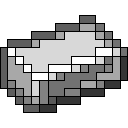
- Iron Ingot
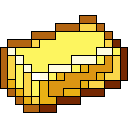
- Gold Ingot
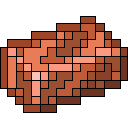
- Copper Ingot
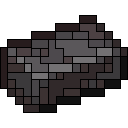
- Netherite Ingot
- Apple
- Golden Apple
- Enchanted Golden Apple
- Bread
- Carrot
- Golden Carrot
- Potato
- Baked Potato
- Poisonous Potato
- Beetroot
- Melon Slice
- Sweet Berries
- Glow Berries
- Chorus Fruit
- Dried Kelp
- Beef
- Cooked Beef
- Porkchop
- Cooked Porkchop
- Chicken
- Cooked Chicken
- Mutton
- Cooked Mutton
- Rabbit
- Cooked Rabbit
- Rotten Flesh
- Cod
- Cooked Cod
- Salmon
- Cooked Salmon
- Tropical Fish
- Pufferfish
- Cookie
- Cake
- Pumpkin Pie
- Honey Bottle
- Mushroom Stew
- Beetroot Soup
- Rabbit Stew
- Suspicious Stew
- Spider Eye
- Fermented Spider Eye
- Glass Bottle
- Experience Bottle
- Ominous Bottle

🚧 This pack is still in active development. More outlined items and visual improvements will be added in future updates!

Cubiz Outline v2.0.3
MC 1.21.2-Snapshot, 1.21, 1.21.6-snapshot, 1.21.1-Snapshot, 1.21.8, 1.21.5, 1.21.4, 1.21.5-Snapshot, 1.20.6, 1.21.1, 1.21.6, 1.21.3, 1.21.7, 1.21-Snapshot, 1.21.4-Snapshot, 1.21.2
Release 2026-07-27 Get
Cubiz Outline v2.0.2
MC 1.21.2-Snapshot, 1.21, 1.21.6-snapshot, 1.21.1-Snapshot, 1.21.8, 1.21.5, 1.21.4, 1.21.5-Snapshot, 1.20.6, 1.21.1, 1.21.6, 1.21.3, 1.21.7, 1.21-Snapshot, 1.21.4-Snapshot, 1.21.2
Release 2026-07-25 Get
Cubiz Outline v2.0.1
MC 1.21.2-Snapshot, 1.21, 1.21.6-snapshot, 1.21.1-Snapshot, 1.21.8, 1.21.5, 1.21.4, 1.21.5-Snapshot, 1.20.6, 1.21.1, 1.21.6, 1.21.3, 1.21.7, 1.21-Snapshot, 1.21.4-Snapshot, 1.21.2
Release 2026-07-24 Get
Cubiz Outline v1.3
MC 1.21.2-Snapshot, 1.21, 1.21.6-snapshot, 1.21.1-Snapshot, 1.21.8, 1.21.5, 1.21.4, 1.21.5-Snapshot, 1.20.6, 1.21.1, 1.21.6, 1.21.3, 1.21.7, 1.21-Snapshot, 1.21.4-Snapshot, 1.21.2
Release 2026-07-23 Get
Cubiz Outline v2.0
MC 1.21.2-Snapshot, 1.21, 1.21.6-snapshot, 1.21.1-Snapshot, 1.21.8, 1.21.5, 1.21.4, 1.21.5-Snapshot, 1.20.6, 1.21.1, 1.21.6, 1.21.3, 1.21.7, 1.21-Snapshot, 1.21.4-Snapshot, 1.21.2
Release 2026-07-23 Get
Cubiz Outline v1.2
MC 1.21.2-Snapshot, 1.21, 1.21.6-snapshot, 1.21.1-Snapshot, 1.21.8, 1.21.5, 1.21.4, 1.21.5-Snapshot, 1.20.6, 1.21.1, 1.21.6, 1.21.3, 1.21.7, 1.21-Snapshot, 1.21.4-Snapshot, 1.21.2
Release 2026-07-17 Get
Cubiz Outline v1.2.1
MC 1.21.2-Snapshot, 1.21, 1.21.6-snapshot, 1.21.1-Snapshot, 1.21.8, 1.21.5, 1.21.4, 1.21.5-Snapshot, 1.20.6, 1.21.1, 1.21.6, 1.21.3, 1.21.7, 1.21-Snapshot, 1.21.4-Snapshot, 1.21.2
Release 2026-07-17 Get
Cubiz Outline V1.1
MC 1.21.2-Snapshot, 1.21, 1.21.6-snapshot, 1.21.1-Snapshot, 1.21.8, 1.21.5, 1.21.4, 1.21.5-Snapshot, 1.20.6, 1.21.1, 1.21.6, 1.21.3, 1.21.7, 1.21-Snapshot, 1.21.4-Snapshot, 1.21.2
Release 2026-07-15 Get
cubiz outline beta
MC 1.21.1
Release 2026-07-11 Get

Requirements & install

How to use this resource pack in Minecraft
Resolution
128x
Minecraft
1.21.4-Snapshot – 1.21.8
Install folder
.minecraft/resourcepacks

How to install resource packs

  1. Download the resource pack .zip file (do not extract it).
  2. In Minecraft open Options → Resource Packs → Open Pack Folder.
  3. Drop the .zip into the resourcepacks folder (.minecraft/resourcepacks).
  4. Move the pack to the Selected column and click Done.

Packs from 128x upwards need more video memory: install a performance mod such as Sodium for smooth frame rates.

Browse more: 16x resource packs 32x resource packs 64x resource packs 128x resource packs 256x resource packs 512x+ resource packs Resource Packs for 1.21.8 All resource packs

More from Creliont

Advertisement Remove ads with Premium →

You Might Also Like