Mineuniverse
Resource Packs
CStrifiky

CStrifiky

RESOURCE PACK
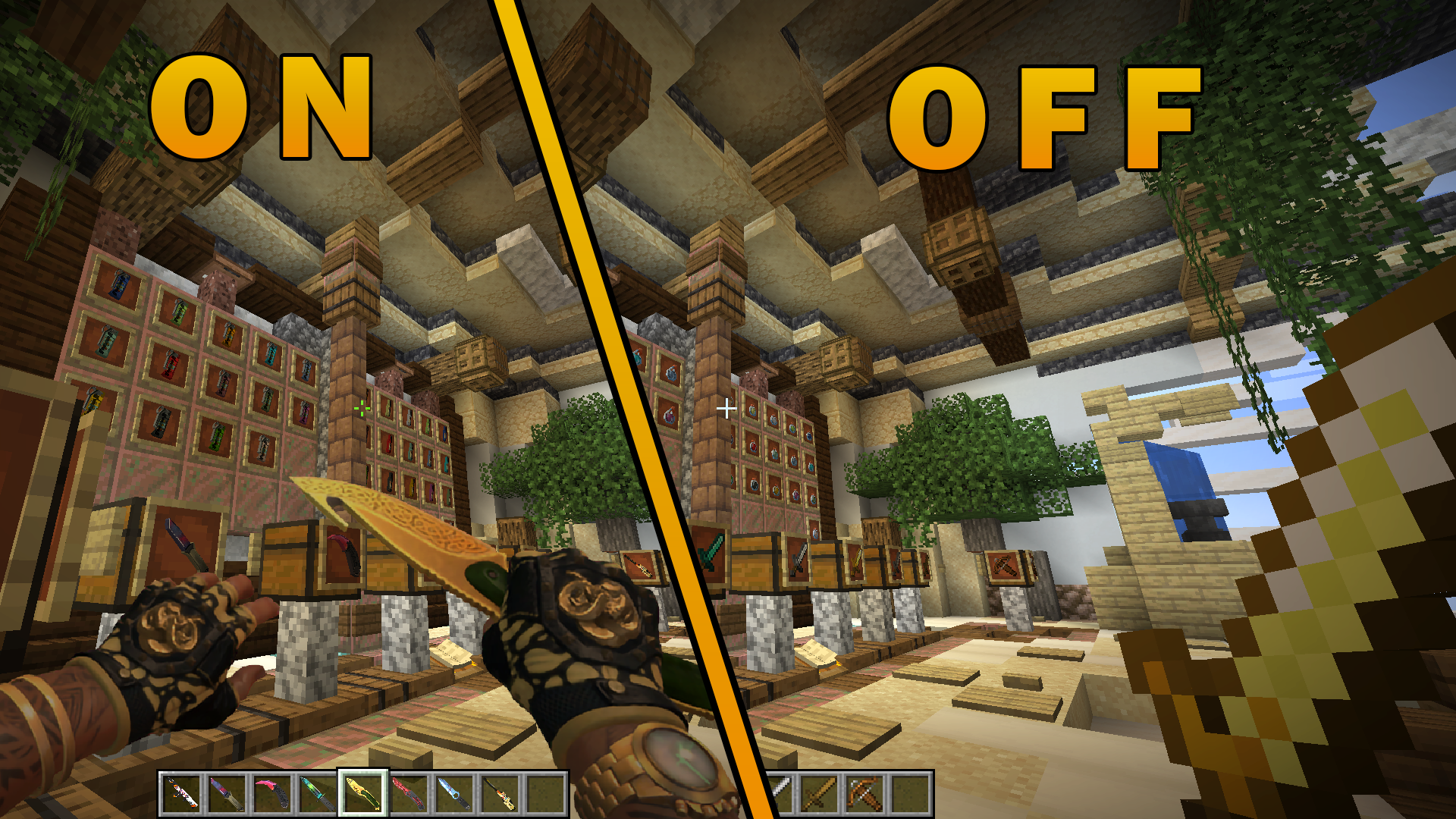
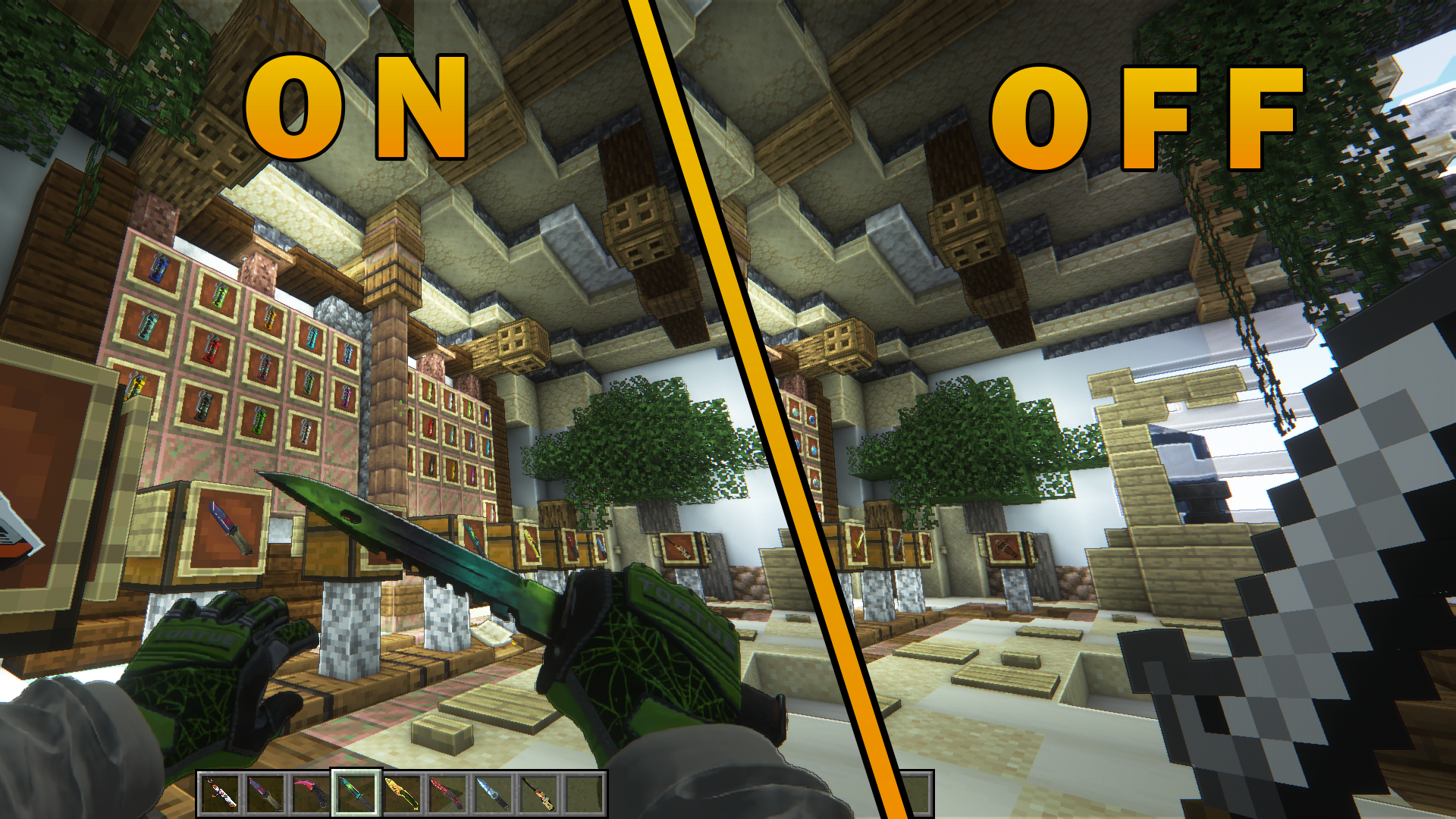
PvP resource pack that changes Minecraft weapons like swords, bow, crossbow, etc. to CS:GO weapons
by clu6ter
Download Claim this project
Add a badge to your pageLink to CStrifiky from a README, website or forum post.
Preview: Badge

Badges update automatically and link to the resource pack page on MineUniverse.

69,471 downloads
0 likes
0 followers
Updated Oct 14, 2026
0 hypes
Follow0
512x and Higher Animated Miscellaneous Modern Photo Realistic
Advertisement Remove ads with Premium →

««–CStrifiky–»» is a Minecraft PvP resource pack that takes inspiration from CS:GO and transfers its weapons to the game


No OptiFine needed


🔥 Features: 

  • changed Crosshair 
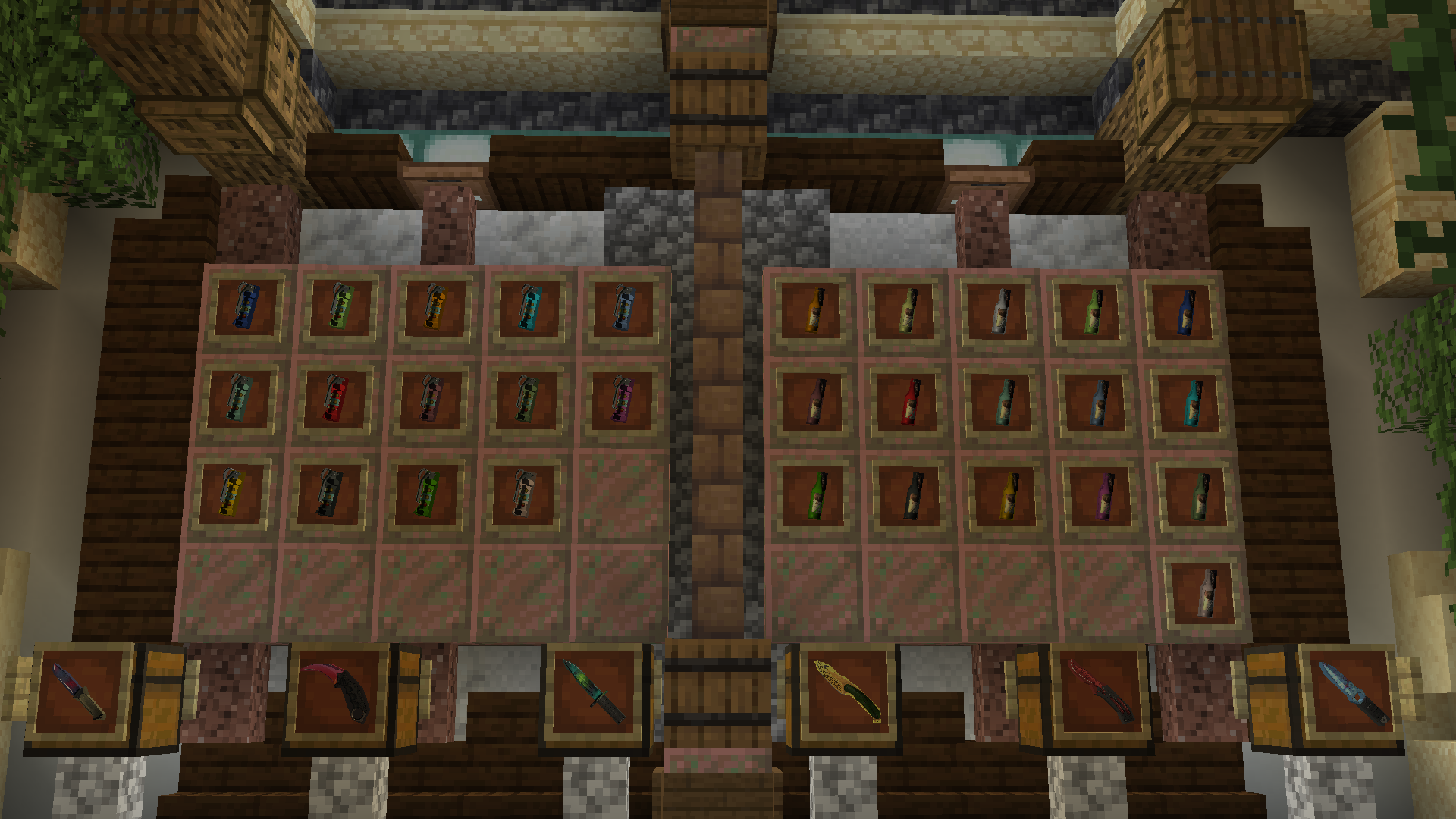
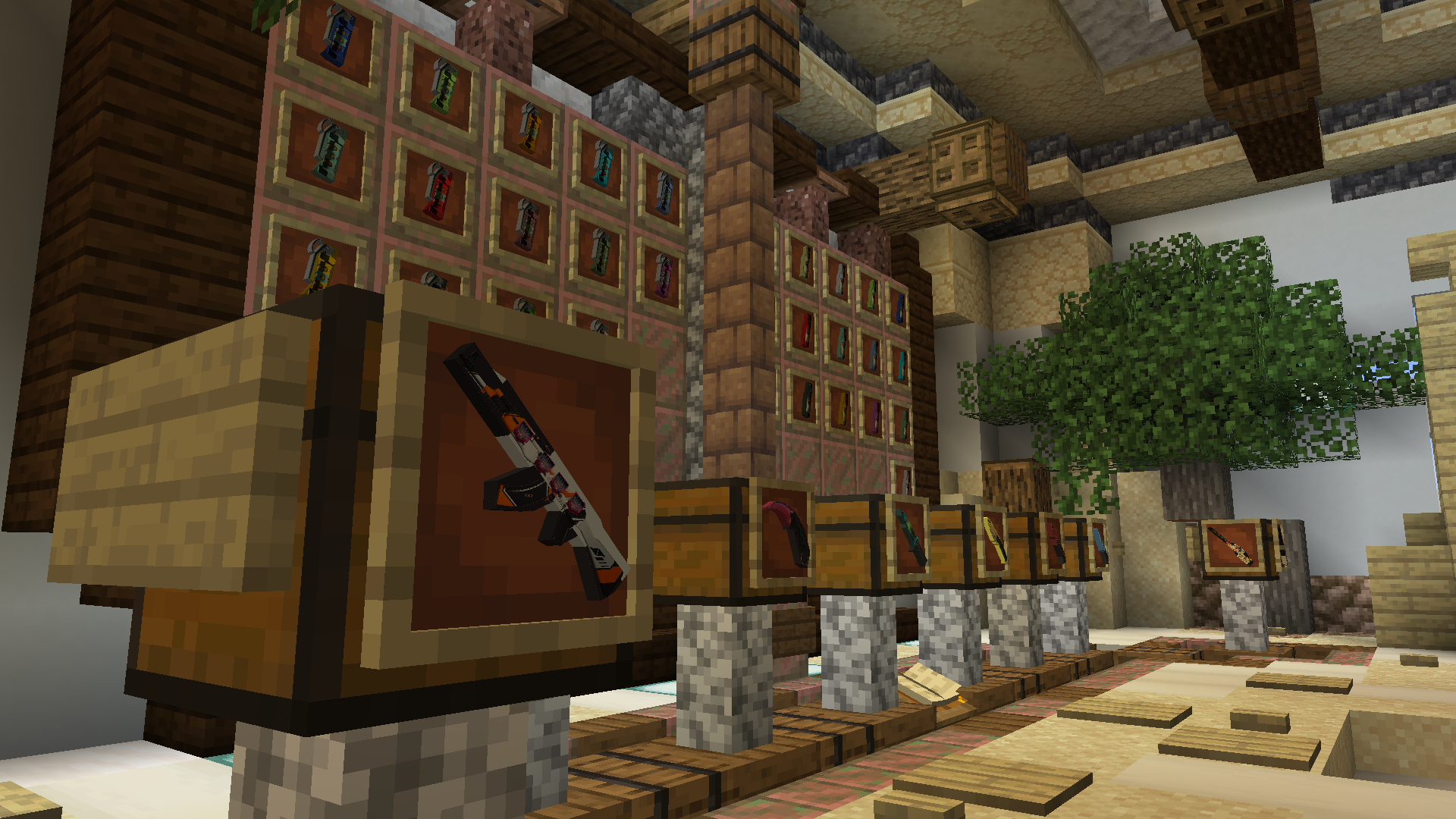
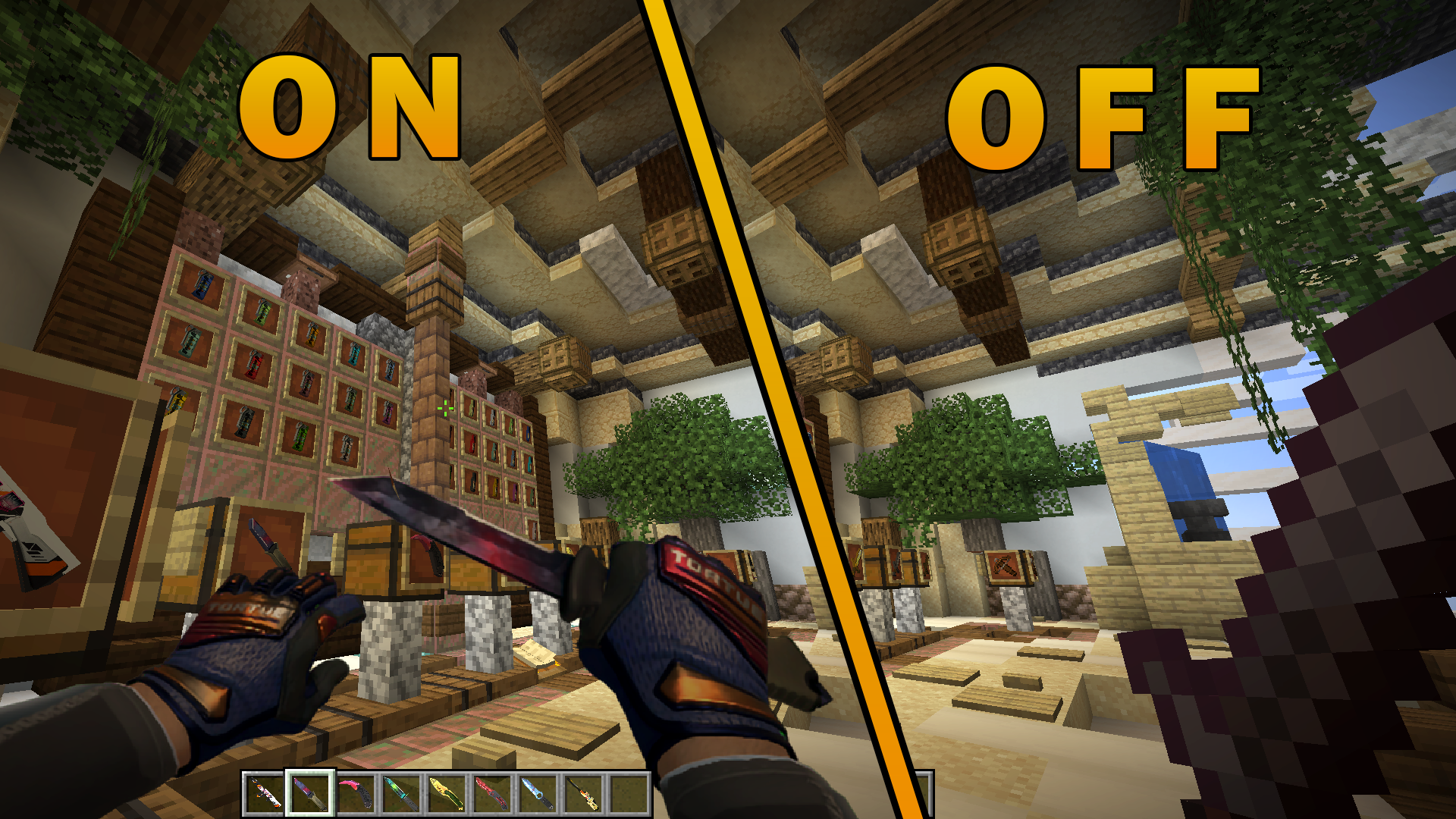
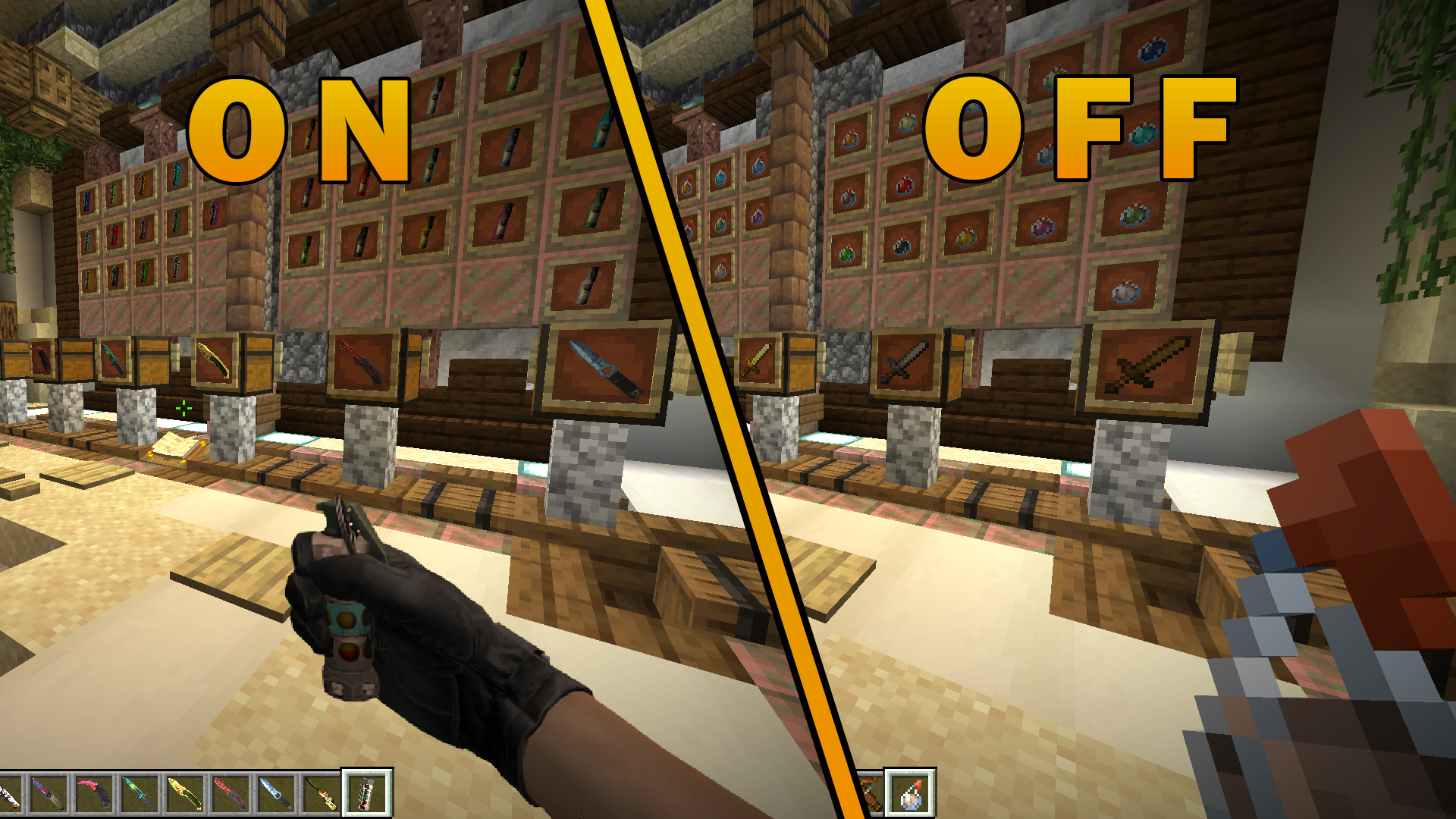
  • changed Wooden sword to Skeleton Knife | Case Hardened
  • changed Stone sword to Butterfly Knife | Slaughter
  • changed Iron sword to M9 Bayonet | Gamma Doppler Phase 4
  • changed Golden sword to Gut Knife | Lore
  • changed Diamond sword to Karambit | Fade
  • changed Netherite sword to Ursus Knife | Doppler Phase 1
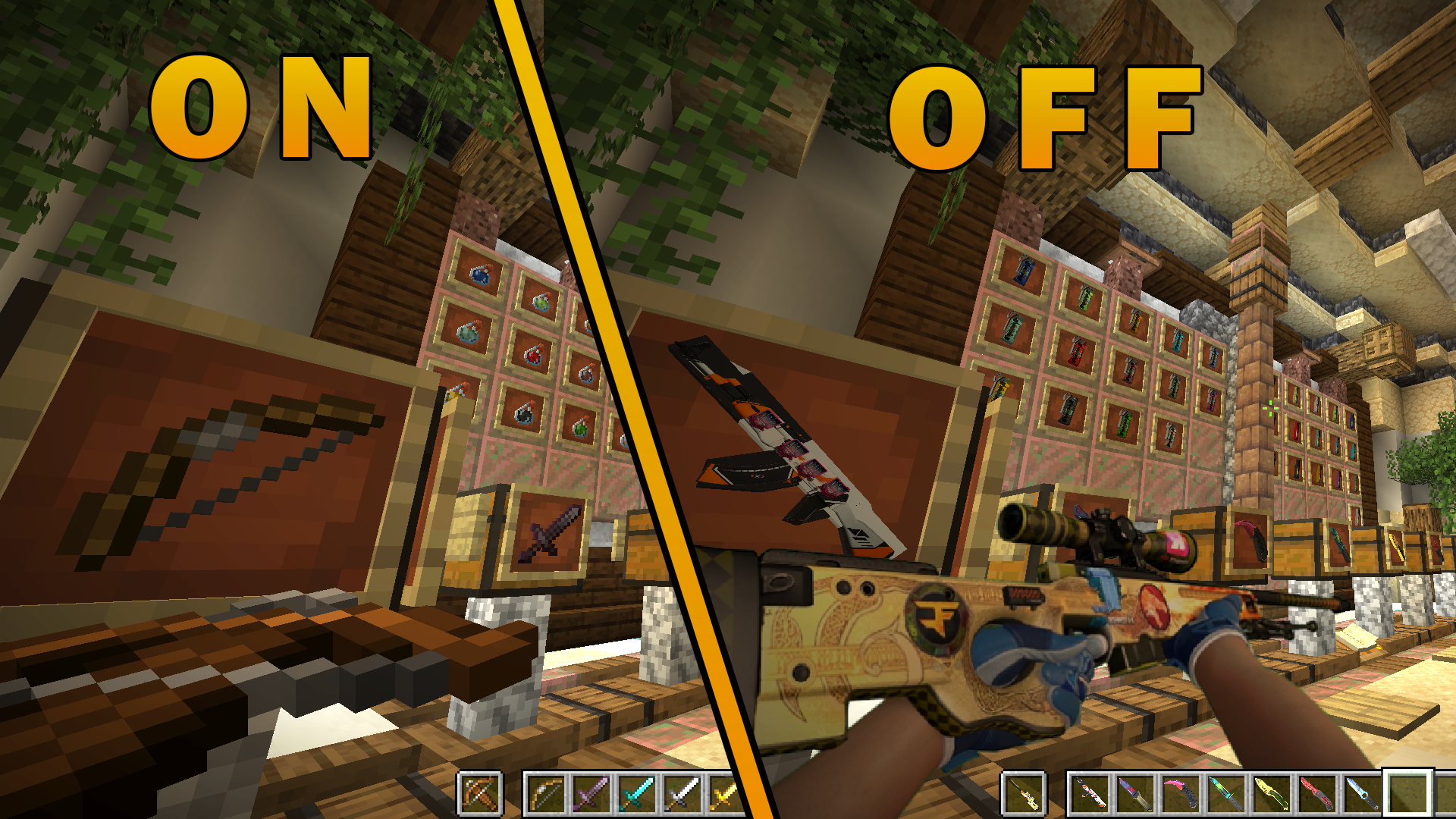
  • changed Bow to AK-47 | Asiimov : Stickers : NiKo | Cluj-Napoca 2015
  • changed Crossbow to AWP | Dragon Lore : Stickers : Reason Gaming (Holo) | Katowice 2014 : Howling Dawn : Titan (Holo) | Katowice 2014 : FaZe Clan (Holo) | Katowice 2019
  • changed Splash potions to flashbang
  • changed Lingering potions to molotov


  • changed Attack sounds
  • changed Bow sounds
  • changed Crossbow and quick charge enchantments sounds
  • changed Pickup sound
  • changed Splash potion sound


🚫Troubleshooting:

  • can be sound issues at multiversion servers like Hypixel
CStrifiky V1.0
MC 1.17.1, 1.16.3, 1.19.3, 1.16.1, 1.18.1, 1.17, 1.16, 1.19.4, 1.16.5, 1.18.2, 1.19.2, 1.20.1, 1.20, 1.19.1, 1.18, 1.16.4, 1.16.2, 1.19
Release 2023-08-31 Get

Requirements & install

How to use this resource pack in Minecraft
Resolution
512x+
Minecraft
1.18.2 – 1.20.1
Install folder
.minecraft/resourcepacks

How to install resource packs

  1. Download the resource pack .zip file (do not extract it).
  2. In Minecraft open Options → Resource Packs → Open Pack Folder.
  3. Drop the .zip into the resourcepacks folder (.minecraft/resourcepacks).
  4. Move the pack to the Selected column and click Done.

512x packs need a strong GPU and at least 4 GB of RAM for Minecraft; a performance mod such as Sodium is strongly recommended.

Browse more: 16x resource packs 32x resource packs 64x resource packs 128x resource packs 256x resource packs 512x+ resource packs Resource Packs for 1.20.1 All resource packs
Advertisement Remove ads with Premium →

You Might Also Like