Mineuniverse
Resource Packs
Creeper's Better Paintings

Creeper's Better Paintings

RESOURCE PACK
Creeper's Better Paintings adds pixel-y versions of your favourite real-life paintings into the world of Minecraft!
by justanotheraddict
Download Claim this project
Add a badge to your pageLink to Creeper's Better Paintings from a README, website or forum post.
Preview: Badge

Badges update automatically and link to the resource pack page on MineUniverse.

547 downloads
0 likes
0 followers
Updated Oct 14, 2026
0 hypes
Follow0
64x Miscellaneous Photo Realistic
Advertisement Remove ads with Premium →

Hello and welcome to Better Paintings!
This mod adds better painting textures based on real-life paintings. Here are some of the paintings it adds:
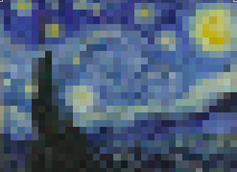
 

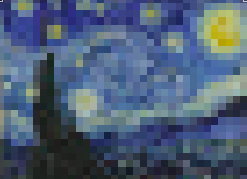
-Starry Night by Vincent Van Gogh (4x3)

-The Persistence of Memory by Salvador Dalí (4x3)

-American Gothic by Grant Wood (4x4)

-The Son of Man by René Magritte (4x4)

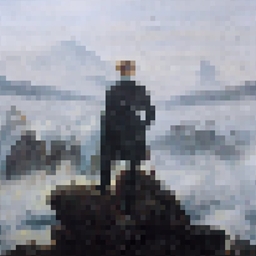
-Wanderer above the Sea of Fog by Caspar David (4x4)

-The Last Supper by Vincent Van Gogh (4x2)

-Girl with a Pearl Earring by Johannes Vermeer (2x2)

-The School of Athens by Raphael (2x2)

-Guernica by Pablo Picasso (2x1)

-The Creation of Adam by Michelangelo (2x1)

-The Scream by Edvard Munch (1x2)

-Mona Lisa by Leonardo Da Vinci (1x2)


Instructions for Download

=====================

1- Download the Better Paintings file.

2- Unzip the file.

3- Start up Minecraft on the supported version for Better Paintings (1.17).

4- Go to "Options" and then click "Resource Packs".

5- Select the Option "Open Pack Folder".

6- Copy-Paste the unzipped file into the folder.

7- You will now see the Better Paintings resource pack in the "Available" category.

8- Move the Better Paintings pack to the "Selected" category and click "Done" to activate.

Better Paintings v1.0.zip
MC 1.17.1
Release 2021-10-13 Get

Requirements & install

How to use this resource pack in Minecraft
Resolution
64x
Minecraft
1.17.1
Install folder
.minecraft/resourcepacks

How to install resource packs

  1. Download the resource pack .zip file (do not extract it).
  2. In Minecraft open Options → Resource Packs → Open Pack Folder.
  3. Drop the .zip into the resourcepacks folder (.minecraft/resourcepacks).
  4. Move the pack to the Selected column and click Done.
Browse more: 16x resource packs 32x resource packs 64x resource packs 128x resource packs 256x resource packs 512x+ resource packs Resource Packs for 1.17.1 All resource packs

More from justanotheraddict

Advertisement Remove ads with Premium →

You Might Also Like