Mineuniverse
Resource Packs
Create x Valkyrien Skies (VS-)Clockwork Survival support

Create x Valkyrien Skies (VS-)Clockwork Survival support

RESOURCE PACK
Adds the missing recipes, to enable survival gameplay.
by legende__2004
Download Claim this project
Add a badge to your pageLink to Create x Valkyrien Skies (VS-)Clockwork Survival support from a README, website or forum post.
Preview: Badge

Badges update automatically and link to the resource pack page on MineUniverse.

27,113 downloads
0 likes
0 followers
Updated Oct 14, 2026
0 hypes
Follow0
Data Packs Miscellaneous Mod Support
Advertisement Remove ads with Premium →

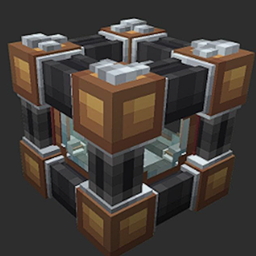
The pack enables survival gameplay and adds the missing recipes for the Create+VS-Clockwork

DEPRECATED, you can still use, but no updates in early future

although there is an official pack for this, i prefer my own recipes, so here they are :)

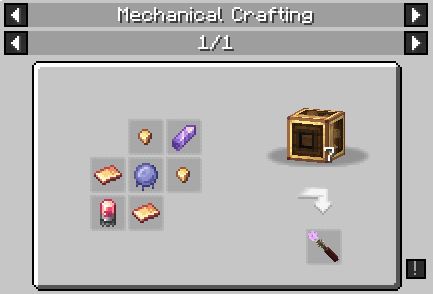
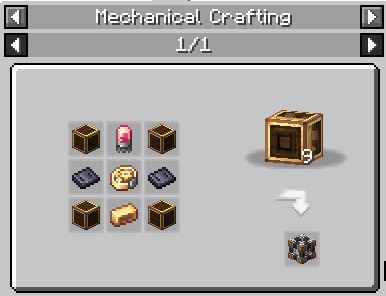
Mechanical Crafting:

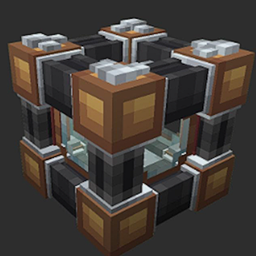
-Gravitron

-Auric Designator

-Physics Infuser


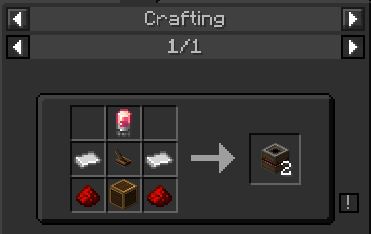
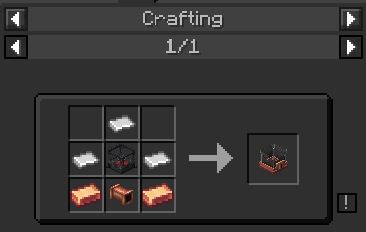
Crafting:

-Propellor, Phys and Flap bearing

-Reaction Wheel

-Ballooner

-Redstone Infuser

-Command Seat

-Flaps, Wings

-BluuGuu

-Balloon Casing, Balloon Encased Shaft


Mixing:

-Vanilla Frosting

-Chocolate Frosting

-Strawberry Frosting


Item Application:

-Balloon Casing


V1.2 is for Create 5.0.e
V1.3+ is for Create 5.1


Disclaimer: This is only the Datapack to add recipes and the ability to mine the blocks. It is not the mod itself, consider downloading it as well!

This is an unofficial pack made for Singleplayer use. I know there is an official one on the official Mod discord.

Pack created by Legende__

VS Clockwork Survival Support V1.4
MC 1.18.2
Release 2023-11-23 Get
VS ClockworkSurvivalSupport v1.3.2
MC 1.18.1, 1.18.2, 1.18, 1.18-Snapshot
Release 2023-11-08 Get
VS ClockworkSurvivalSupportV1.3Create5.1
MC 1.18.2
Release 2023-10-17 Get
VS_ClockworkSurvivalSupportV1.2
MC 1.18.2
Release 2023-09-28 Get
VsClockworkRecipes.zip
MC 1.18.2
Release 2023-09-25 Get

Requirements & install

How to use this resource pack in Minecraft
Resolution
Not specified
Minecraft
1.18-Snapshot – 1.18.2
Install folder
.minecraft/resourcepacks

How to install resource packs

  1. Download the resource pack .zip file (do not extract it).
  2. In Minecraft open Options → Resource Packs → Open Pack Folder.
  3. Drop the .zip into the resourcepacks folder (.minecraft/resourcepacks).
  4. Move the pack to the Selected column and click Done.
Browse more: 16x resource packs 32x resource packs 64x resource packs 128x resource packs 256x resource packs 512x+ resource packs Resource Packs for 1.18.2 All resource packs

More from legende__2004

Advertisement Remove ads with Premium →

You Might Also Like