Mineuniverse
Data Packs
Minecolonies Show Your Job

Minecolonies Show Your Job

DATA PACK
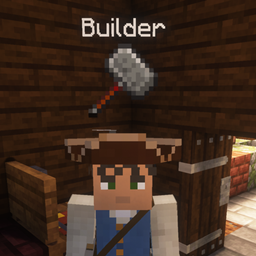
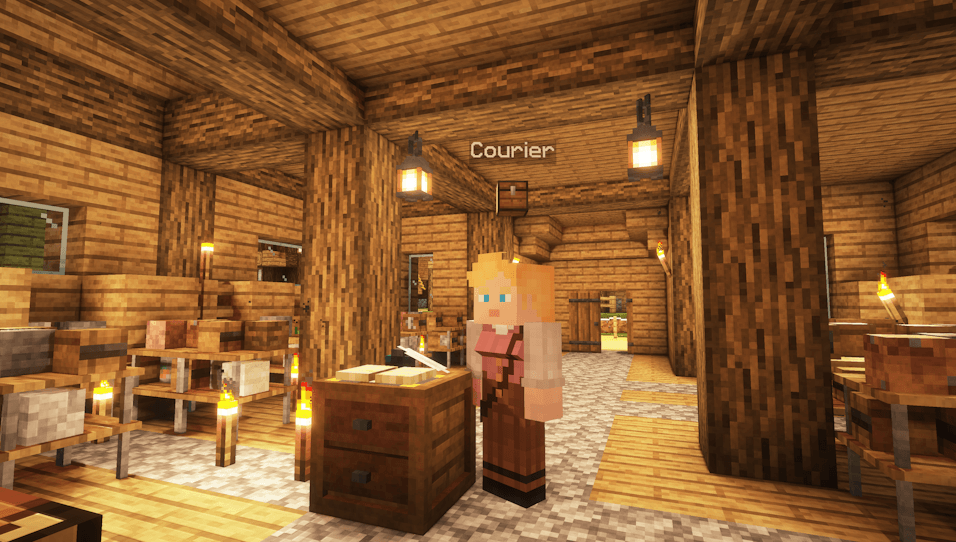
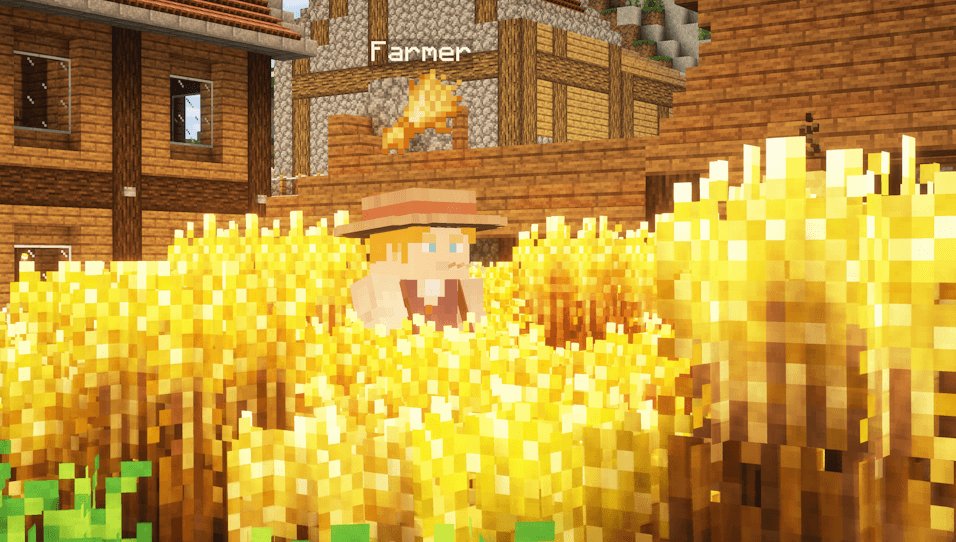
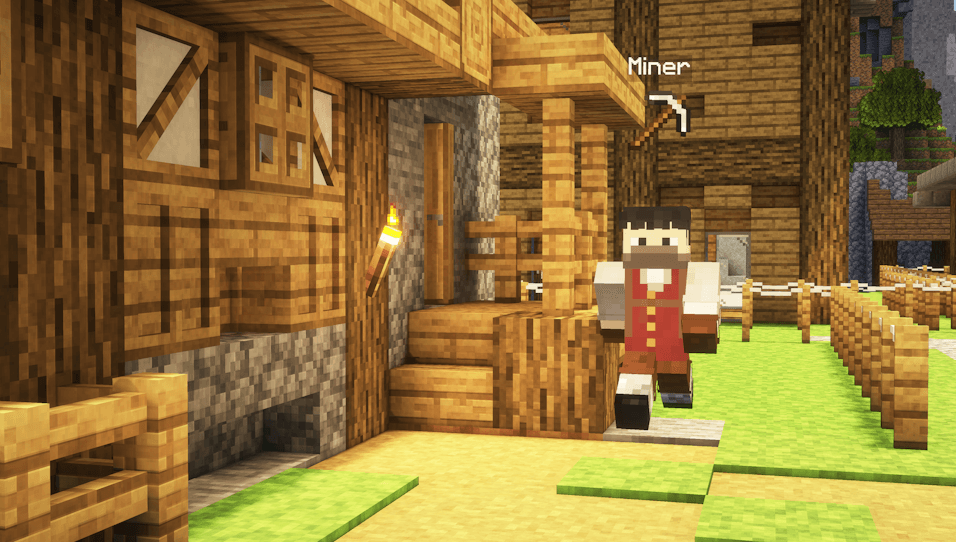
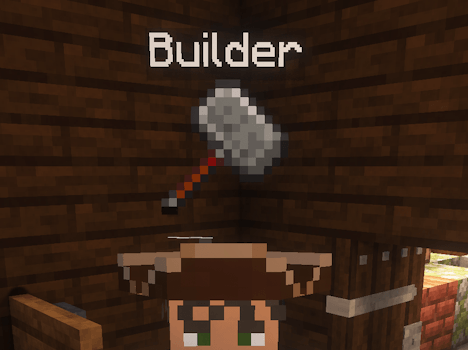
Makes an Item and a Text Hover over the Citizens, showing their Job :) No guessing anymore!
by legende__2004
Download Claim this project
Add a badge to your pageLink to Minecolonies Show Your Job from a README, website or forum post.
Preview: Badge

Badges update automatically and link to the data pack page on MineUniverse.

4,876 downloads
0 likes
0 followers
Updated Oct 14, 2026
0 hypes
Follow0
Adventure Miscellaneous Mod Support Utility
Advertisement Remove ads with Premium →

Minecolonies Show Your Job Datapack

Makes an Item and a Text Hover over the Citizens, showing their Job :) No guessing anymore!
image

Ever wondered why there is no Profession in the Citizens Nametags? Me too, so I fixed it.
Now you see which Profession a Citizen has, and an Item indicating it

Features:

- Citizens Show an Icon above them
- Citizens Show a Text naming their Job
- The Item hovers cool above the NPCs lol
- Rename the Professions and change their Icons as you wish, just edit the config_name file, and replace it (data>hover>functions>config_name.mcfunction)

Planned Features:

- Enable/Disable Name Display
- Enable/Disable Icon Display
- Enable/Disable Unemployed State - Fix Crafter(Stonemason) not working
- Fix children having Unemployed State - Add the Displays for the Huts too, even harder to tell what the Houses are for

I'd love to hear some Feedback from you.

Thanks for downloading, enjoy :)

MinecoloniesShowYourJobV1.1.zip
MC 1.21.2-Snapshot, 1.21, 1.21.6-snapshot, 1.20.2-Snapshot, 1.20.5-Snapshot, 1.21.1-Snapshot, 1.20.2, 1.19.4, 1.21.8, 1.19.4-Snapshot, 1.20.5, 1.21.5, 1.21.4, 1.21.5-Snapshot, 1.20.1
Release 2026-03-23 Get

Requirements & install

How to use this data pack in Minecraft
Mods needed
None, works in vanilla
Minecraft
1.21 – 1.21.8
Install folder
saves/<world>/datapacks

How to install data packs

  1. Download the data pack .zip file (do not extract it).
  2. New world: click Data Packs on the world creation screen and drop the .zip in. Existing world: open .minecraft/saves/<world>/datapacks.
  3. Put the .zip into the datapacks folder of the world (servers: world/datapacks).
  4. Run /reload in game (or rejoin the world) and check it with /datapack list.
Browse more: Data Packs for 1.21.8 All data packs

More from legende__2004

Advertisement Remove ads with Premium →

You Might Also Like