Mineuniverse
Resource Packs
Craftonia Pixelmon

Craftonia Pixelmon

RESOURCE PACK
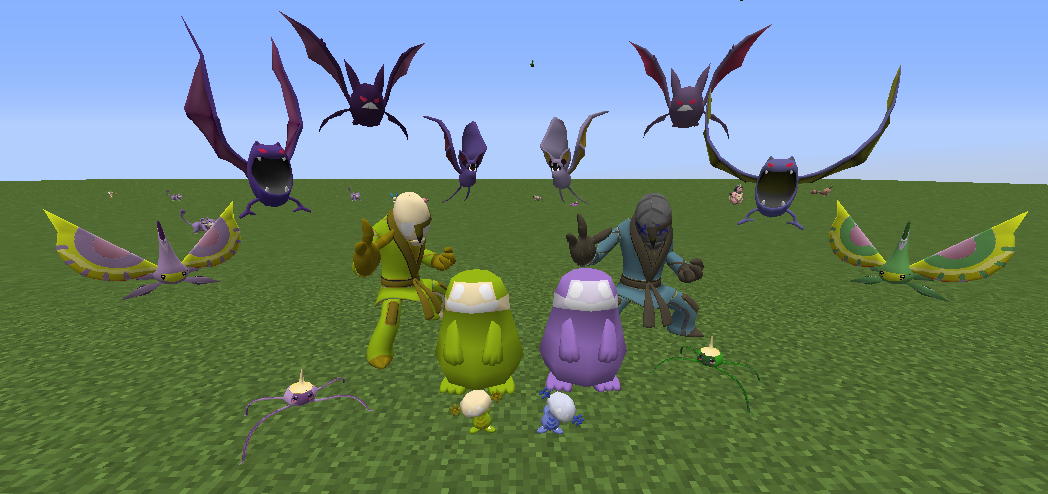
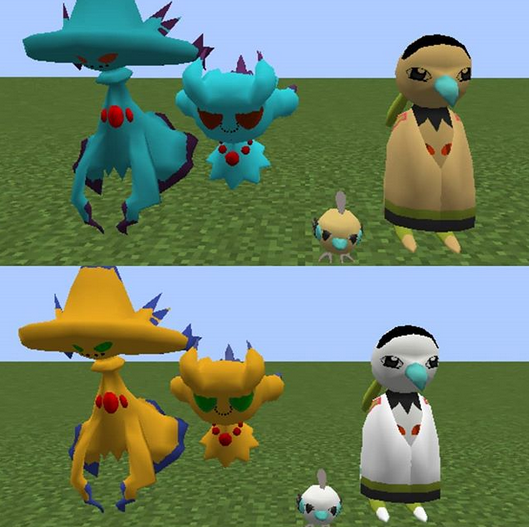
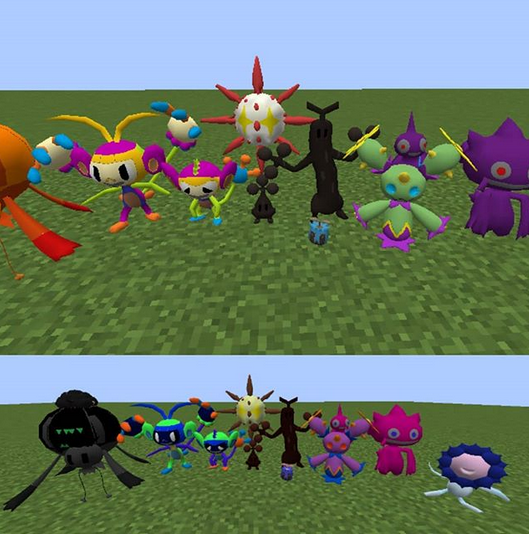
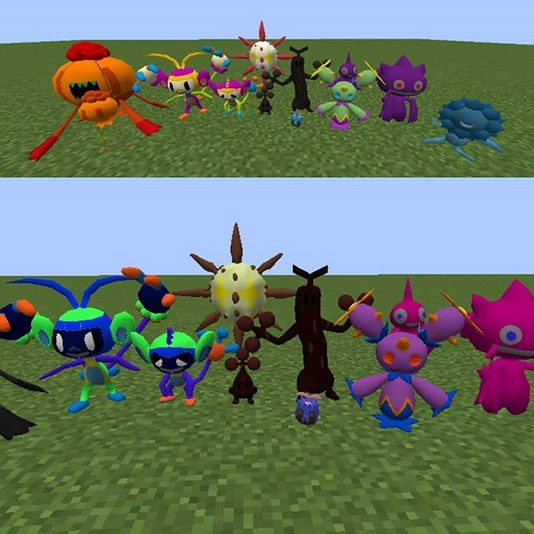
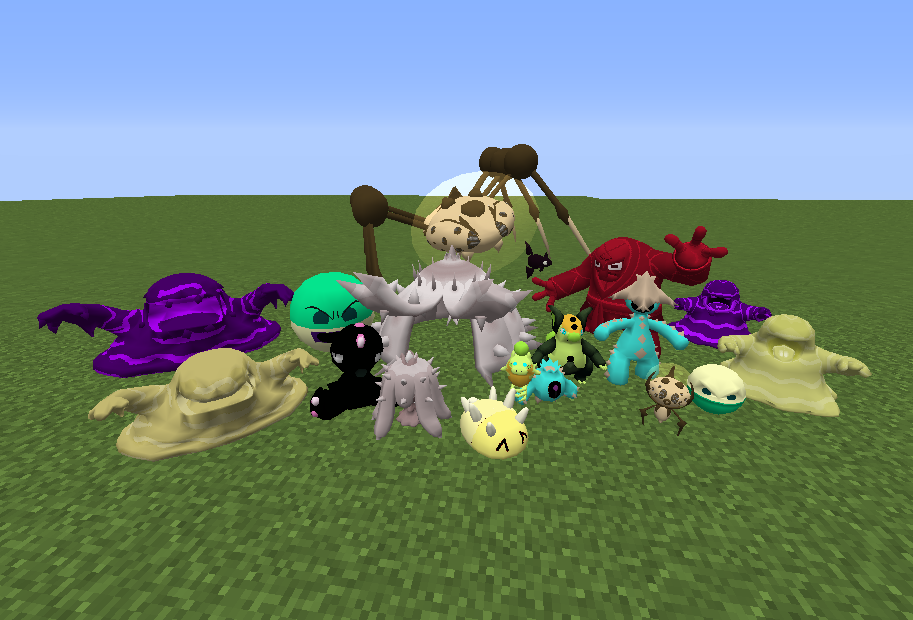
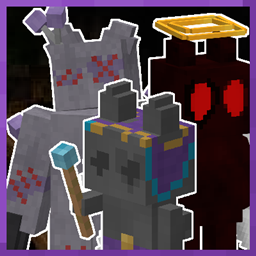
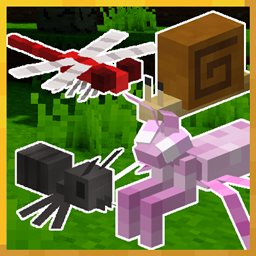
This texture pack changes the look of some Pokémon to look like creatures from Craftonia
by fapdos
Download Claim this project
Add a badge to your pageLink to Craftonia Pixelmon from a README, website or forum post.
Preview: Badge

Badges update automatically and link to the resource pack page on MineUniverse.

2,093 downloads
0 likes
0 followers
Updated Oct 14, 2026
0 hypes
Follow0
512x and Higher Miscellaneous Mod Support
Advertisement Remove ads with Premium →

We have a discord server! You can join and ask anything you want!


This is the texture pack requiered to use for playing the Craftian Region map.


Hello! This texture pack has a simple explaination: This texture pack changes the look of some Pokémon to look like creatures from Craftonia.

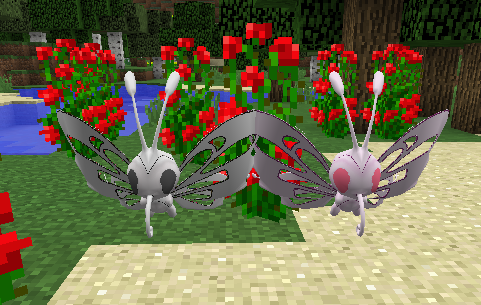
Some shinies are also creatures from Craftian, but most of the shinies are actually just shinies made for them to just have a shiny version. (This means that most of the shinies don't mean anything special).


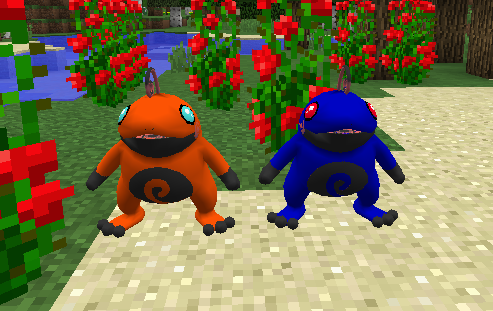
There are also some Pokémon that change their forms to a new one just because the creator decided to give them a new look, nothing else. These invented forms are called ''Craftonian Forms''.

This pack also changes the sprites of the Pokémon that change their aspect.


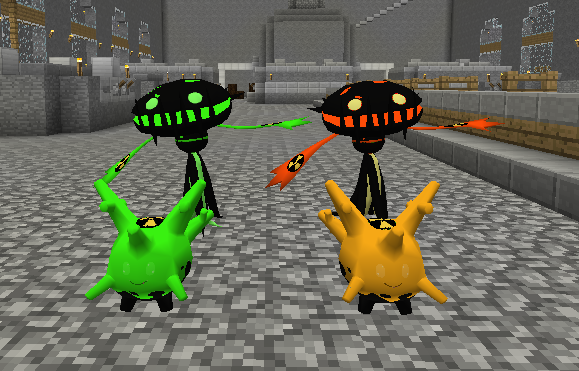
You can also find a third special group of Pokémon called ''Nuclear Forms''. For now only two Pokémon exist in this group: Nuclear Carnivine & Nuclear Corsola. These forms are just regular form changes for now, but they'll have more relevance in the future...


First, you need Pixelmon Reforged 8.1.2 (or above) to use this texture pack.

The Pokémon that change and their equivalents to Craftonia are:


Equivalents


  • Aipom - Untoldos
  • Ambipom - Untoldos
  • Bonsly - Peetry
  • Sudowoodo - Peetry
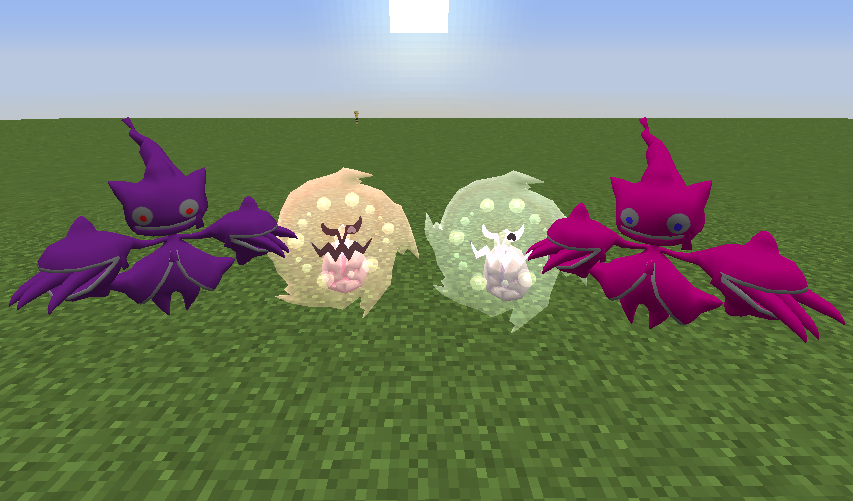
  • Drifloon - Hamber
  • Shiny Drifloon - ACHEAEMEBEERRE
  • Drifblim - Hamber
  • Shiny Drifblim - ACHEAEMEBEERRE
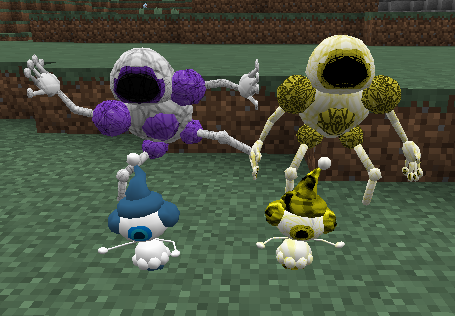
  • Maractus - fapdos
  • Shiny Maractus - Sodpaf
  • Shuppet - Vinicio
  • Banette - Vinicio
  • Mega Banette - Vinicio
  • Solrock - Falk
  • Sunkern - Florspod
  • Sunflora - Florspod
  • Mareanie - Clemen
  • Toxapex - Clemen
  • Spoink - Kirmuz
  • Grumpig - Kirmuz
  • Cacnea - Hoto
  • Cacturne - Hoto
  • Remoraid - Squox
  • Octillery - Squox
  • Throh - Berdugo
  • Voltorb - Sparkling
  • Electrode - Sparkling
  • Dewpider - Avril
  • Shiny Dewpider - Soulstone Avril
  • Araquanid - Monstrosity Avril
  • Pyukumuku - Red Devinion
  • Shiny Pyukumuku - Yellow Devinion
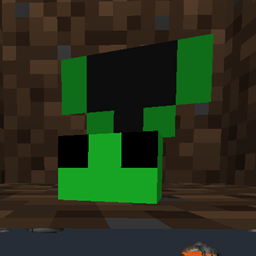
  • Grimer - Drizzle Slime
  • Alolan Grimer - Molten Slime
  • Muk - Drizzle Slime
  • Alolan Muk - Molten Slime
  • Mime Jr. - Gletchior
  • Mr. Mime - Glitched Gletchior
  • Shiny Mime Jr. - Golden Gletchior
  • Shiny Mr. Mime - Golden Gletchior
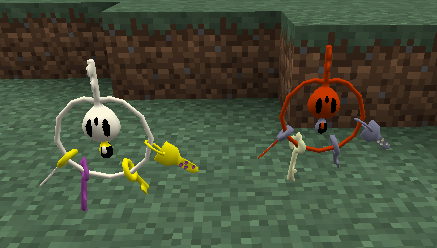
  • Klefki - Lumiére
  • Wooper - Him
  • Quagsire - Him
  • Sawk - Him
  • Shiny Sawk - The Doll


Craftonian forms


  • Natu
  • Xatu
  • Misdreavus
  • Mismagius
  • Spiritomb
  • Surskit
  • Masquerain
  • Zubat
  • Golbat
  • Crobat
  • Espurr
  • Hoppip
  • Skiploom
  • Jumpluff
  • Politoed
  • Articuno
  • Zapdos
  • Moltres


Nuclear forms

  • Carnivine
  • Corsola


Craftonian Articuno, Craftonian Zapdos and Craftonian Moltres were made by Ryokun.

 The rest has been made by fapdos.

Craftonia Pixelmon (2.3.2)
MC 1.12.2
Release 2021-01-11 Get
Craftonia Pixelmon (2.3.1)
MC 1.12.2
Beta 2021-01-10 Get
Craftonia Pixelmon (2.3.0)
MC 1.12.2
Beta 2020-08-23 Get
Craftonia Pixelmon (2.2.1)
MC 1.12.2
Release 2020-08-07 Get
Craftonia Pixelmon (2.2)
MC 1.12.2
Beta 2020-08-06 Get
Craftonia Pixelmon (2.1)
MC 1.12.2
Release 2020-07-03 Get
Craftonia Pixelmon (2.0)
MC 1.12.2
Release 2020-06-10 Get
Craftonia Pixelmon (1.1)
MC 1.12.2
Release 2020-06-06 Get
Craftonia Pixelmon
MC 1.12.2
Release 2020-03-26 Get

Requirements & install

How to use this resource pack in Minecraft
Resolution
512x+
Minecraft
1.12.2
Install folder
.minecraft/resourcepacks

How to install resource packs

  1. Download the resource pack .zip file (do not extract it).
  2. In Minecraft open Options → Resource Packs → Open Pack Folder.
  3. Drop the .zip into the resourcepacks folder (.minecraft/resourcepacks).
  4. Move the pack to the Selected column and click Done.

512x packs need a strong GPU and at least 4 GB of RAM for Minecraft; a performance mod such as Sodium is strongly recommended.

Browse more: 16x resource packs 32x resource packs 64x resource packs 128x resource packs 256x resource packs 512x+ resource packs Resource Packs for 1.12.2 All resource packs

More from fapdos

Advertisement Remove ads with Premium →

You Might Also Like