Mineuniverse
Resource Packs
CraftGlow Bamboo Fishing Rod

CraftGlow Bamboo Fishing Rod

RESOURCE PACK
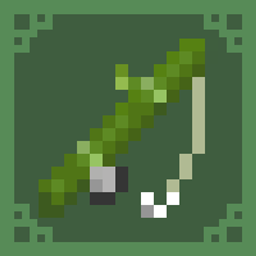
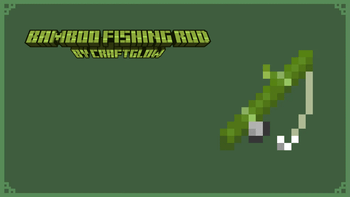
This resource pack transforms the fishing rod into a bamboo style design. Fish in style with a natural, green themed rod!
by CraftGlow
Download Claim this project
Add a badge to your pageLink to CraftGlow Bamboo Fishing Rod from a README, website or forum post.
Preview: Badge

Badges update automatically and link to the resource pack page on MineUniverse.

290 downloads
0 likes
0 followers
Updated Oct 14, 2026
0 hypes
Follow0
16x
Advertisement Remove ads with Premium →

English:

This resource pack transforms the fishing rod into a bamboo style design! 

🔹 Green bamboo rod for a natural look

🔹 Updated fishing line to fit the theme

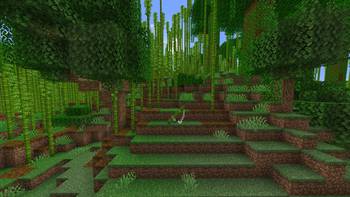
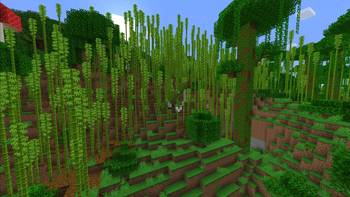
🔹 Perfect for jungle and survival builds

Fish in style with this nature-inspired rod! 

📥 Download now and try it out!

Polski:

Ten resource pack zmienia wędkę w bambusową wersję! 

🔹 Zielona bambusowa wędka dla naturalnego wyglądu

🔹 Zmieniona żyłka, aby pasowała do stylu

🔹 Idealna do budowli w dżungli i survivalu

Łów ryby w naturalnym stylu! 

📥 Pobierz i sprawdź sam!

Español:

¡Este paquete de texturas transforma la caña de pescar en un diseño de bambú! 

🔹 Caña de bambú verde para un estilo natural

🔹 Hilo de pescar actualizado para encajar con el tema

🔹 Perfecto para construcciones en la jungla y supervivencia

¡Pesca con estilo con esta caña inspirada en la naturaleza! 

📥 ¡Descárgalo y pruébalo ahora!

CraftGlow Bamboo Fishing Rod.zip
MC 1.21, 1.20.2, 1.21.8, 1.20.5, 1.21.5, 1.21.4, 1.20.6, 1.21.1, 1.21.6, 1.21.3, 1.21.7, 1.20.4, 1.20.3, 1.21.2, 1.21.9, 1.21.10, 1.21.11, 26.1, 26.1.1, 26.1.2, 26.2, 26.3
Release 2026-07-22 Get

Requirements & install

How to use this resource pack in Minecraft
Resolution
16x
Minecraft
1.21.9 – 26.3
Install folder
.minecraft/resourcepacks

How to install resource packs

  1. Download the resource pack .zip file (do not extract it).
  2. In Minecraft open Options → Resource Packs → Open Pack Folder.
  3. Drop the .zip into the resourcepacks folder (.minecraft/resourcepacks).
  4. Move the pack to the Selected column and click Done.
Browse more: 16x resource packs 32x resource packs 64x resource packs 128x resource packs 256x resource packs 512x+ resource packs Resource Packs for 26.3 All resource packs

More from CraftGlow

Advertisement Remove ads with Premium →

You Might Also Like