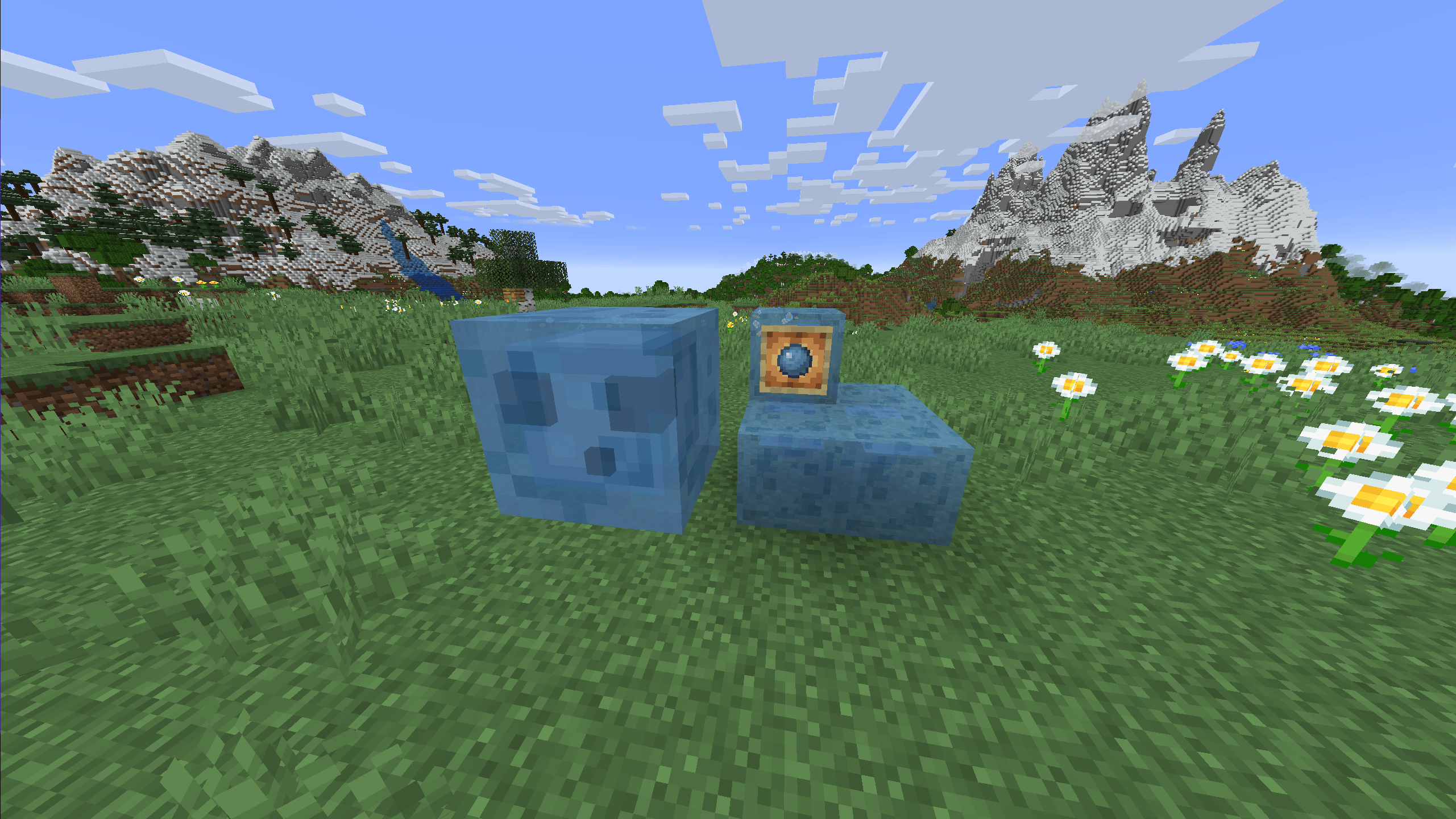
🇬🇧 English: This resource pack gives Slime-related textures a fresh blue look, transforming the classic green style into something new!
🔹 New design: Slime, Slime Block, Slimeball, and Sticky Piston now feature a vibrant blue color
🔹 Perfect for anyone who loves the Slime mob but wants a unique twist
🔹 Stays true to Minecraft’s original style, but with a cool custom touch
Show off your new blue Slime and add a fresh vibe to your world!
📥 Download and try it now!
🇵🇱 Polski: Ten resource pack nadaje wszystkim teksturom związanym ze Slime’em świeży, niebieski wygląd, zmieniając klasyczny zielony styl na coś nowego!
🔹 Nowy design: Slime, Slime Block, Slimeball oraz Sticky Piston teraz mają intensywnie niebieski kolor
🔹 Idealny dla każdego, kto lubi Slime’a, ale chce nadać mu unikalny wygląd
🔹 Zachowuje oryginalny styl Minecrafta, ale z odrobiną świeżości
Pokaż światu swojego nowego, niebieskiego Slime’a i nadaj grze nowy klimat!
📥 Pobierz i sprawdź sam!
🇪🇸 Español: ¡Este paquete de texturas da un nuevo toque azul a todos los elementos relacionados con el Slime, transformando el estilo verde clásico en algo fresco!
🔹 Nuevo diseño: Slime, Slime Block, Slimeball y Sticky Piston ahora tienen un color azul vibrante
🔹 Perfecto para los que aman al Slime pero quieren darle un giro único
🔹 Mantiene el estilo original de Minecraft, pero con un toque personalizado
¡Muestra tu nuevo Slime azul y da un aire fresco a tu mundo!
📥 ¡Descárgalo y pruébalo ahora!