Mineuniverse
Resource Packs
Copper Experience+

Copper Experience+

RESOURCE PACK
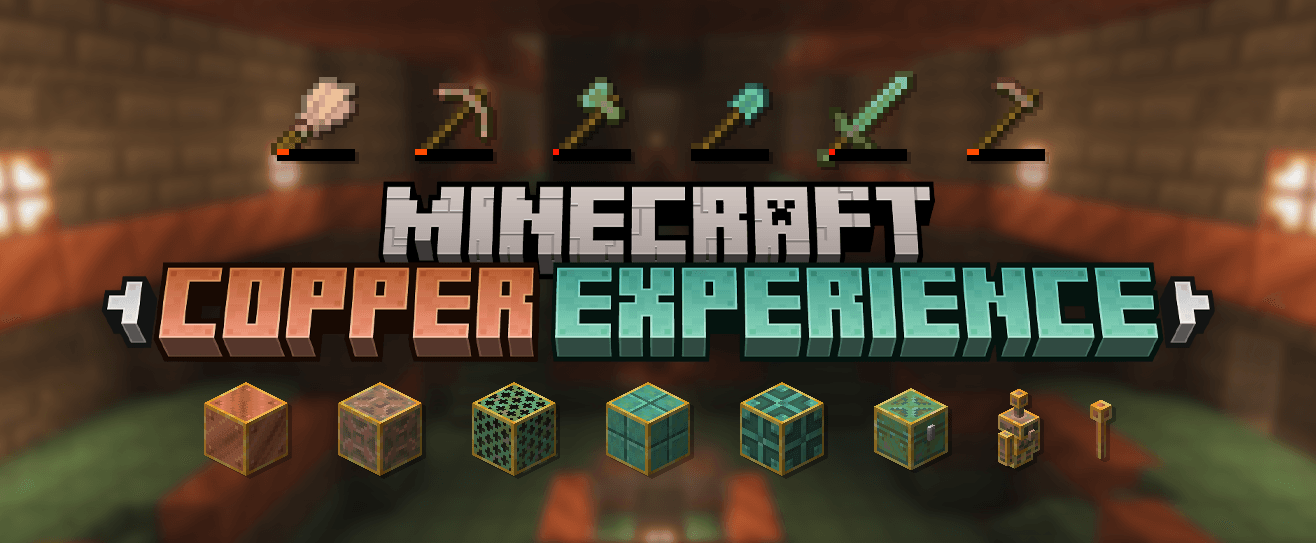

Visual waxed blocks and tools oxidation stages.
by Kryqu
Download Claim this project
3,323 downloads
0 likes
0 followers
Updated Oct 14, 2026
0 hypes
Follow0
16x Modern Traditional
Advertisement Remove ads with Premium →

ABOUT

Adds visuals for waxed copper blocks in the inventory and for copper tools showing all oxidation stages based on durability.

Check out the gallery to get a preview of most features and contents.

This items is from my resource pack Vanilla Experience+.

Feel free to report any issues, feedback, or concerns by sending me a DM. Please check the FAQ section first.

Modrinth CurseForge Support me on Ko-Fi


FAQ

The resource pack is marked as incompatible or made for a newer Minecraft version
  • If you downloaded the correct version of the resource pack for your Minecraft version, you can safely ignore this warning - everything will work properly.
Is this resource pack available for Bedrock Edition?
  • Currently, this resource pack is available for Java Edition only.
Can I use assets from this pack in my own resource pack?
  • Redistribution or reuse of assets is not allowed without my explicit permission. However, you may safely use this pack as a dependency. Private, non-public use is permitted.
Can I include this resource pack in a modpack?
  • Yes, this resource pack may be included in modpacks as a dependency.


Copper Experience+

[1.17-1.20.1] Copper Experience+ v2.0
MC 1.17.1, 1.18.1, 1.19.3, 1.19.4, 1.17, 1.18, 1.20.1, 1.20, 1.19.1, 1.18.2, 1.19.2, 1.19
Release 2026-09-21 Get
[1.20.2-26.3] Copper Experience+ v2.0
MC 1.21, 1.20.2, 1.21.8, 1.20.5, 1.21.5, 1.21.4, 1.20.6, 1.21.1, 1.21.6, 1.21.3, 1.21.7, 1.20.4, 1.20.3, 1.21.2, 1.21.9, 1.21.10, 1.21.11, 26.1, 26.1.1, 26.1.2, 26.2, 26.3
Release 2026-09-21 Get

Requirements & install

How to use this resource pack in Minecraft
Resolution
16x
Minecraft
1.21.9 – 26.3
Install folder
.minecraft/resourcepacks

How to install resource packs

  1. Download the resource pack .zip file (do not extract it).
  2. In Minecraft open Options → Resource Packs → Open Pack Folder.
  3. Drop the .zip into the resourcepacks folder (.minecraft/resourcepacks).
  4. Move the pack to the Selected column and click Done.
Browse more: 16x resource packs 32x resource packs 64x resource packs 128x resource packs 256x resource packs 512x+ resource packs Resource Packs for 26.3 All resource packs

More from Kryqu

Advertisement Remove ads with Premium →

You Might Also Like