Mineuniverse
Resource Packs
Cloud's Flashing Ores++

Cloud's Flashing Ores++

RESOURCE PACK
Flashing, Bordered Ores & More!
by Cloud7050
Download Claim this project
1,905 downloads
0 likes
0 followers
Updated Oct 14, 2026
0 hypes
Follow0
16x Animated Miscellaneous Traditional
Advertisement Remove ads with Premium →

lava diamonds

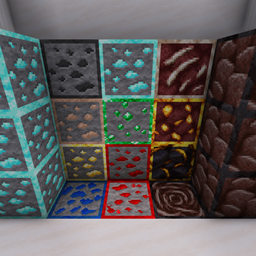
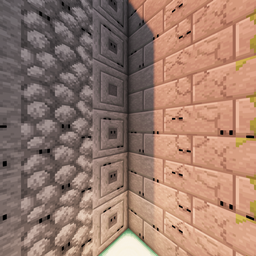
This pack gives ores a flashing border! The borders stay true to the palettes of vanilla's normal or deepslate ores, as the case may be. They can be useful for things like spotting ores hidden at the edge of lava that would otherwise be missed!

Diamond ore flashes faster while coal ore flashes slower. Copper ore flashes in both of its main colours. While lit, redstone ore stays outlined & has a more vivid border.

flashing

Ores in their item form remain cleanly unchanged - no border there.

podium held

inventory normal

​

This is just the initial release! I hope to add more features soon:

  • Nether ores (ancient debris, nether quartz, nether gold ore, gilded blackstone)
  • Glowing borders (needs OptiFine for emissives)
  • Connected borders (needs OptiFine for connected textures)
V1.1.0
MC 1.18.1, 1.18.2, 1.18, 1.18-Snapshot
Release 2021-12-01 Get
V1.0.0
MC 1.17.1, 1.17, 1.17-Snapshot
Release 2021-11-30 Get

Requirements & install

How to use this resource pack in Minecraft
Resolution
16x
Minecraft
1.17-Snapshot – 1.18.2
Install folder
.minecraft/resourcepacks

How to install resource packs

  1. Download the resource pack .zip file (do not extract it).
  2. In Minecraft open Options → Resource Packs → Open Pack Folder.
  3. Drop the .zip into the resourcepacks folder (.minecraft/resourcepacks).
  4. Move the pack to the Selected column and click Done.
Browse more: 16x resource packs 32x resource packs 64x resource packs 128x resource packs 256x resource packs 512x+ resource packs Resource Packs for 1.18.2 All resource packs

More from Cloud7050

Advertisement Remove ads with Premium →

You Might Also Like