Mineuniverse
Resource Packs
Cloud's Better Fire

Cloud's Better Fire

RESOURCE PACK
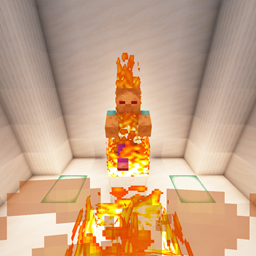
Unstretched, Lower, Translucent Flames!
by Cloud7050
Download Claim this project
2,040 downloads
0 likes
Updated Oct 14, 2026
0 hypes
32x Animated Miscellaneous Traditional
Advertisement Remove ads with Premium →

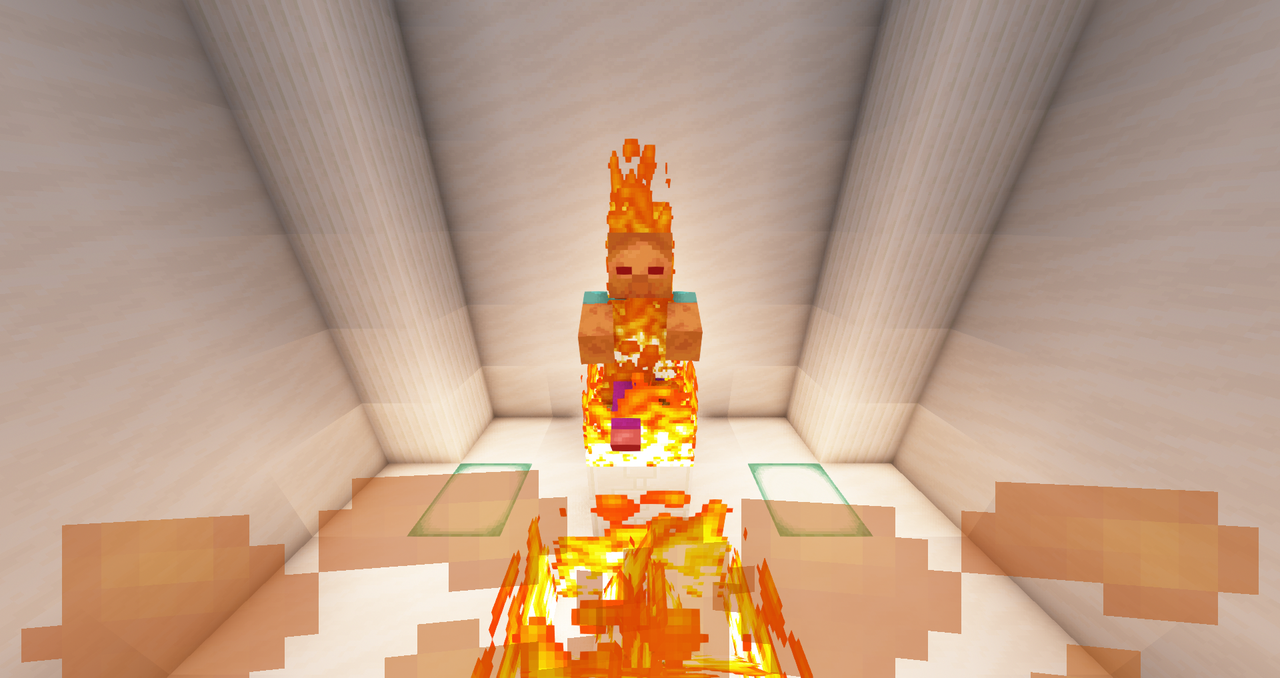
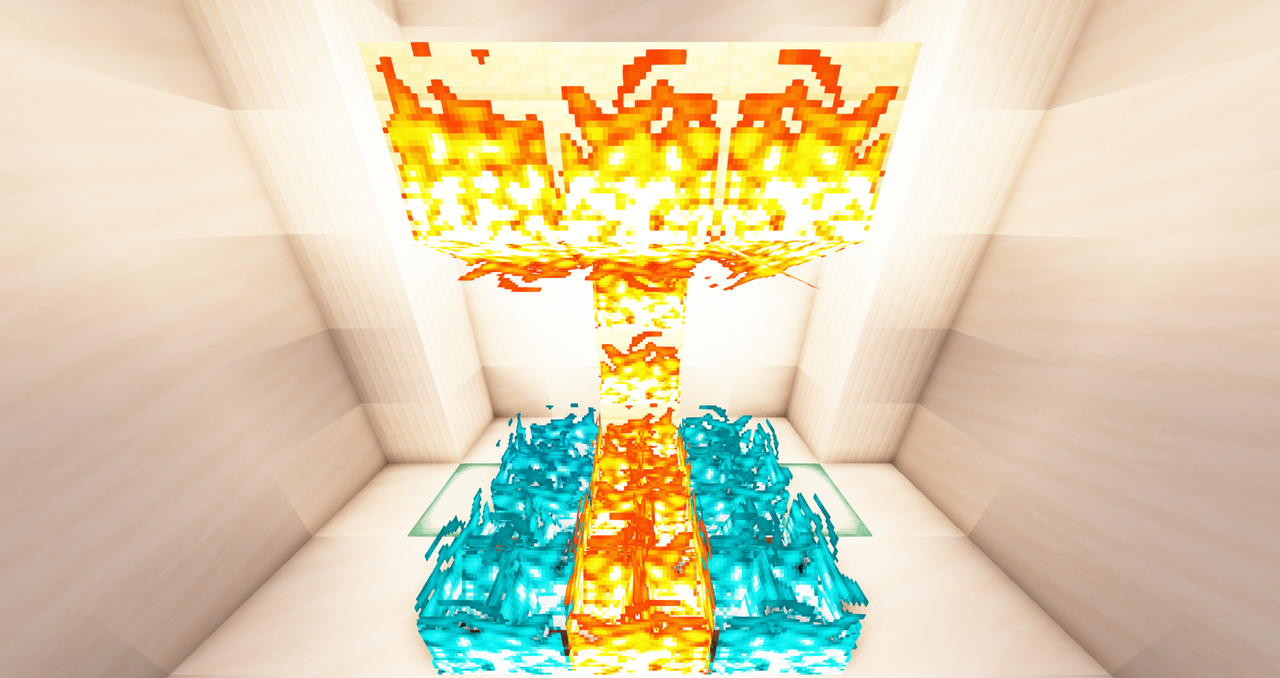
This pack improves both fire & soul fire! Fire blocks are no longer stretched, nicely being 1 block tall or occupying their 1-block hitbox in all the different fire variations, while also not being stretched by the game's weird rescaling. They look more consistent & their blades are no longer visible only from one side, making them neater & easier to notice. To account for this new lack of stretching, the animation itself has been "sped up" to prevent fire from looking sluggish.

In 1st person view, fire is lower & more translucent to block way less of your vision. For entities, the game is hardcoded to stretch the fire texture by varying amounts, but I've also done what I can to make the pixels look less rectangular. These textures are now separate from the ones used for fire blocks to allow each to be better tailored for use in different areas, without having their looks impact each other.

I hope this pack serves you well!
This paragraph used to be a note about Faithful's relation to this pack. Unfortunately, I am withdrawing my support for Vizzy's Faithful. More context here.

V2.0.1
MC 1.16-Snapshot, 1.16.3, 1.16.1, 1.16, 1.16.5, 1.16.4, 1.16.2
Release 2021-03-17 Get
V2.0.0
MC 1.16-Snapshot, 1.16.3, 1.16.1, 1.16, 1.16.5, 1.16.4, 1.16.2
Release 2021-02-03 Get
V1.1.0
MC 1.16-Snapshot, 1.16.3, 1.16.1, 1.16, 1.16.5, 1.16.4, 1.16.2
Release 2020-12-07 Get
V1.0.0
MC 1.16-Snapshot, 1.16.3, 1.16.1, 1.16, 1.16.5, 1.16.4, 1.16.2
Release 2020-11-25 Get

Requirements & install

How to use this resource pack in Minecraft
Resolution
32x
Minecraft
1.16-Snapshot – 1.16.5
Install folder
.minecraft/resourcepacks

How to install resource packs

  1. Download the resource pack .zip file (do not extract it).
  2. In Minecraft open Options → Resource Packs → Open Pack Folder.
  3. Drop the .zip into the resourcepacks folder (.minecraft/resourcepacks).
  4. Move the pack to the Selected column and click Done.
Browse more: 16x resource packs 32x resource packs 64x resource packs 128x resource packs 256x resource packs 512x+ resource packs Resource Packs for 1.16.5 All resource packs

More from Cloud7050

Advertisement Remove ads with Premium →

You Might Also Like