Mineuniverse
Resource Packs
Classic Sword Block

Classic Sword Block

RESOURCE PACK
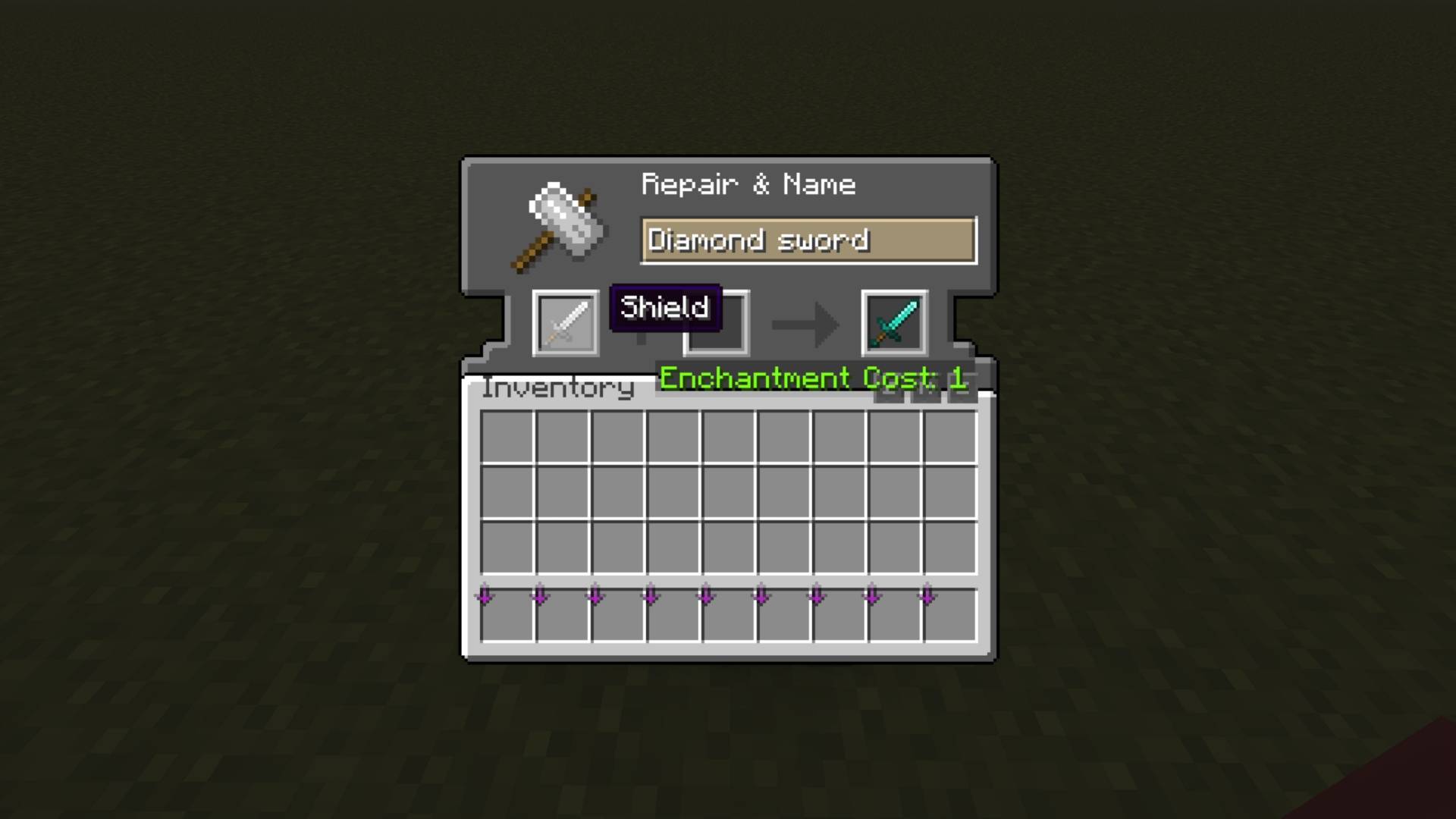
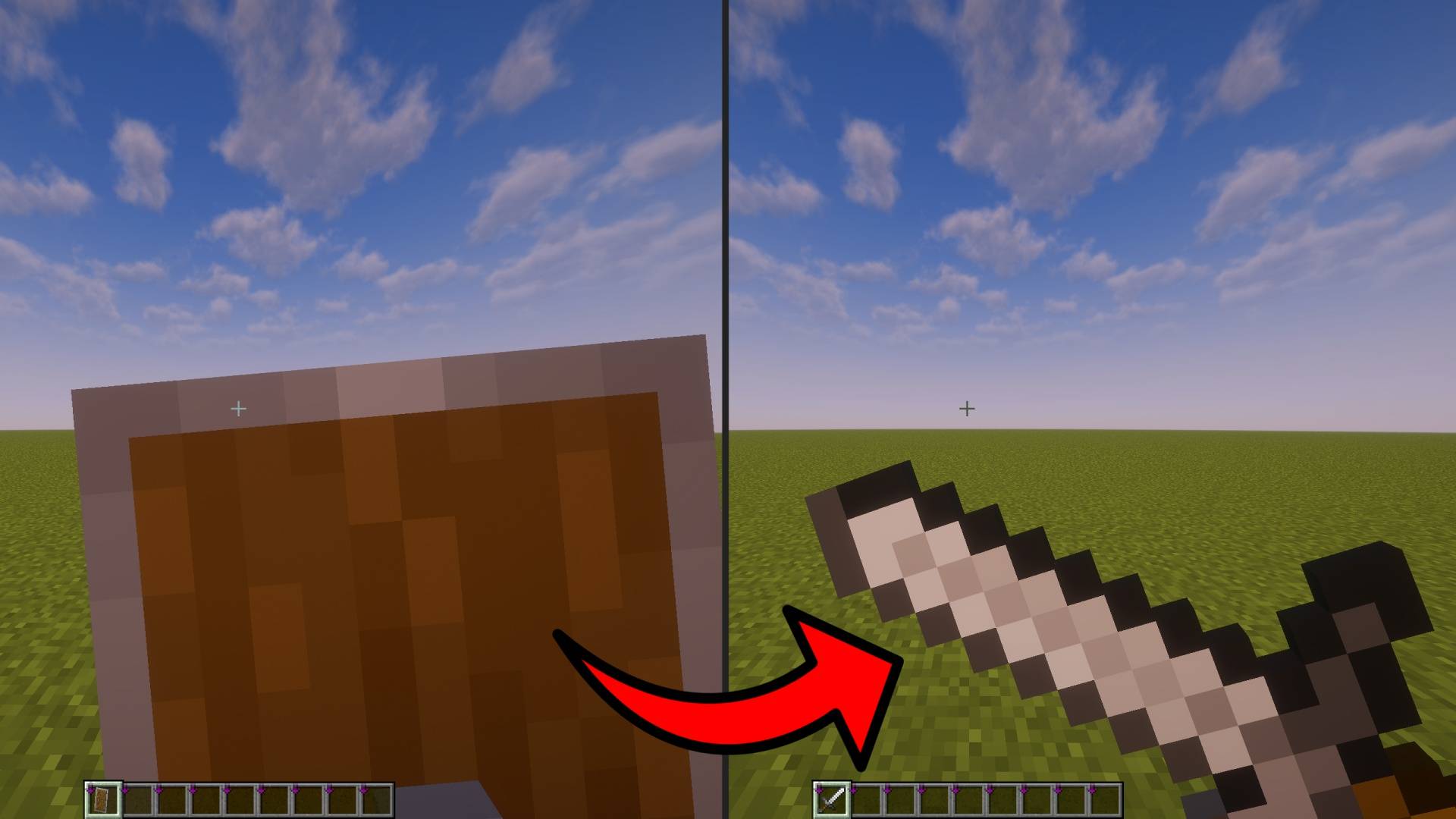
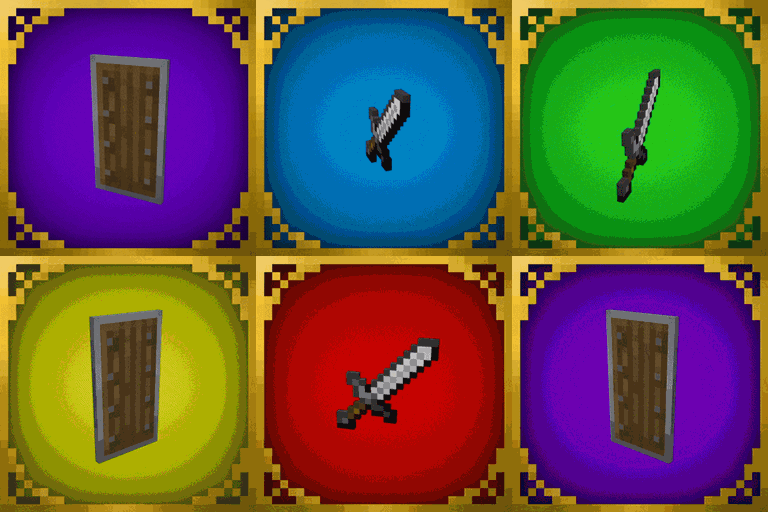
Replaces shields with swords to simulate the old 1.8 sword blocking mechanic. Enhance PvP combat, block, and parry mechanics. Rename shields with sword names for customizable textures.
by Alexxxx_
Download Claim this project
1,939 downloads
0 likes
0 followers
Updated Oct 14, 2026
0 hypes
Follow0
16x Miscellaneous Mod Support Modern Traditional
Advertisement Remove ads with Premium →

Title

Overview:

Replaces shields with swords to simulate the classic 1.8 sword blocking mechanic.

Customizable textures:

Rename the shield to any sword name (e.g., "diamond sword") to change its texture according to the sword material. Supports over 10 languages, including:

  • English
  • Italian
  • Spanish
  • French
  • German
  • Russian
  • Chinese
  • Japanese
  • Korean
  • Portuguese

Requirements:

The resource pack works perfectly fine in vanilla; however, to unlock the full functionality of customizable sword textures when renaming shields, OptiFine or the CIT Resewn mod is required. Otherwise, the shield will default to the iron sword texture.

Classic Sword Block.zip
MC 1.21, 1.21.8, 1.21.5, 1.21.4, 1.20, 1.20.6, 1.21.1, 1.21.6, 1.21.3, 1.21.7, 1.21.2, 1.21.9, 1.21.10, 1.21.11
Release 2025-01-26 Get

Requirements & install

How to use this resource pack in Minecraft
Resolution
16x
Minecraft
1.21.4 – 1.21.11
Install folder
.minecraft/resourcepacks

How to install resource packs

  1. Download the resource pack .zip file (do not extract it).
  2. In Minecraft open Options → Resource Packs → Open Pack Folder.
  3. Drop the .zip into the resourcepacks folder (.minecraft/resourcepacks).
  4. Move the pack to the Selected column and click Done.
Browse more: 16x resource packs 32x resource packs 64x resource packs 128x resource packs 256x resource packs 512x+ resource packs Resource Packs for 1.21.11 All resource packs

More from Alexxxx_

Advertisement Remove ads with Premium →

You Might Also Like