Badges update automatically and link to the resource pack page on MineUniverse.




Adds Custom Item Textures for the Fishing Made Better mod items, depending on their NBT tags.
Shows the fish contained in the Fish Bucket.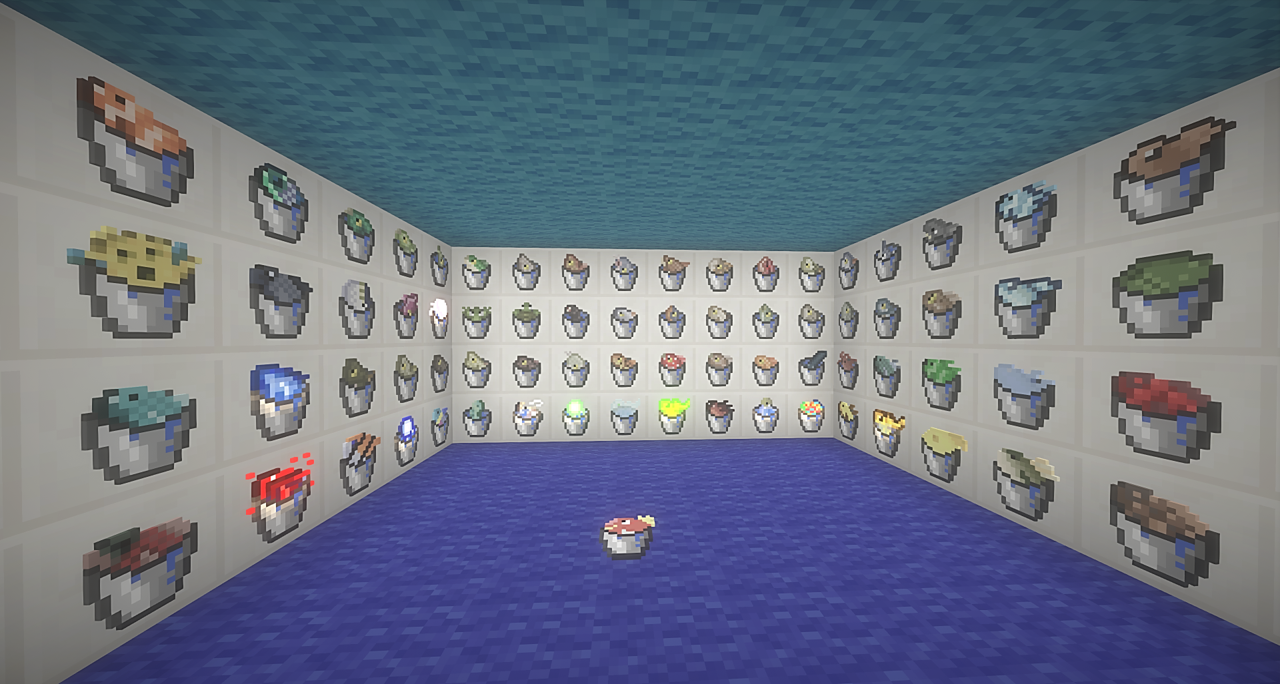
Emissive fishes keep emiting light inside a Fish Bucket.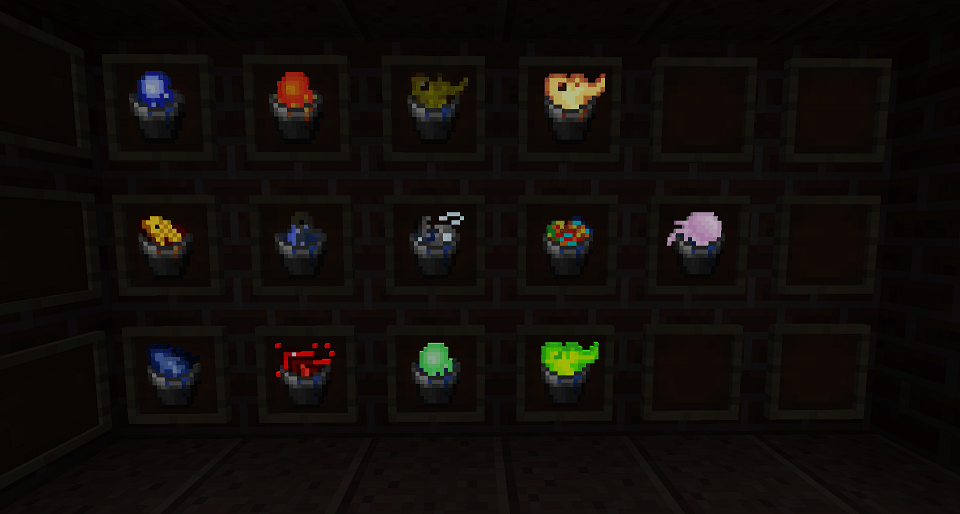
Its texture changes depending on how full it is.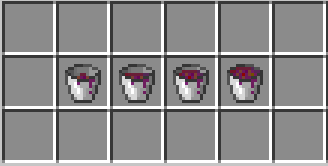
These buckets are added by Localizator, so if you want them, please download it!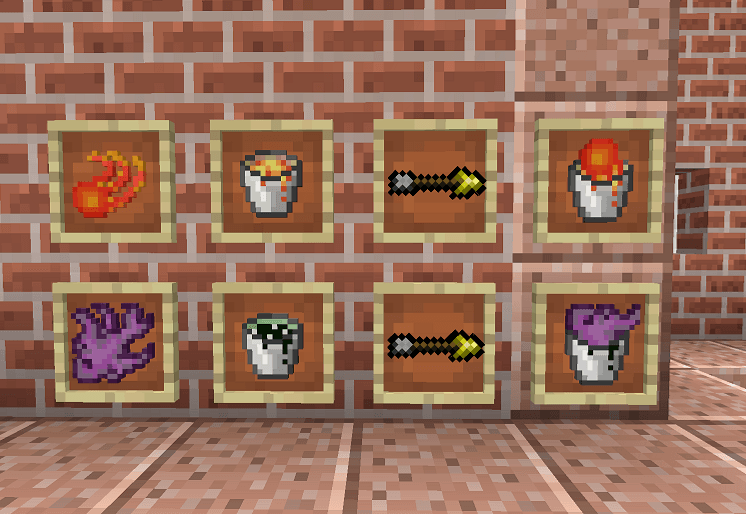
If the extra fish buckets were added after a world was created, CIT won't work on them unless you Reload Resource packs by pressing F3+T.
This is because FML (Forge Mod Loader) creates its item index when a world is created.
Any item that was added after world creation gets a new index, which doesn't match CIT's target.
If you don't want to create a new world for the textures to work properly, here's a quick fix:
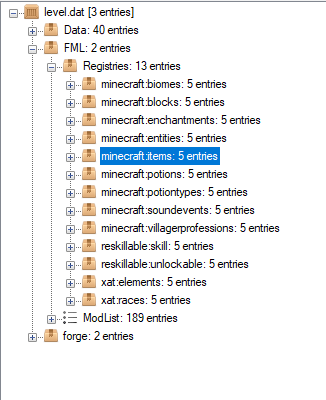
You need Optifine for this Resource Pack to work.
Also, don't forget to enable Custom Items!
Options -> Video Settings -> Quality... -> Custom Items: ON
This CIT pack checks for the FishId NBT tag value inside the Fish Bucket item.
It will only match FMB's original FishId's.
If you want to give a fish a different name, I recommend using Localizator.
It makes fish name and description translatable, therefore it creates language keys for those texts.
Then you can simply override those lang keys using your resources folder.
Info for testing:
Command: /give @s fishingmadebetter:fish_bucket 1 0 {FishId:"<fish_id>"}
Example: /give @s fishingmadebetter:fish_bucket 1 0 {FishId:"Red Salmon"}
Localizator adds more Fish Buckets under FMB namespace:/give @s fishingmadebetter:lava_fish_bucket 1 0 {FishId:"<fish_id>"}/give @s fishingmadebetter:void_fish_bucket 1 0 {FishId:"<fish_id>"}
If you customized your fishes to be caught from a different liquid than the default (Magmatic Jellyfish on water, etc.),
this Resource pack supports any fish/bucket combination!
Vanilla:
- Cod
- Red Salmon
- Clownfish
- Pufferfish
Advanced Fishing:
- Bluebottle Jellyfish
- Magmatic Jellyfish
- Mud Tuna
- Frost Minnow
- Mudskinned Piranha
- Golden Koi
- Specular Snapper
- Carbonic Trout
- Midnight Bream
- Wrackke
- Quartzander
- Glowfin
- Blazing Chichlid
- Ender Synanceia
- Pearlfish
- Fruiting Voidfin
- Nitric Crucian
- Ruffe
- Sparkling Eel
- Angelfish
- Prismatic Angler
- Bluehead Porifcian
- Snowy Walleye
- Squid
- Withered Crucian
- Barred Sand Bass
- Mandarin Dragonet
- Red Fungalfin
- Brown Fungalfin
- Warthead
- Green-Finned Plaice
- Lazulicanth
- Charged Bullhead
- Abyssal Lurker
- Sunfish
- Glacier Anchovy
- Brown Bullhead
- Pike
- Magikarp
- Fluorescent Slimefish
- Bonefish
- Cursed Koi
- Phantasmal Tetra
Aquaculture:
- Bluegill
- Perch
- Gar
- Bass
- Muskellunge
- Brown Trout
- Catfish
- Carp
- Blowfish
- Red Grouper
- Arctic Salmon
- Tuna
- Swordfish
- Shark
- Whale
- Giant Squid
- Jellyfish
- Frog
- Turtle
- Leech
- Piranha
- Electric Eel
- Tambaqui
- Arapaima
- Polar Cod
- Pollock
- Herring
- Halibut
- Chinook Salmon
- Rainbow Trout
- Tautog
- Capitaine
- Boulti
- Bagrid
- Synodontis
- Red Shrooma
- Brown Shrooma
- Goldfish